
Key takeaways
What are personalized POD gifts?
Personalized print-on-demand gifts are made-to-order products a customer customizes with a name, date, photo, or message, produced only after purchase. They work best when the store controls both the customer experience and the production handoff, so the preview a shopper approves matches the file a printer receives.
Common gift product types
Start with products people already buy as gifts: mugs, shirts, ornaments, posters, phone cases, tote bags, and keepsake items. These have proven gifting intent and reliable fulfillment, which lowers your risk while you learn what sells.
Why personalization improves perceived value
A personalized item is harder to compare on price and feels more thoughtful, which supports a higher price point. That pricing headroom is exactly why personalized gifts pair with the POD profit margin guide — better perceived value protects margin.
How do you make personalized gifts for print-on-demand?
Choose gift-ready products
Pick products with gift intent and dependable production. Confirm the item can be personalized cleanly within a safe print area before you build around it.
Create editable templates
Build templates with safe print areas, readable fonts, and clear placeholders for names, dates, photos, messages, or illustrations. Good templates make personalization foolproof; weak ones invite designs that break in production.
Define customer input fields
Decide exactly what the customer can edit — a name field, a date, an image upload, a message — and prevent inputs that break the design, such as text that overflows the safe area. The product page should explain clearly what is editable.
Preview and approve artwork
Show a live or accurate preview so the customer approves the real design, then check the file for resolution, alignment, spelling risk, and print-area limits before fulfillment. Clean uploads matter here; the AI image upscale tool helps rescue low-resolution customer photos before they reach the press.
Which occasions work best for POD gifts?
Seasonal planning is what turns a personalized-gift catalog into a repeatable business. Launch evergreen designs year-round, then prepare seasonal campaigns early enough for production and shipping deadlines.
| Occasion window | Gift focus | Plan and launch by |
|---|---|---|
| Year-round | Birthdays, weddings, pets, new baby | Always live |
| Spring | Mother's Day, Father's Day, graduation | Several weeks ahead of each date |
| Late summer / fall | Back-to-school, teams, corporate gifts | Before the season starts |
| Holiday | Christmas, Hanukkah, year-end gifting | Early, to clear production and shipping cutoffs |
Always confirm production and shipping deadlines with your fulfillment partner before promoting a seasonal deadline to customers.
What mistakes cause personalized gift reprints?
- Low-resolution images. Customer photos are often too small; upscale or request a better file before printing.
- Fonts and names that do not fit. Long names can overflow; set field limits and test edge cases.
- Missing proofing or preview steps. Without an accurate preview, customers approve something different from what prints.
- Spelling passed straight to production. Personalized text is customer-supplied; make approval explicit.
- Ignoring print-area limits. Designs that spill past the safe area get clipped or misaligned.
Personalized gift launch checklist
| Step | Owner | Quality check |
|---|---|---|
| Pick product | Merchandising | Gift intent and reliable fulfillment |
| Build template | Design | Safe area, font size, image placeholders, contrast |
| Configure inputs | Store admin | Name, date, image, message fields are clear |
| Preview artwork | Customer / store | Design matches selected product and variant |
| Preflight file | Production | Resolution, bleed, alignment, and text fit valid |
| Track results | Ecommerce | Conversion, refund, reprint, seasonal demand |
How does Printcart support the personalized gift workflow?
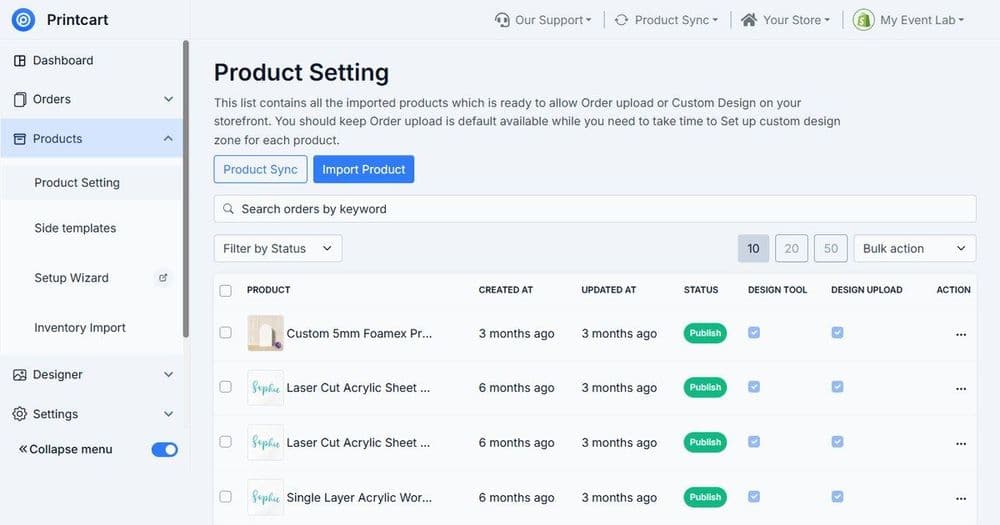
Printcart supports this workflow with product catalogs, templates, and customization steps that help sellers turn gift ideas into repeatable POD products. Build editable designs from the Printcart template library and manage variants in your product catalog, so the customer preview and the production file stay in sync.
How do you scale a personalized gift catalog?
Once a few personalized products sell reliably, scale by extending what already works rather than adding unrelated items. Take a proven product, such as a personalized mug, and expand it into variants and new occasions — different colors, sizes, and seasonal designs built on the same safe template.
This reuses your tested print areas and input fields, so each new listing carries far less setup risk than a brand-new product. Watch conversion and reprint data by product and occasion, then invest in the winners and retire designs that generate refunds. Growing from proven templates keeps quality consistent while your catalog widens, which is exactly how a small gift range becomes a dependable seasonal business.
Next best step
Personalized gifts depend on a well-built designer, so continue with setting up the online product designer. When you want the personalizer configured for you, Printcart offers a product personalizer setup service that builds templates, input fields, previews, and print-ready output.
Ready to sell personalized gifts? Create a free Printcart account to build templates and customization, or talk to the Printcart team about personalizer setup.
Printcart field note
What to verify before you roll out How to Create Personalized Print-on-Demand Gifts: Workflow, Seasons & Mistakes
This guide is based on Printcart implementation patterns across file quality, proofing, and production risk. Before rolling it out to customers, test the workflow yourself with one real product, one real design file, and one real order.
Sources
How to Create Personalized Print-on-Demand Gifts: Workflow, Seasons & Mistakes — common questions
What are personalized POD gifts?
Personalized print-on-demand gifts are made-to-order products a customer customizes with a name, date, photo, or message, produced only after purchase. They work best when the store controls both the customer experience and the production handoff, so the preview a shopper approves matches the file a printer receives.
Which occasions work best for POD gifts?
Seasonal planning is what turns a personalized-gift catalog into a repeatable business. Launch evergreen designs year-round, then prepare seasonal campaigns early enough for production and shipping deadlines.
How does Printcart support the personalized gift workflow?
Printcart supports this workflow with product catalogs, templates, and customization steps that help sellers turn gift ideas into repeatable POD products. Build editable designs from the Printcart template library and manage variants in your product catalog , so the customer preview and the production file stay in sync.
How do you scale a personalized gift catalog?
Once a few personalized products sell reliably, scale by extending what already works rather than adding unrelated items. Take a proven product, such as a personalized mug, and expand it into variants and new occasions — different colors, sizes, and seasonal designs built on the same safe template.
Next steps in Printcart
Connect how to create personalized print-on-demand gifts: workflow, seasons & mistakes with catalog setup, templates, production workflows, and implementation support.
Want to put how to create personalized print-on-demand gifts: workflow, seasons & mistakes into practice?
Use the related Printcart tool below, or create a free account to start building with the product designer.