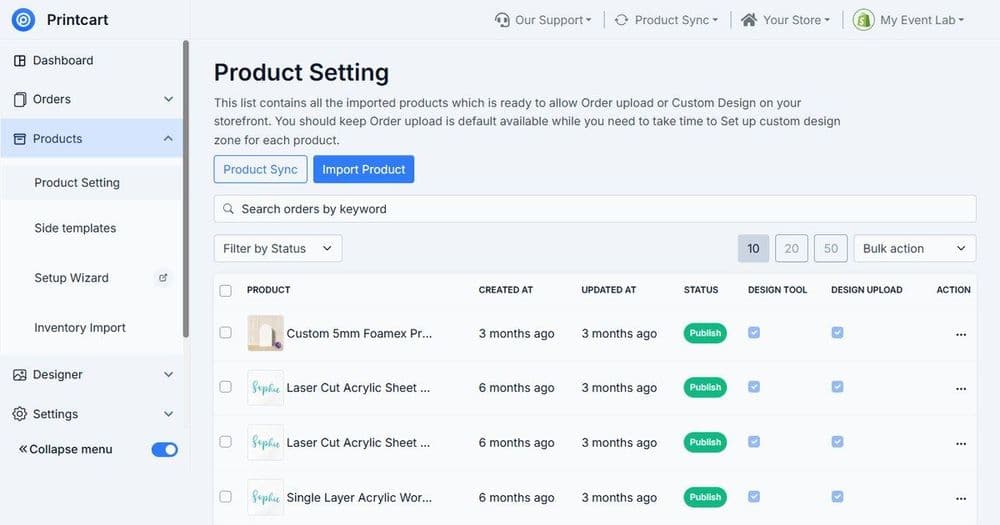
To configure print product options, define the variants a customer chooses (size, color, material, print side, quantity, finish), attach correct print areas to each side, and set pricing rules per option. With Printcart, structured options ensure every selection maps to accurate pricing and a print-ready file, instead of manual exceptions on each order.
Key takeaways
What are print product options, variants, and print areas?
Print product options are the choices a customer makes on a product, such as size or material. Variants are the specific combinations those choices create, like "Large / Black / Cotton". Print areas are the printable regions on each product side. Together they decide what the customer can order, what it costs, and what the printer produces. When they are unstructured, pricing breaks and production files need manual fixing.
Printcart's print options layer is built for print-specific complexity, print sides, materials, finishes, and add-ons, not just generic ecommerce size-and-color variants. That distinction is what lets a real print catalog sell online without per-order intervention.
How do you configure print product options in Printcart?
Step 1List the real options for the product
Write down every choice for the product: size, color, material, print side, finish, quantity tier, and any add-ons. Base this on how the product is actually produced and priced, not on assumptions. This list becomes your option structure.
Step 2Generate variants and rules
Turn options into variants and set which combinations are valid. Not every combination is producible, so disable ones your printer does not support. This prevents customers from ordering something you cannot make.
Step 3Attach print areas per side
For each print side, set the print area dimensions so the product designer and production file use the same safe zone. A double-sided product needs an area per side; a wrap product needs its full printable region defined.
Step 4Set pricing rules per option
Attach price impact to the options that change cost: larger sizes, premium materials, extra print sides, and add-ons. Structured option pricing is what keeps margin correct as customers mix and match, instead of pricing every combination by hand.
Step 5QA the option-to-file path
Order a few variant combinations and confirm each produces the right price and a correct print-ready file. This closes the loop between what the customer selects and what production receives.
How should you structure common option types?
Use this table as a starting structure for the options most print products need.
| Option type | Setup note | Production / pricing impact |
|---|---|---|
| Size | Define the full size range you produce | Often changes cost; may change print area |
| Color / material | Map to real stock you can source | Premium stock adds cost; affects print method |
| Print side | One print area per side sold | Extra sides add print cost and file complexity |
| Finish / add-on | Offer only finishes your printer supports | Adds cost and sometimes turnaround time |
| Quantity tier | Set breakpoints for bulk pricing | Lower unit price at higher volumes |
Why does unstructured option setup cost you money?
When options are not structured, three problems appear. Pricing drifts because premium choices are not costed, so margin quietly erodes. Production slows because files need manual correction per order. And customers can order impossible combinations, which triggers refunds and reprints. Structured options prevent all three by making the catalog itself enforce what is valid and what it costs.
How do options connect to pricing and profit?
Every priced option feeds directly into your margin. Set option pricing before launch so a product stays profitable across all its variants, then verify it with a full cost model. The companion guide on calculating POD profit margins shows how option costs, fees, shipping, and returns combine into net margin.
How do print options differ from generic ecommerce variants?
A standard ecommerce product usually needs only size and color. A print product carries production meaning behind each choice: a print side adds a file and a cost, a material changes the print method, a finish adds a production step, and a quantity tier changes unit economics. Generic variant systems treat these as flat labels, which is why print catalogs built on them need manual fixes per order. Printcart's print options layer attaches print areas, method constraints, and pricing impact to each option, so the selection a customer makes carries everything production and pricing need. Model your options around how the product is actually made, not around a simple size-and-color grid, and the catalog will scale without per-order intervention.
Next best step
Once options are structured, organize them into a full catalog with the guide on building a custom product catalog for POD stores. If you have a complex price sheet or many variants, Printcart offers a print product options and pricing setup service that structures options, variants, print areas, and pricing rules with checkout QA. You can also explore ready structures in the Printcart product catalog.
Turn a price sheet into a sellable catalog. Create a free Printcart account to configure product options, or talk to the Printcart team for a guided catalog setup.
Printcart field note
What to verify before you roll out Configuring Print Product Options, Variants and Print Areas
This tutorial is written from Printcart implementation patterns across file quality, proofing, and production risk. Before treating it as complete, test the workflow with one real product, one real design file, and one real order path.
Configuring Print Product Options, Variants and Print Areas — common questions
What are print product options, variants, and print areas?
Print product options are the choices a customer makes on a product, such as size or material. Variants are the specific combinations those choices create, like "Large / Black / Cotton". Print areas are the printable regions on each product side. Together they decide what the customer can order, what it costs, and what the printer produces. When they are unstructured, pricing breaks and production files need manual...
How should you structure common option types?
Use this table as a starting structure for the options most print products need.
Why does unstructured option setup cost you money?
When options are not structured, three problems appear. Pricing drifts because premium choices are not costed, so margin quietly erodes. Production slows because files need manual correction per order. And customers can order impossible combinations, which triggers refunds and reprints. Structured options prevent all three by making the catalog itself enforce what is valid and what it costs.
How do options connect to pricing and profit?
Every priced option feeds directly into your margin. Set option pricing before launch so a product stays profitable across all its variants, then verify it with a full cost model. The companion guide on calculating POD profit margins shows how option costs, fees, shipping, and returns combine into net margin.
Next steps in Printcart
Connect configuring print product options, variants and print areas with catalog setup, templates, production workflows, and implementation support.
Want to put configuring print product options, variants and print areas into practice?
Use the related Printcart tool below, or create a free account to start building with the product designer.