A corporate printing portal is a controlled storefront where a company orders branded merch, gifts, and print materials from locked templates, with approval rules and routed fulfillment. To set one up with Printcart, define the product catalog and brand rules, build editable-but-locked templates, configure roles and approvals, connect fulfillment, then...
Key takeaways
What is a corporate printing portal and who needs one?
A corporate printing portal is a private, branded ordering site that a company or its print provider runs so employees, departments, or franchisees can request print products without going off-brand or off-process. Unlike a public store, the portal restricts what can be edited, who can approve, and where orders are produced. It is built for corporate marketing teams, HR and onboarding teams, franchise networks, and the print shops that serve them.
The problem it solves is control at scale. When many people order business cards, apparel, event kits, or gifts, quality and brand consistency drift and approvals get messy. A portal turns that chaos into a repeatable workflow: fixed products, brand-safe templates, clear approvals, and predictable fulfillment.
What do you configure before launching a corporate portal?
Setup breaks into five decisions. Each one shapes the next, so work through them in order rather than configuring products before you know the brand and approval rules.
Step 1Define the product catalog
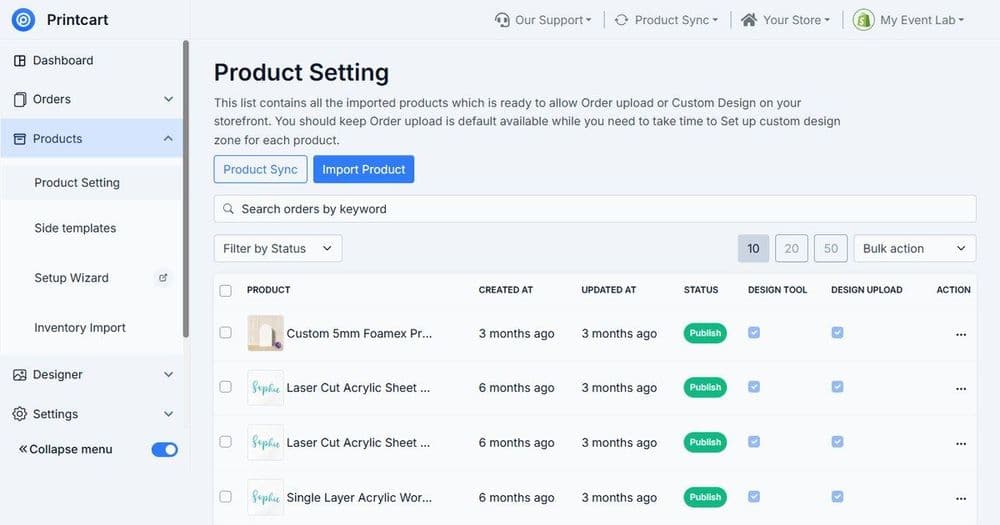
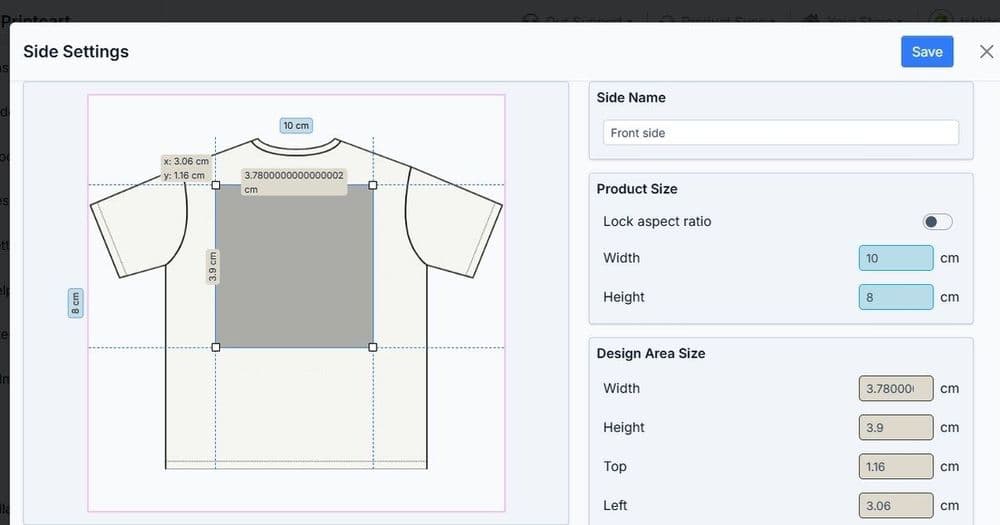
List the products the company actually reorders: business cards, letterhead, apparel, mugs, tote bags, event banners, employee kits, and seasonal gifts. Keep the first catalog small and high-frequency. For each product, decide the print areas, variants, and any fixed options so ordering stays simple.
Step 2Set the brand rules and templates
Build templates that are editable where the company wants personalization (a name, a department, a location) and locked everywhere else (logo, colors, layout, legal text). This is the core of brand control: staff can personalize, but they cannot break the brand.
Step 3Configure roles and approvals
Decide who can order, who must approve, and what triggers a review. A common model is: requester creates an order, a manager or brand owner approves, then it moves to production. Approvals prevent costly reprints and off-brand output.
Step 4Connect fulfillment and routing
Map each product to a production path — an in-house press, a print partner, or a fulfillment network — and set shipping rules for offices, events, or individual employees. Routing decides who prints what and where it ships.
Step 5Pilot before rollout
Launch with one department and a handful of products. Confirm templates, approvals, production, and shipping work end to end, then expand the catalog and audience.
How should approvals and brand control work in the portal?
Approvals should be light enough that people use the portal and strict enough that nothing off-brand ships. Use the table below to plan the control model per product type.
| Product type | Editable fields | Locked | Approval |
|---|---|---|---|
| Business cards | Name, title, phone, location | Logo, layout, colors, legal | Auto or manager |
| Apparel / merch | Size, department name, quantity | Logo placement, artwork | Brand owner |
| Event kits / banners | Event name, date, venue | Brand system, templates | Marketing review |
| Gifts | Recipient, message, occasion | Design, packaging | Budget approver |
What are the common mistakes when launching a corporate portal?
The biggest mistake is launching with too large a catalog, which makes approvals and fulfillment hard to control. The second is leaving templates too open, so brand consistency slips. The third is skipping the pilot and discovering production or shipping gaps after the whole company is ordering. Start narrow, lock templates tightly, and prove the workflow before you scale.
How does Printcart support a corporate printing portal?
Printcart provides the product designer, brand-locked template system, catalog structure, and fulfillment routing that a corporate portal needs, so a print provider or internal team can turn brand rules into a working ordering workflow. For recurring and bulk corporate orders such as cards, labels, and documents, see the companion guide on managing bulk and recurring corporate print orders, and review the Printcart apps if the portal should connect to an existing store platform.
Corporate portal launch checklist
- Small, high-frequency product catalog defined with print areas and variants
- Brand-locked templates with clear editable vs locked fields
- Roles and approval rules per product type
- Fulfillment routing and shipping rules for offices, events, and employees
- A one-department pilot completed end to end before company rollout
Ready to build your corporate print portal? Create a free Printcart account to start configuring templates and catalog, or talk to the Printcart team for a guided corporate portal setup.
Printcart field note
What to verify before you roll out How to Set Up a Corporate Printing Portal for Company Merch and Gifts
This tutorial is written from Printcart implementation patterns across catalog structure, design controls, and customer personalization. Before treating it as complete, test the workflow with one real product, one real design file, and one real order path.
How to Set Up a Corporate Printing Portal for Company Merch and Gifts — common questions
What is a corporate printing portal and who needs one?
A corporate printing portal is a private, branded ordering site that a company or its print provider runs so employees, departments, or franchisees can request print products without going off-brand or off-process. Unlike a public store, the portal restricts what can be edited, who can approve, and where orders are produced. It is built for corporate marketing teams, HR and onboarding teams, franchise networks, and...
What do you configure before launching a corporate portal?
Setup breaks into five decisions. Each one shapes the next, so work through them in order rather than configuring products before you know the brand and approval rules.
How should approvals and brand control work in the portal?
Approvals should be light enough that people use the portal and strict enough that nothing off-brand ships. Use the table below to plan the control model per product type.
What are the common mistakes when launching a corporate portal?
The biggest mistake is launching with too large a catalog, which makes approvals and fulfillment hard to control. The second is leaving templates too open, so brand consistency slips. The third is skipping the pilot and discovering production or shipping gaps after the whole company is ordering. Start narrow, lock templates tightly, and prove the workflow before you scale.
Next steps in Printcart
Connect how to set up a corporate printing portal for company merch and gifts with catalog setup, templates, production workflows, and implementation support.
Want to put how to set up a corporate printing portal for company merch and gifts into practice?
Use the related Printcart tool below, or create a free account to start building with the product designer.