
Migrate to Printcart from Customily, Zakeke, Teeinblue, Kickflip or a Custom Build
Moving from another product designer or a custom build? The Printcart team rebuilds your printing options, design zones and templates in Printcart and switches your products over in batches, so your store keeps selling while you move. It starts with a written assessment of what moves and what is rebuilt.
- Starting at$299
- DeliveryDone for you
Free to ask. You get scope, price and timeline in writing before any work starts. Created by Printcart.
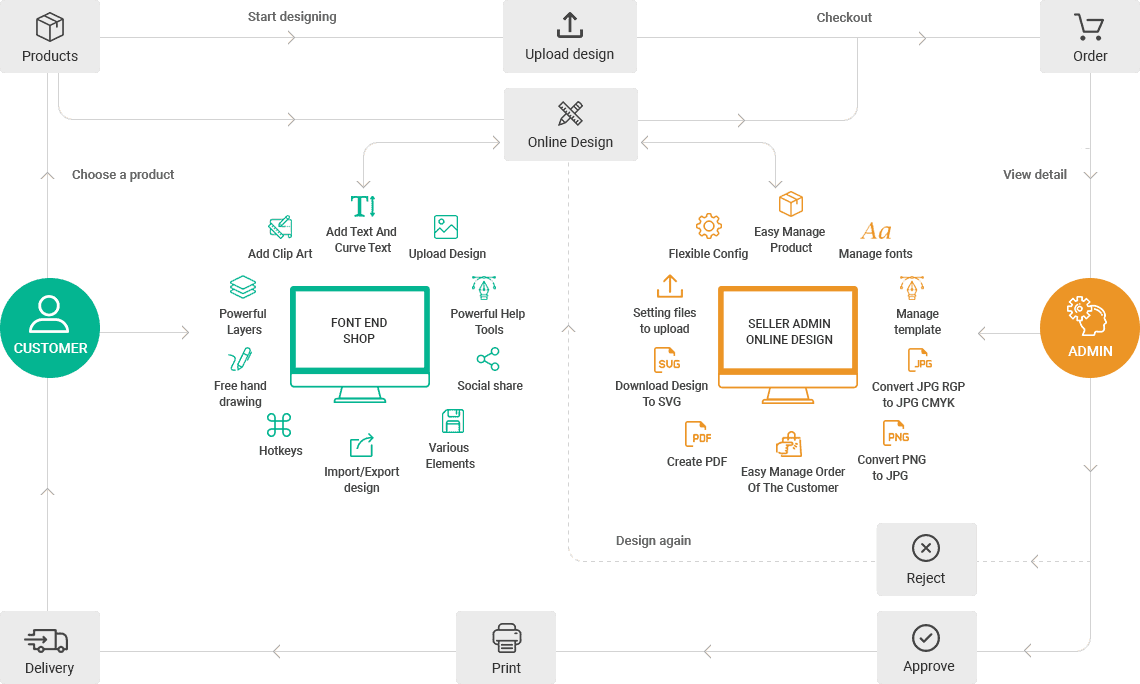
Switching product designer should not mean starting over. This service moves your customizable products to Printcart: we map your current setup, rebuild it in Printcart, test it against your print specs and switch your products over in batches. It covers Customily, Zakeke, Teeinblue, Kickflip, legacy NBDesigner or Online Designer plugins and custom-built designers.
Customily, Zakeke, Teeinblue, Kickflip and other tool names are trademarks of their owners. Printcart is not affiliated with or endorsed by them.
Who this service is for
Store owners and print shops that already sell personalized products with another designer or a custom build and want to run on Printcart: Shopify, WooCommerce and Wix merchants, and teams maintaining an older plugin that is hard to update. If the other tool does something Printcart does not cover, the assessment says so and you can keep it for those products.
The problem it solves
The hard part of switching is not the new tool. It is the fear of losing templates, breaking prices or leaving products without a designer for days. Templates, fonts and option rules live inside the old tool, nobody remembers every setting, and a failed switch means lost orders. A scoped, batch-by-batch migration with a test step removes that risk.
What moves and what is rebuilt
| Item | What happens |
|---|---|
| Products, variants and categories | Stay in your store platform. We enable the Printcart designer on them. |
| Orders and customer accounts | Stay in your store platform. Before the old designer is turned off we help you keep the print files you still need from open orders. |
| Design templates | Rebuilt in Printcart from your original files. There is no one-click importer between these tools. |
| Fonts and clipart | Re-uploaded from your source files, if your font and image licences allow web use. |
| Printing options and price rules | Mapped to Printcart printing options and pricing. Close to the original, but may not match it exactly. |
| Storefront button | The old designer button is replaced by the Printcart button on your theme. |
| Special generators and unique custom features | Scoped separately as custom development, or left on the old tool. |
| Your subscription to the old tool | You cancel it yourself, after the Printcart setup is live and verified. |
What Printcart configures or delivers
How this engagement works
Assessment
You share your product list and screenshots of your current settings; we send a written assessment of what moves and what is rebuilt.
Test copy
We connect your store and set up Printcart on a test copy while your current designer stays live.
Rebuild
Printing options, pricing, design zones and templates, starting with your best sellers.
Check
Sample print files and prices are compared with your specs, and you review test orders.
Go
live – Products switch over in batches and the old designer is turned off on moved products.
Handover
A written note for your team and follow-up in your Helpdesk ticket.
Packages
Assessment
A written plan before you commit to anything.
- Review of your products, templates and current options
- What moves, what is rebuilt, what stays
- Fixed scope and quote for the migration
Starter
A small catalog moved with a clean test step.
- Up to 25 products
- Up to 5 templates rebuilt
- Printing options and pricing for those products
- Storefront button on one theme
Growth
A mid-size catalog moved in batches.
- Up to 100 products
- Up to 20 templates rebuilt
- Printing options imported by product category
- Two go-live batches
Scale
Large catalogs, several stores or custom builds.
- 100+ products or several stores
- Custom-built designer replaced
- Special features scoped separately
What we need from you
- The list of products to move, in priority order
- Collaborator or admin access to your store, or permission to work on a test copy
- Screenshots or exports of your current designer settings and price rules
- Original template, font and clipart files, and confirmation that your licences allow web use
- Your printer file specs: size, bleed, colour mode and file type
- Two or three sample orders to use as test cases
Frequently asked questions
Can you import my templates automatically?
No. There is no one-click importer between these tools. We rebuild templates in Printcart from your original files.
Will I lose my orders or customers?
No. Orders and customers live in your store platform and we do not move them. We work on a copy first and switch products over in batches.
Can I run the old designer and Printcart side by side?
Yes, product by product while we move. Each product should use only one designer, so products switch in batches.
Will my product URLs change?
We do not recreate your products, so their URLs stay the same. We cannot promise search rankings.
Do you move print-on-demand fulfilment connections?
Fulfilment and supplier connections are scoped separately. The assessment lists what is needed.
Do I need to join a call?
No. Everything runs in your Printcart Helpdesk ticket: questions, files, approvals and the written handover.
Related Printcart resources
- All Printcart services
- Printcart tutorials to try the setup yourself first.
- Printcart apps for Shopify, WooCommerce and Wix
Scope and terms for this service
Terms for Printcart migration
Scope
- Scope, price and timeline are confirmed in writing in your Helpdesk ticket before any work starts.
- Work outside the agreed scope is quoted separately.
- Timelines depend on how quickly you share access, files and approvals.
Communication
- All communication runs through your Printcart Helpdesk ticket. No calls are needed.
Access and data
- We ask for the minimum access needed and work on a test copy where your platform allows it.
Quality
- Anything we configured that does not work as agreed is fixed free of charge within 30 days of handover.
Limits
- We do not promise pixel-identical templates or unchanged search rankings.
- Cancelling the old tool is your decision, after you have verified the Printcart setup.
Request a migration quote and we reply in your Helpdesk ticket with a written assessment, scope, price and timeline. Nothing starts until you approve it.