
 Web-to-print app
Printcart Solution
Printcart Solution is the Printcart POD dashboard: one place to manage orders, customer designs, uploads and print-ready files for stores connected on Shopify, Wix or WooCommerce. It is built for print shops, print-on-demand sellers and B2B providers who want a single workflow from buyer design to production. A Free plan is available.
- Platform
- Web-to-print
- Plan
- Free plan available
- Requirements
- Store on Shopify, Wix or WooCommerce
Features
Order Management
See incoming print-on-demand orders from every connected store in one place and track their status, including bulk orders for wholesale and B2B clients.
Design and File Handling
Open customer designs and uploads from the dashboard and export print-ready files in PDF, PNG, SVG or JPG CMYK, with built-in resolution checks.
Product and Template Management
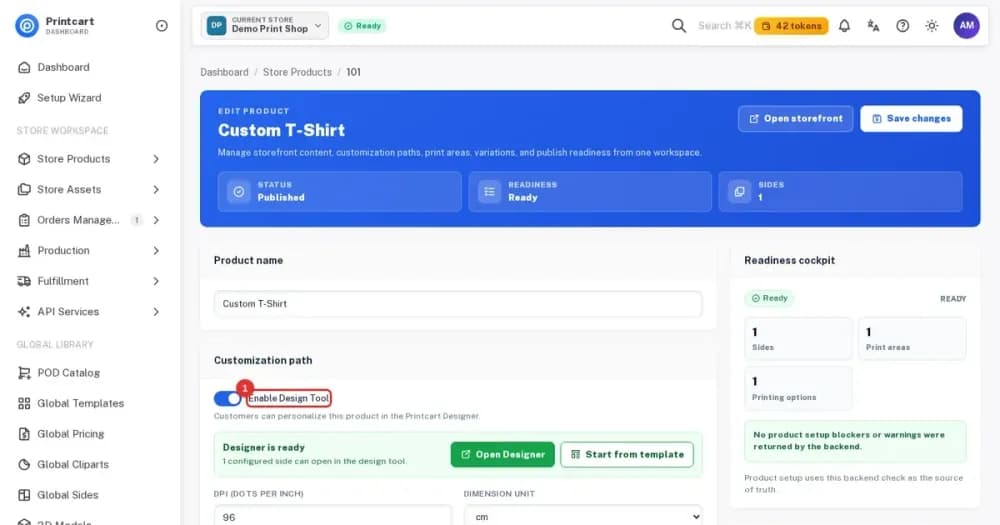
Assign templates to popular products such as T-shirts, mugs and stickers, manage multi-side designs and give buyers editable templates.
Workflow Automation
Get notifications for new designs, saved files and order confirmations, and alerts when customers upload artwork.
B2B and Marketplace Tools
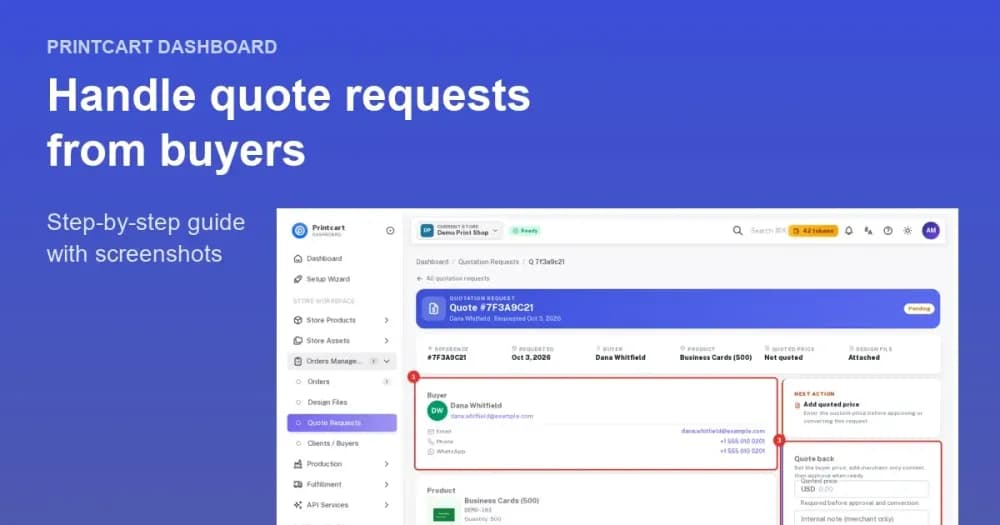
Offer request-a-quote for bulk and corporate orders and support designer commissions and vendor dashboards for multi-seller platforms.
Cloud API and Store Sync
Sync with Shopify, Wix and WooCommerce through the Printcart Cloud API and bring in images from services such as Google Drive and Dropbox.
Analytics and Reporting
Monitor sales, order volume and revenue, see top-selling products and export reports for accounting.
Overview
Printcart Solution is a print-on-demand dashboard for merchants, print shops and B2B providers that centralizes orders, customer designs, uploads and print-ready files for stores on Shopify, Wix and WooCommerce. It replaces scattered emails and file folders with one workflow from buyer design to production.
Who it is for
Printcart Solution suits businesses that take personalized or print-ready orders from more than one place.
- Independent print-on-demand sellers: run a custom apparel or gift store from a single order view.
- Local print shops: grow into online ordering without changing how the shop produces work.
- B2B providers: handle bulk merchandise and branded promotional products with quotes.
- Marketplace owners: build a designer-to-printer ecosystem across Shopify, Wix or WooCommerce.
How it works
You connect a store once and then manage the whole print workflow from the Printcart Dashboard.
- Create your Printcart account. Sign up or sign in at www.printcart.com to open the dashboard.
- Connect your store. Link a Shopify, Wix or WooCommerce store, or a custom site through the Printcart Cloud API.
- Enable products. Turn on the online designer for the products you want to personalize and set their printing options.
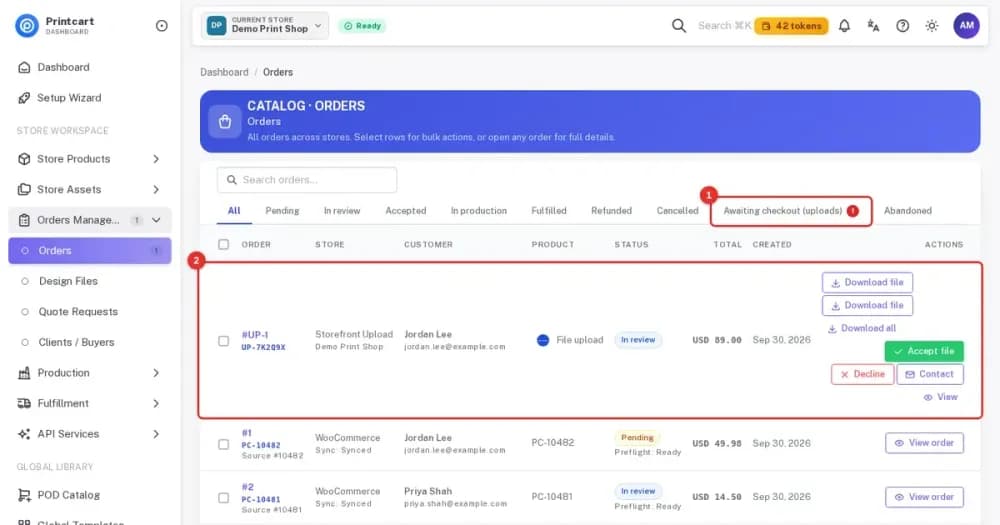
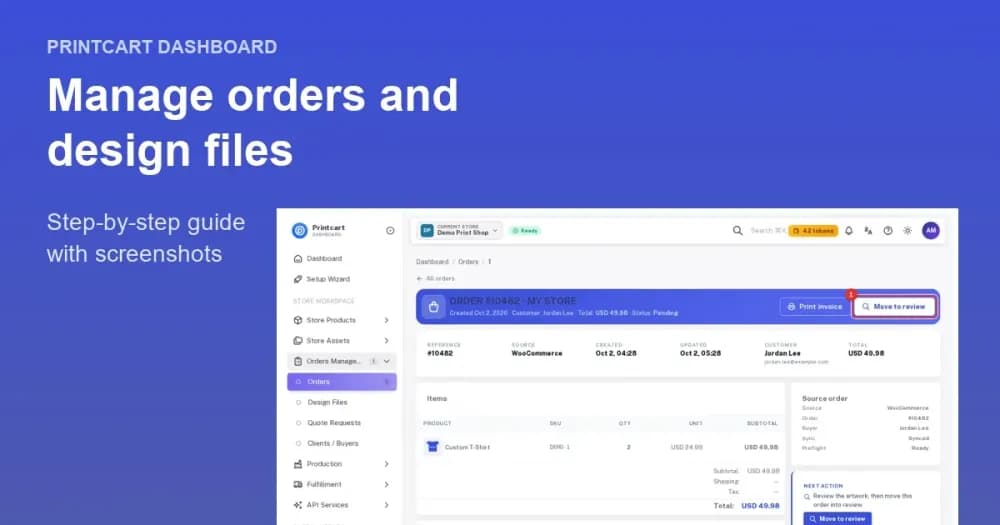
- Receive orders. Open Orders Management, then Orders, to see every order with its status tabs from Pending to Fulfilled.
- Review uploads. Open a buyer upload, download the file, then accept it or decline it with a reason.
- Download print files. Take the production file from the order and send it to print.
What the buyer sees
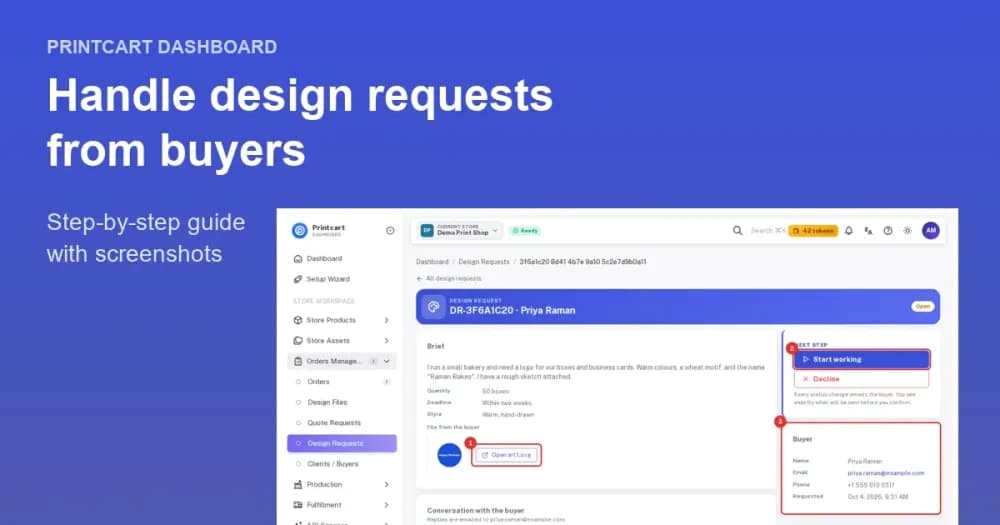
Buyers never log in to the dashboard. They personalize a product or send a file on your own storefront, and the design or upload arrives in your dashboard with the order. Buyer uploads can include contact details, so you can follow up on files that need changes.
What you get for production
You can export print-ready files in PDF, PNG, SVG or JPG CMYK, with built-in resolution checks and safe zone and bleed indicators. Orders keep their status, so your team can see what is pending, in review, accepted, in production or fulfilled. Notifications tell you when new designs are saved or customers upload artwork.
Connected stores
Printcart Solution connects with Shopify, Wix and WooCommerce through the Printcart Cloud API, and a custom site can use the same API. Orders from every connected store appear in one list, so a shop that sells in more than one place keeps a single production queue.
Workflow and reporting
The dashboard sends notifications for new designs, saved files and order confirmations, and it alerts you when customers upload artwork. Sales, order volume and revenue reports help you see which products and templates sell best, and you can export them for accounting.
Wallet and tokens
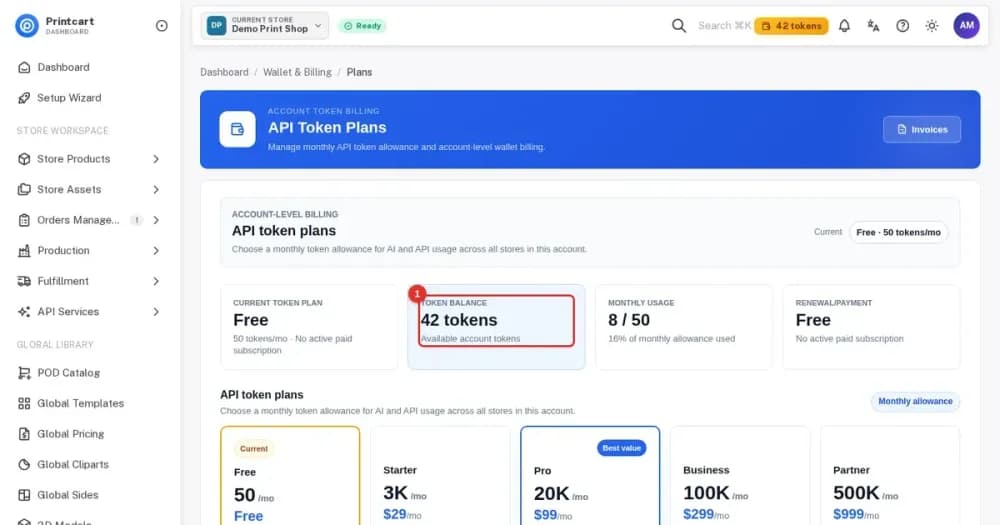
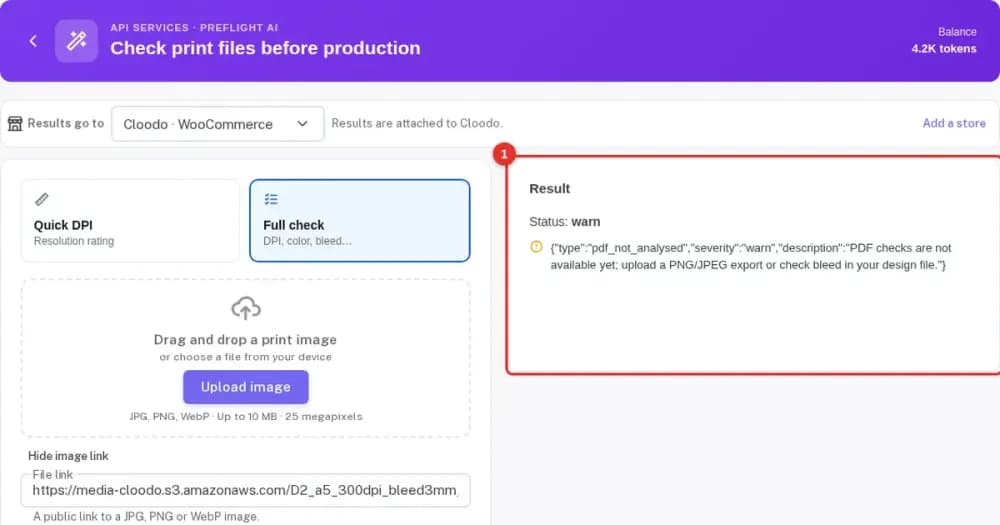
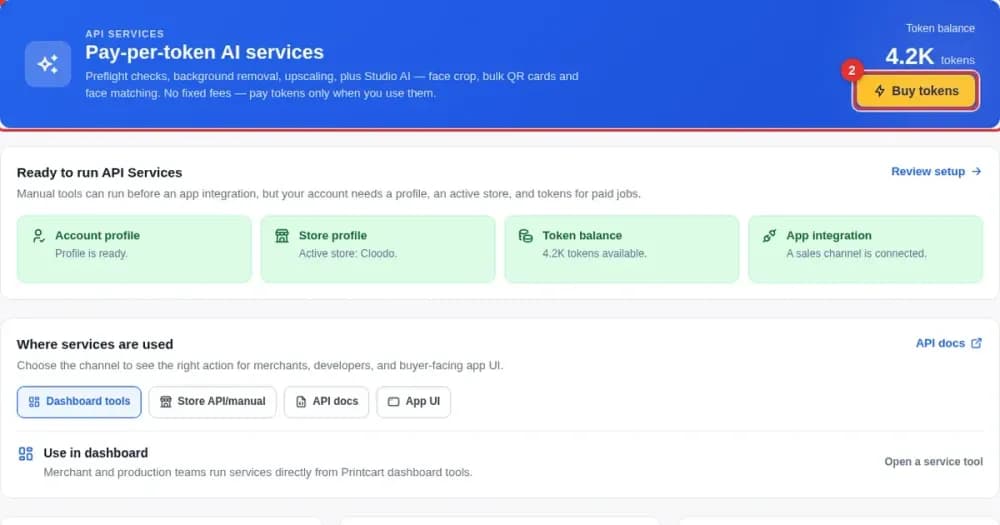
Some Printcart services, such as AI tools and preflight checks, use tokens from the store owner's wallet. The store owner's wallet pays for these services, not the buyer, and the plans guide below explains how tokens and plans fit together. Reading it before you switch on AI tools helps you plan usage.
Requirements
- A Printcart account
- A store on Shopify, Wix or WooCommerce, or a custom site using the Printcart Cloud API
Plans
A Free plan is available. Paid plans and token packages are explained in the plans guide below and shown in the Printcart Dashboard.
Help and support
You can reach support with a ticket from the dashboard, live chat or email at [email protected].
Get started
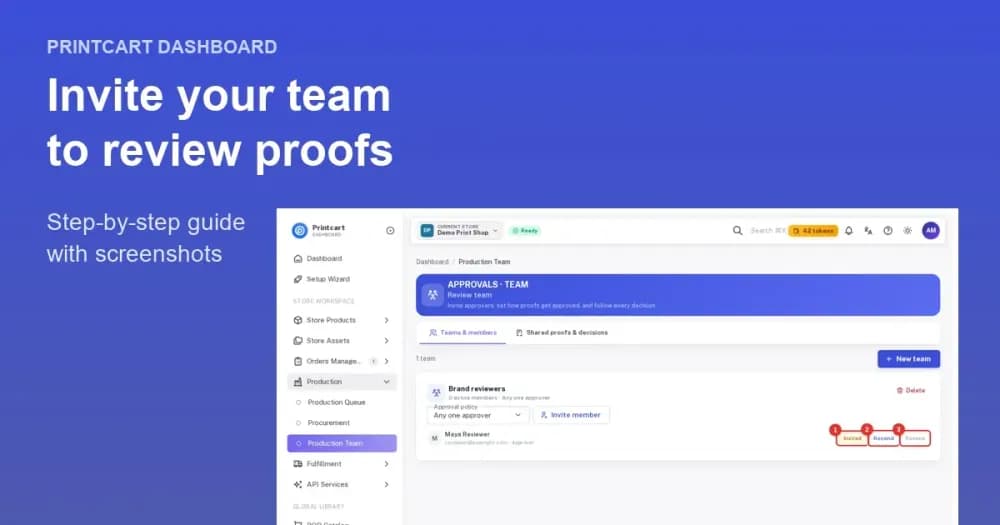
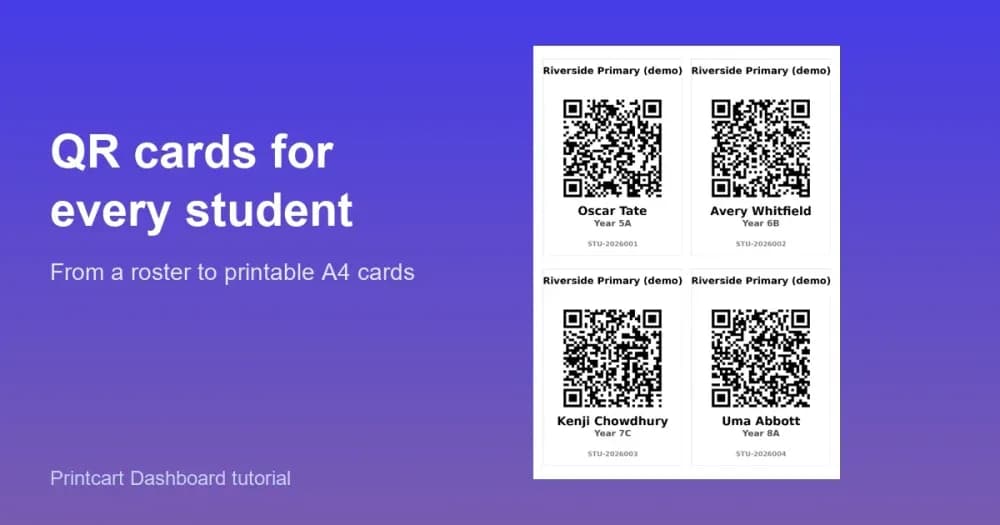
These guides from the Printcart Dashboard tutorial series cover products, uploads and plans.
Manage it in the Printcart Dashboard

Plans
A Free plan is available, so you can install the app and try custom products before you decide on anything else. Create a free account to get started.
Frequently asked questions
What is Printcart Solution?
Printcart Solution is the Printcart POD dashboard, the control center for merchants, print shops and B2B providers. It centralizes orders, customer designs, uploads and print-ready files for stores connected on Shopify, Wix or WooCommerce.
Which store platforms does it connect to?
Shopify, Wix and WooCommerce, through the Printcart Cloud API.
Who is Printcart Solution for?
Independent print-on-demand sellers, local print shops, B2B providers handling bulk and branded merchandise, and marketplace owners building a designer-to-printer ecosystem.
What print files can I export?
Print-ready files in PDF, PNG, SVG or JPG CMYK, with built-in resolution checks and safe zone and bleed indicators.
Is there a free plan?
Yes. A Free plan is available. The plans and upgrade guide explains the options.
How do I review customer uploads?
Open the uploaded files in the dashboard, then approve or decline each one and download the print files. See the review and download tutorial.
Does it support B2B quotes and multi-vendor stores?
Yes. It includes a request-a-quote system for bulk and corporate orders, designer commissions and vendor dashboards for multi-seller platforms.
How do I get support?
Submit a ticket from the Printcart Dashboard, use live chat, or email [email protected].
Support
Start selling custom products
Trusted by 2000+ stores. Printcart Solution is the POD dashboard for orders, designs, uploads and print-ready files across Shopify, Wix and WooCommerce. Free plan available.
Other Printcart apps

Printcart Canvas – Canvas Print Designer & Edge-Wrap Preview for WooCommerce
Printcart Canvas is a WooCommerce plugin for selling canvas prints online. Customers upload photos, choose a size, layout and edge style, and preview how the picture wraps around the frame before they buy. Every photo gets a print-quality check, and paid orders reach production with a print-ready PDF. It is built for canvas print shops, photo labs and wall-art brands.

Printcart Store – Web to Print Product Designer for WooCommerce
Printcart Store is a WooCommerce plugin that adds a drag-and-drop product designer and customer artwork upload to your WordPress shop. It is built for print shops, print-on-demand sellers and agencies who want buyers to personalize products online. Every order gives you print-ready files in PDF, SVG, PNG and JPG CMYK. A Free plan is available.

Printcart Product Personalizer
Printcart Product Personalizer is a Shopify app that adds an online design tool to your products. Buyers personalize items with templates, text and image uploads on any device, and you receive print-ready files in SVG, PDF, PNG and JPG. It is built for print shops, print-on-demand sellers and B2B suppliers who sell custom products on Shopify. A Free plan is available.