
Bulk Face Crop for Studio & School Photos
Auto-detect and crop faces across large photo batches for portrait products.
Bulk Face Crop detects faces in batches of photos and crops them to one consistent framing for school, sports, and studio portrait products. On this page you can preview your photos without uploading them. Face detection and cropping run in your Printcart dashboard and use Printcart AI tokens.
Drag and drop sample photos
PNG or JPG — add a few to preview; full batches run in the dashboard
- Free on this page: preview your photos here. Nothing is uploaded from this page.
- Needs an account and tokens: face detection and cropping run in your Printcart dashboard.
Pricing
Uses Printcart AI tokens from your balance.
Sign in or create a free account to process — uses Printcart AI tokens.
Already have an account? Sign in
What this tool does
Bulk Face Crop is an AI-assisted tool that detects faces in a batch of photos and crops them to a consistent framing for portrait products. Use it for school, sports, childcare, yearbook, ID, and badge workflows where hundreds of images need the same head-and-shoulders crop quickly.
What to expect
It speeds up repetitive cropping, but detection is not perfect: unusual angles, group shots, occluded faces, or low-quality images may need manual adjustment, and every crop should be reviewed before it reaches a printed product. Register to process full batches, save crop settings, and export production-ready files.
Example crop batch summary
Public preview
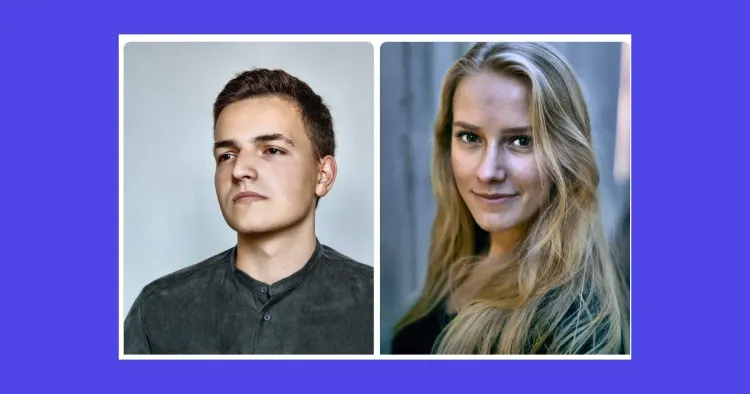
The public sample shows how a studio operator would review detected faces, crop framing, and exceptions before sending portrait files into production.
Detected
12 sample portraits found with a school 4:5 head-and-shoulders crop preset.
Review queue
2 photos need manual adjustment for side angle or partial face detection.
Production step
Create an account to crop full batches, save presets, and export production files.
This is a static public sample, not an AI production result. Full runs, saved results, batch export, and API usage require a Printcart account and available tokens.
Register to save, export full-res, and batch
Free previews handle one sample photo. Create a Printcart account to crop full batches, save crop presets, and export production-ready files for your photo packages.
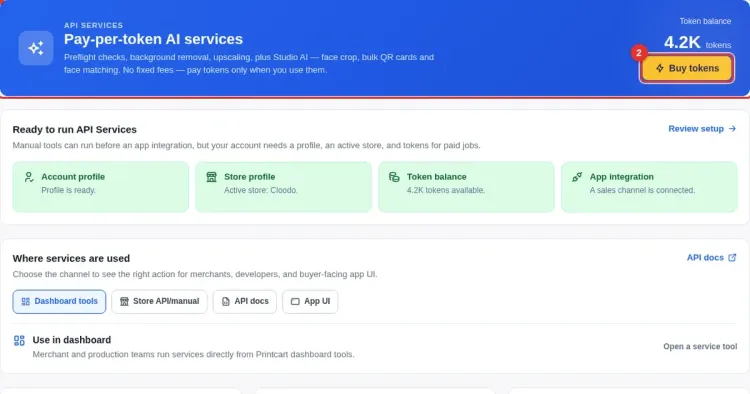
Learn this tool with real screenshots

Speed up portrait season
Before you run a job
No. Detection is AI-assisted, so unusual angles, group shots, occluded faces, or low-quality images may need manual adjustment. Review crops before they reach a printed product.
School, sports, childcare, yearbook, ID, and badge products where many photos need the same consistent head-and-shoulders framing quickly.
A free Printcart account lets you process full batches, save crop settings, and export production-ready files instead of previewing single images.
You might also need
New to these tools? Read the photo commerce tools tutorial
Ready to Transform Your Print Business?
Unlock the full potential of your printing operations with Printcart's comprehensive Web-to-Print solutions.