
Upscale Low-Res Artwork for Print
Enlarge small or soft uploads so artwork looks better at print size.
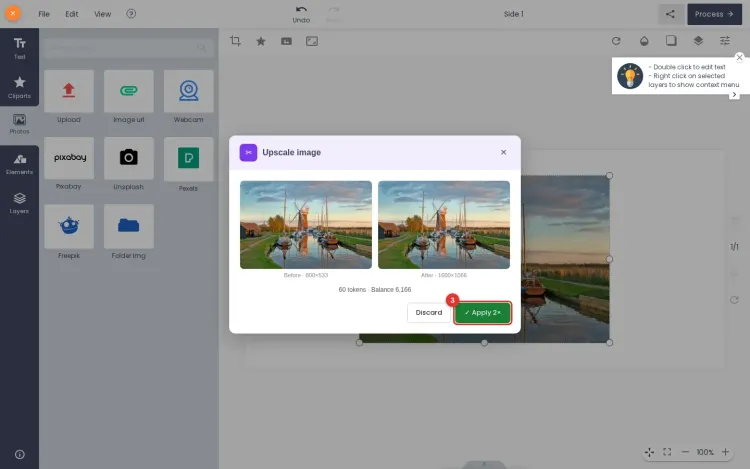
Image Upscale enlarges a low-resolution image so artwork holds up better at print size. On this page you can pick 2x or 4x and see the target output size for free. The AI-assisted upscale itself runs in your Printcart dashboard and uses Printcart AI tokens.
Drag and drop a low-res image
PNG or JPG — or click to browse
- Free on this page: pick 2x or 4x and see the target output size, no account needed.
- Needs an account and tokens: the AI upscale runs in your Printcart dashboard.
Pricing
Uses Printcart AI tokens from your balance.
Sign in or create a free account to process — uses Printcart AI tokens.
Already have an account? Sign in
What this tool does
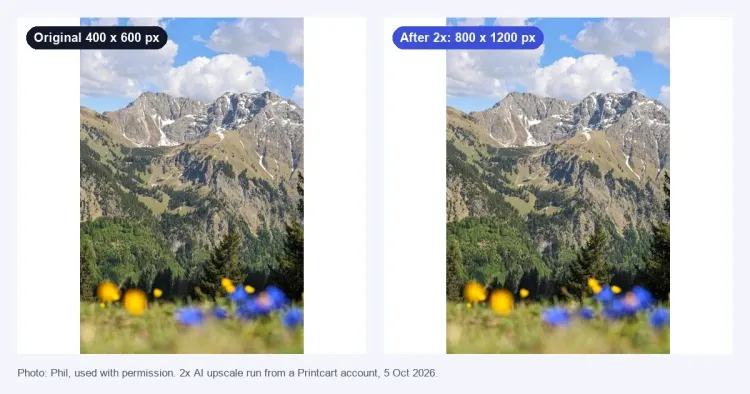
Image Upscale is an AI-assisted tool that enlarges low-resolution artwork so it holds up better at print size. Use it when a customer upload or catalog image is too small for the print area and would otherwise look soft or pixelated.
What to expect
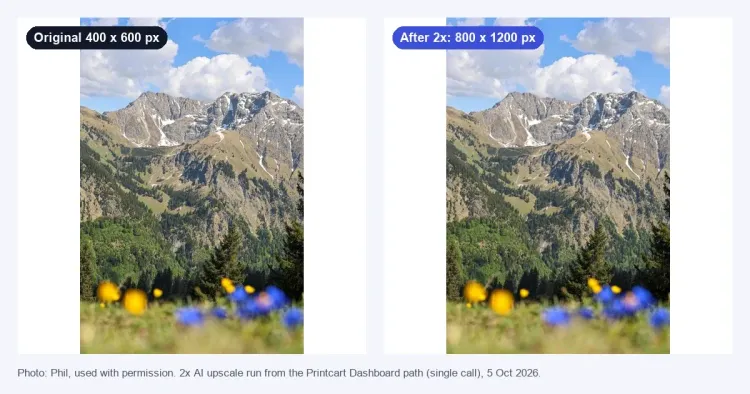
The tool reconstructs added detail, which improves many images but cannot recover information that was never captured — heavily compressed, blurry, or tiny source files have real limits, and results are not guaranteed to be print-perfect. Always review the upscaled file at final print dimensions before production. Register to save and export full-resolution results and process images in batches.
Example upscale preview
Public preview
The sample output explains how Printcart presents a larger target image, estimated print size, and review warnings without claiming the public page has run production AI.
Output size
A 1200 x 900 upload previews as 2400 x 1800 at 2x scale.
Quality note
Compression noise, blur, and tiny source artwork remain review risks after upscaling.
Production step
Use a Printcart account to process the real file and export the full-resolution asset.
This is a static public sample, not an AI production result. Full runs, saved results, batch export, and API usage require a Printcart account and available tokens.
Register to save, export full-res, and batch
Free previews are downscaled for a quick look. Create a Printcart account to export full-resolution files and upscale whole folders of artwork in batches.
Learn this tool with real screenshots
Get the most from every upload
Before you run a job
No. It reconstructs added detail and improves many images, but it cannot restore information that was never captured. Heavily compressed, blurry, or tiny files have real limits.
Not guaranteed. Always review the upscaled file at final print dimensions before production, since some images will still be too soft for large formats.
A free Printcart account lets you save and export full-resolution results and upscale images in batches instead of previewing them one at a time.
You might also need
New to these tools? Read the photo commerce tools tutorial
Ready to Transform Your Print Business?
Unlock the full potential of your printing operations with Printcart's comprehensive Web-to-Print solutions.