
 WordPress / WooCommerce app
Printcart StoreWeb to Print Product Designer for WooCommerce
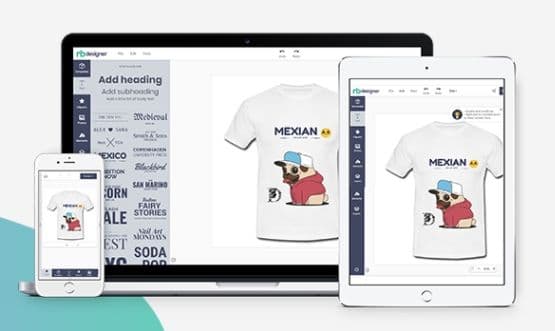
Printcart Store is a WooCommerce plugin that adds a drag-and-drop product designer and customer artwork upload to your WordPress shop. It is built for print shops, print-on-demand sellers and agencies who want buyers to personalize products online. Every order gives you print-ready files in PDF, SVG, PNG and JPG CMYK. A Free plan is available.
- Platform
- WordPress / WooCommerce
- Plan
- Free plan available
- Version
- 2.12.0
- Requirements
- WordPress 5.0 or higher · PHP 7.4 or higher · WooCommerce
Features
Drag-and-Drop Product Designer
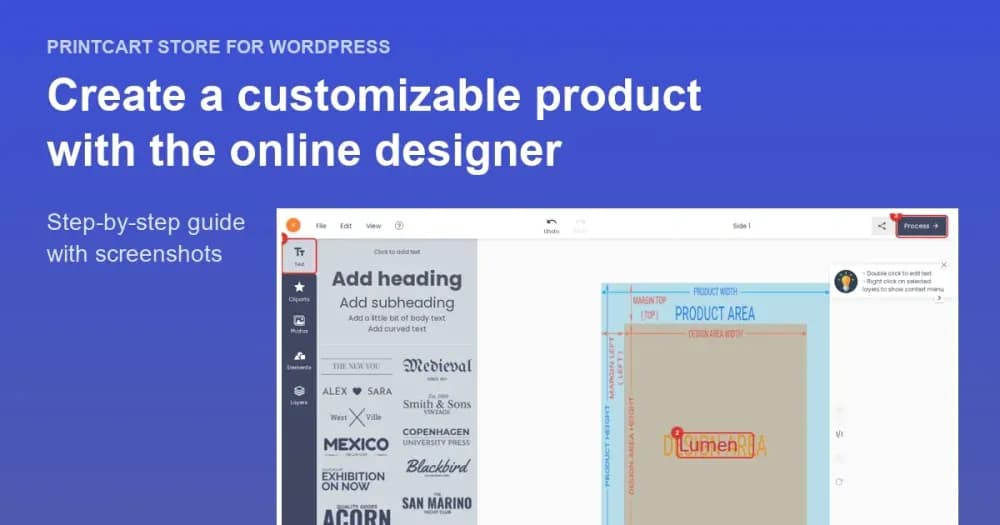
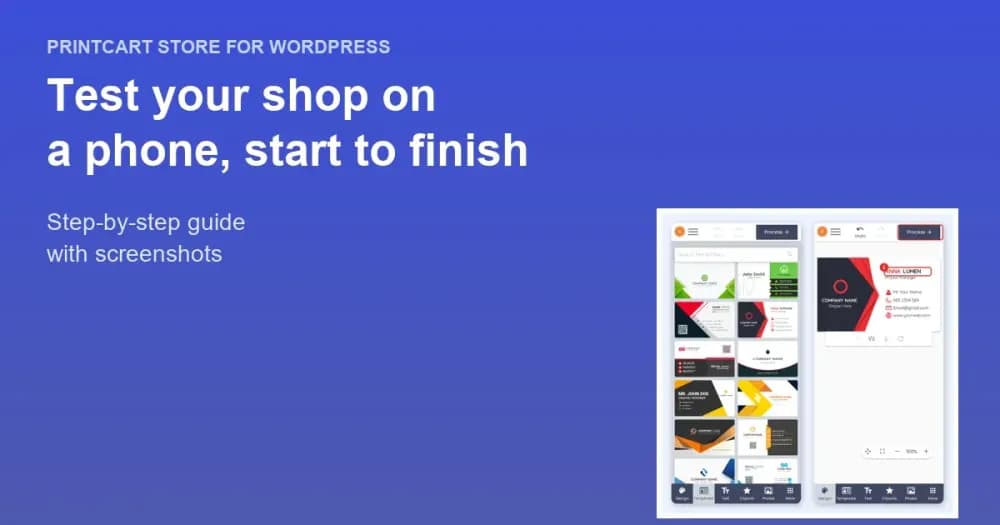
Buyers personalize products in a drag-and-drop designer that works on mobile, with text, images, clipart and global template collections curated by Printcart.
Print-Ready Files for Every Order
Each order produces high-resolution print-ready files in PDF, SVG, PNG and JPG CMYK, so your production team can print without reworking the artwork.
Customer Artwork Upload
Let buyers upload their own artwork instead of designing from scratch. You choose the allowed file types, the number of uploads, the size limits and the minimum DPI.
Printing Options and Pricing Rules
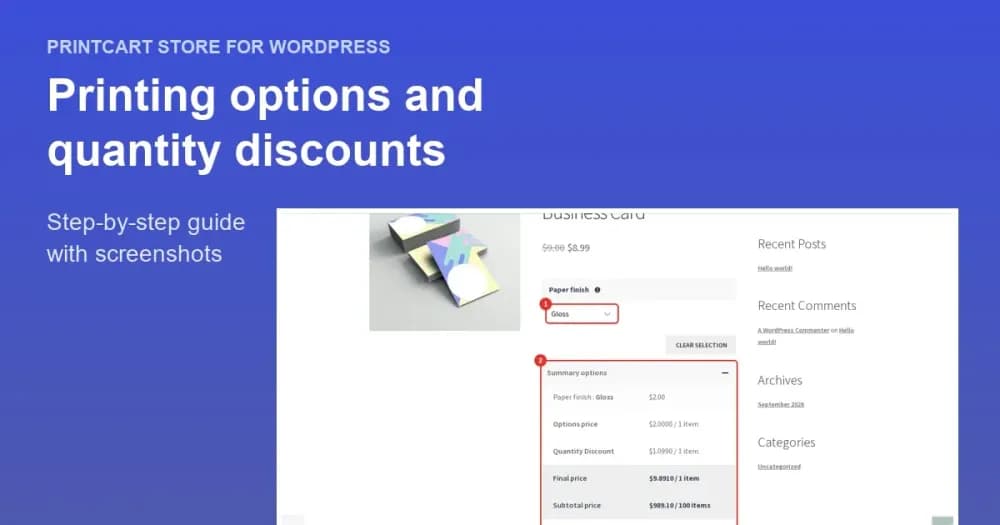
Add options such as size, material and orientation to a product and price them with a fixed amount, a percentage, a formula, the design area or quantity breaks.
AI Tools for Print Quality
AI-powered tools such as preflight quality checks, background removal and image upscaling help buyers submit artwork that prints well.
B2B and Request a Quote
Run a B2B and B2C store with customer tiers, pricing rules and a request-a-quote form for bulk and wholesale orders.
Multi-Vendor Marketplace Compatibility
Works with multi-vendor marketplace plugins including Dokan, WC Vendors and WCFM.
Printcart Dashboard and Cloud API
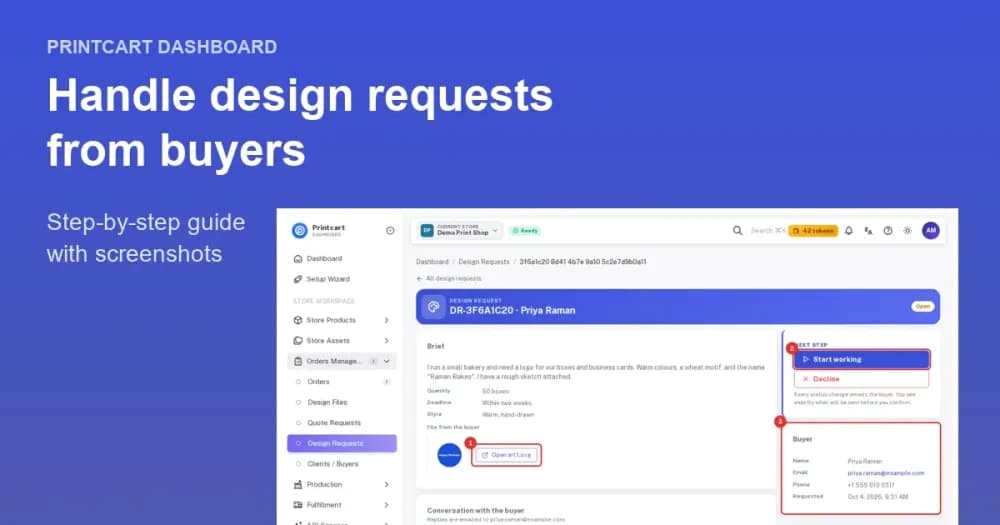
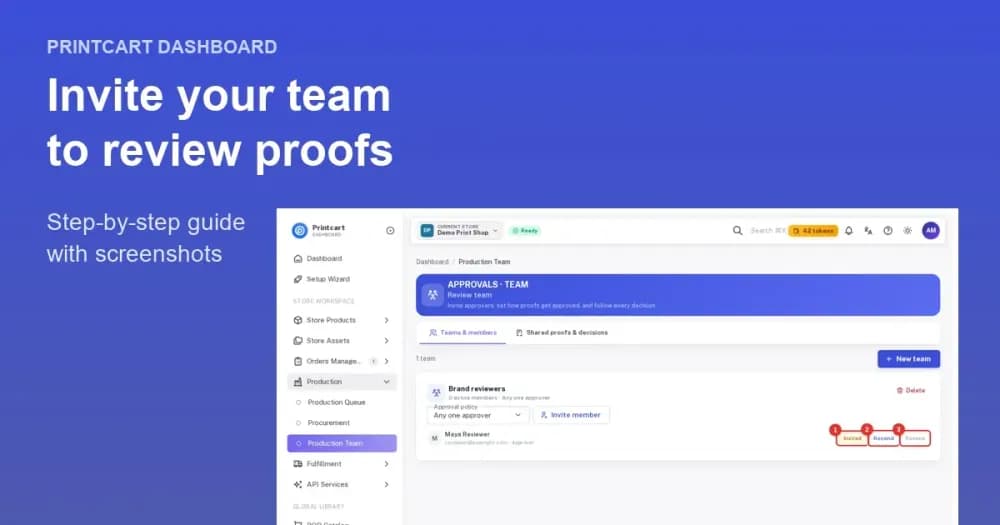
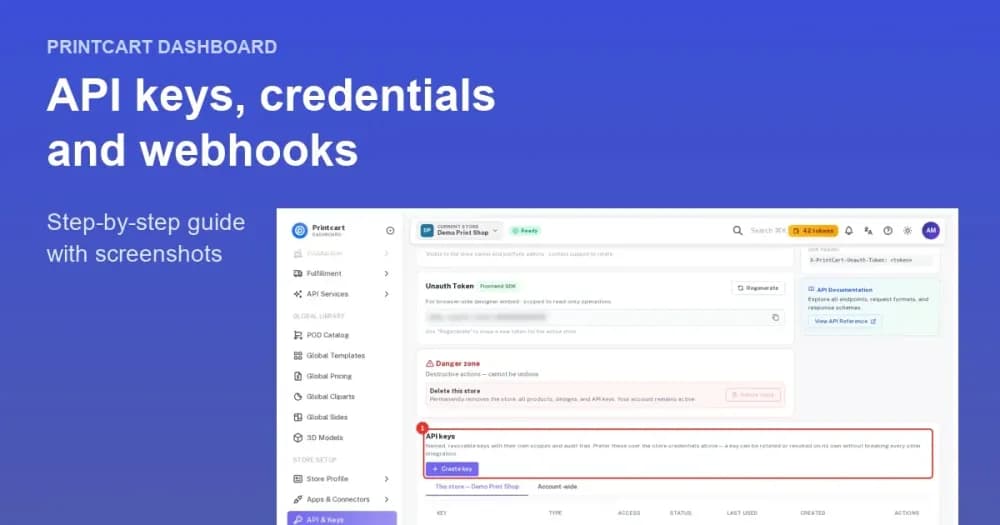
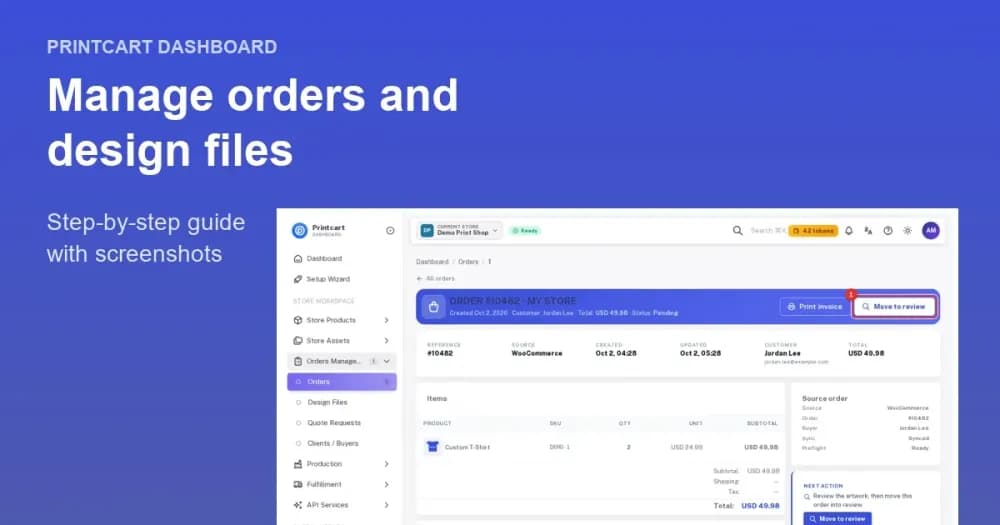
Manage orders, designs and uploaded files from the Printcart Dashboard, and automate fulfillment with the Printcart Cloud Print API.
Screenshots
Watch the demo
What merchants say
Best Plugin to exist and best staff and CEO
Printcart is hands down one of the best plugins we’ve ever worked with. The platform is powerful, easy to use, and perfectly built for real Web-to-Print businesses. Everything works smoothly, from the product designer to the final print-ready output, and it has made a huge difference in how we run our store.
Best Web-to-Print plugin for WooCommerce
I integrated Printcart with my WordPress site and it works flawlessly. The designer tool is very responsive and loads fast, which keeps my customers happy. It’s the easiest way to sell customizable products on WooCommerce without any coding headaches. Highly recommended!
Excellent Web-to-Print Plugin
Printcart Web to Print Product Designer for WooCommerce works perfectly for my store. The designer is easy to use, fully integrated with WooCommerce, and delivers clean design files for production. My customers can create their own designs smoothly, and the support team is very responsive. Highly recommend — definitely a solid 5-star plugin!
Great plugin
All work great. First time that I find full solution that i need. Support fast answer for helping.
Doesn’t export files
I tested the plugin. Everything works fine. However, no files are sent to the customer. This makes the plugin unusable for me.
I have a question and they don’t answer because it seems like there is a bug
겉 보기에는 괜찮은것 같음. 그러나 실제 써보면 버그가 있는것 같아 질문을 해도 답변 하지도 않음. It looks fine on the surface. However, when you actually use it, it seems to have bugs, so they don’t answer questions.
Good job
So far I think you are the most solid solution, I think you only need a direct integration with printify, printful etc so that the order is stored directly but very good work, keep improving
Very good plugins
Ever since I discovered the Printcart Product Designer, I’ve completely rediscovered my online store! Now my customers can effortlessly create their own designs, and they absolutely love it. The mobile compatibility ensures smooth access from anywhere. Being able to upload their own images and access high-quality photos is a game-changer for both me and my customers. The fact that all these features come for free is simply incredible. Highly recommended!
working for me!
If you follow instructions it does everything you could want from a POD plug-in. And the customer service is great, the team answering all of my questions and customize it for me
API does not work
Basically you can not use this plugin if you are not connected to API which you do not need at all and which does not work.
Thank You
Friends are very involved. They have been helping me with my every need since I have the plugin. Thank you Michelle.
Overview
Printcart Store is a web-to-print product designer for WooCommerce that lets shoppers personalize products or upload their own artwork on your WordPress site. Each order then returns a print-ready file, so your production team can print without reworking the design.
Who it is for
Printcart Store suits any WooCommerce shop that sells made-to-order printed products.
- Custom apparel and gift stores: let buyers design both sides of a product and add their own logos before checkout.
- Promotional product sellers: take personalized orders for items such as mugs, notebooks and calendars without long email threads.
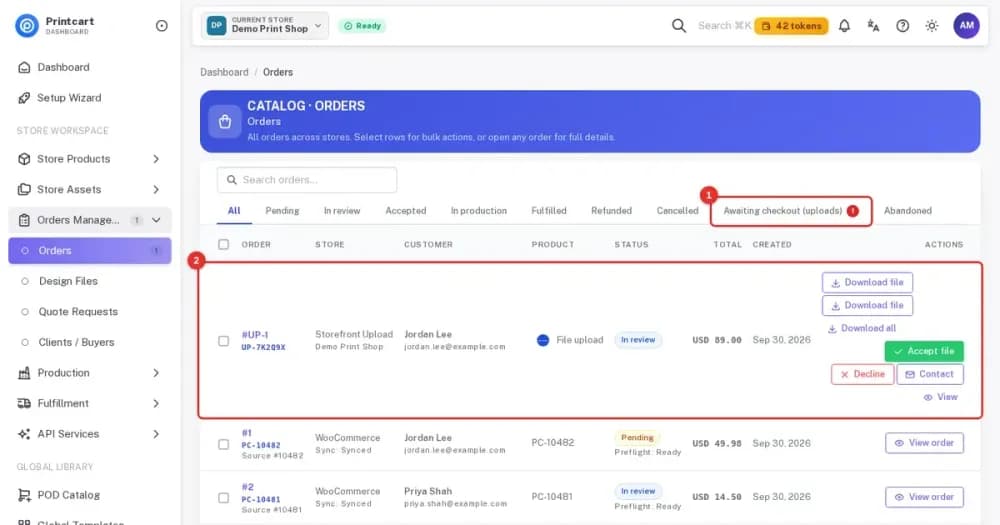
- Print shops and agencies: receive client artwork in common print formats and review it before production.
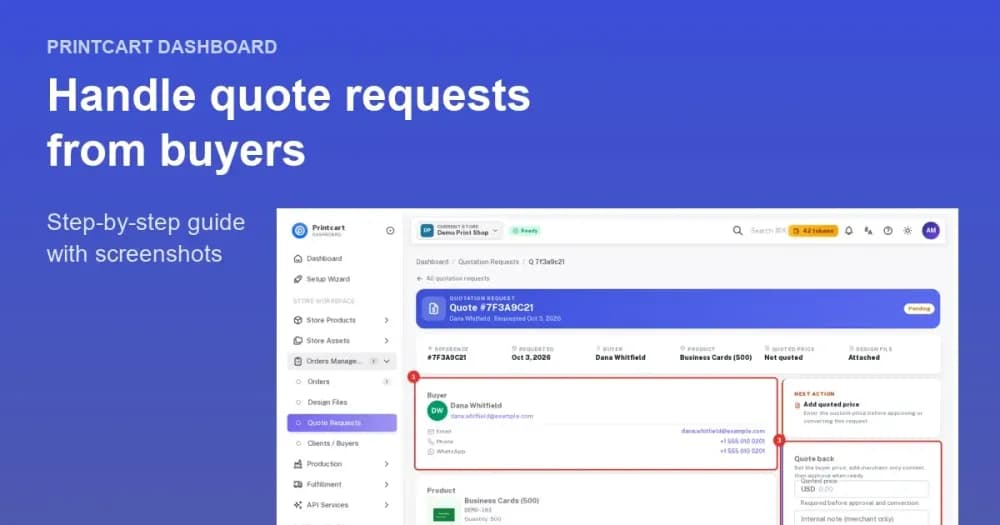
- B2B print providers: offer quotes and tiered pricing for bulk and corporate orders.
Products you can sell
You can personalize almost any printed product with the designer. Apparel, drinkware, business cards, promotional materials, signage, labels, phone cases and packaging are all supported, and each product can use its own design areas and printing options.
How it works
You can go from a fresh install to your first print-ready order in a few steps inside WordPress and WooCommerce.
- Install the plugin. In WordPress, open Plugins, add Printcart Store from the WordPress.org directory and activate it.
- Connect your store. The setup wizard starts with Connect, which links your site to a Printcart account used for license verification, cloud processing and order tracking.
- Import or create products. The wizard can import sample products with printing options, or you can enable the designer on your own WooCommerce Products.
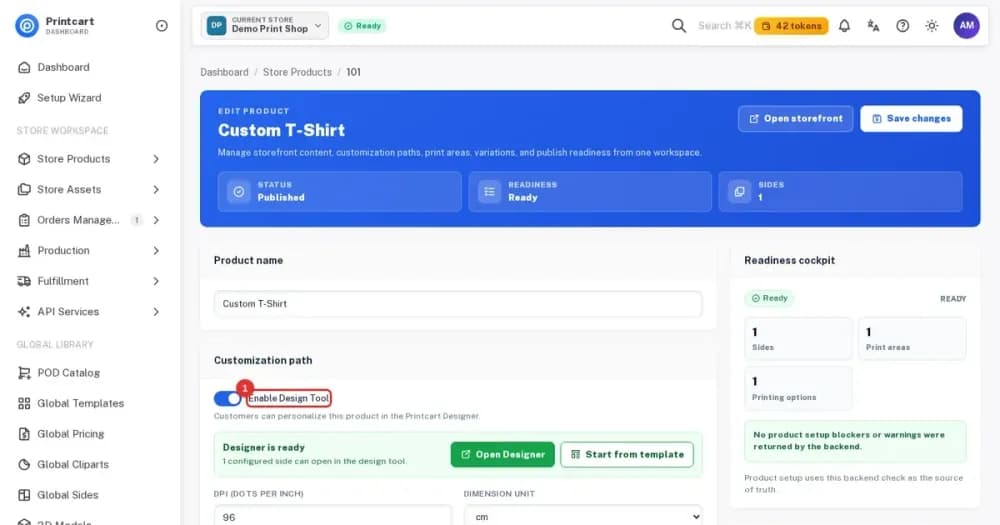
- Choose what buyers can do. Turn on Design, Upload Design or both for each product, then add printing options and pricing rules.
- Test the shop as a buyer. Open a product page, design or upload a file and place a test order, including on a phone.
- Fulfill the order. Open the order under WooCommerce Orders, review the design and open its print-ready PDF from the order screen.
What the buyer sees
Buyers see a designer on the product page that works on desktop and on phones. They add text, images or clipart, start from a template if you offer one and preview the result before adding the product to the cart. If you allow uploads instead, they send a file that matches the file types you accept, and checkout stays the normal WooCommerce checkout.
What you get for production
Every order produces high-resolution print-ready files in PDF, SVG, PNG and JPG CMYK. The order keeps the options the buyer chose, and WooCommerce orders that are cancelled update the matching Printcart order so they leave the production queue. The Printcart Dashboard shows your orders and files in one place, and the Printcart Cloud Print API can pass orders to automated fulfillment.
Requirements
- WordPress 5.0 or higher
- PHP 7.4 or higher
- WooCommerce
- A Printcart account, which you can create when you connect
Plans
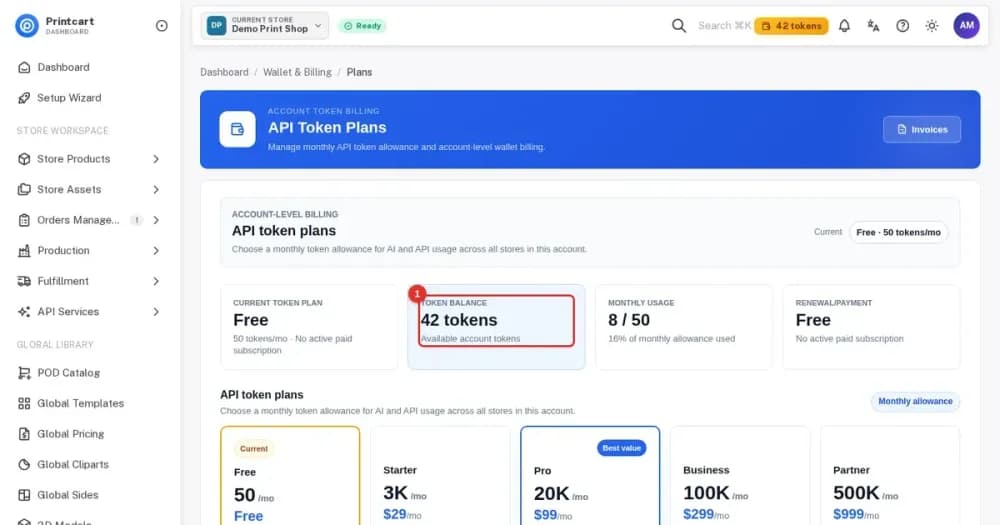
A Free plan is available. Paid plans add cloud processing, AI tools, file storage and full API automation, and the current options are shown in the Printcart Dashboard and explained in the Free plan guide below.
Help and support
You can reach support by submitting a ticket from the support dashboard, through live chat or by email at [email protected]. The troubleshooting guide covers the most common setup problems, and the plugin changelog on WordPress.org lists every release.
Get started
These guides from the Printcart Store tutorial series walk you from setup to your first order.
Developers and agencies can go deeper with the Printcart WordPress product designer plugin (developer guide).
Tutorials for WordPress / WooCommerce
More print on demand tutorials →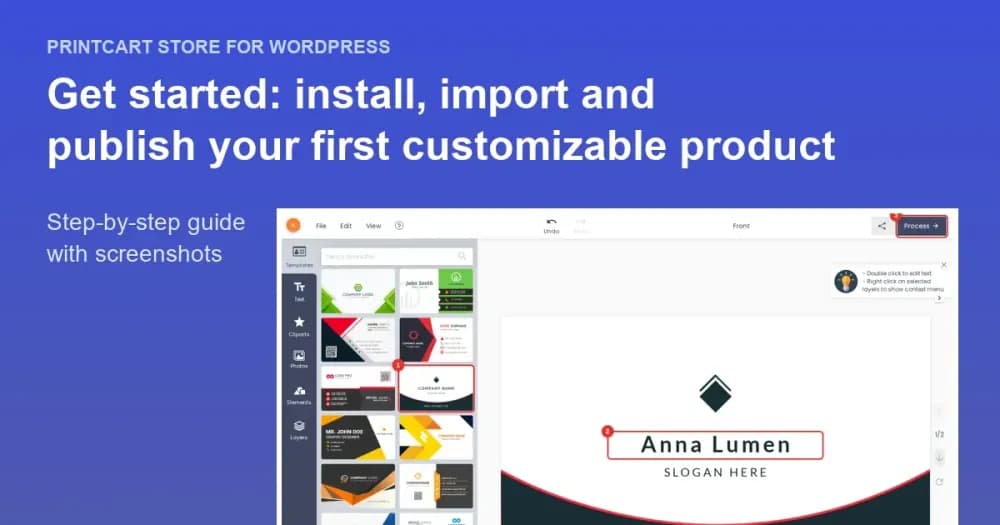
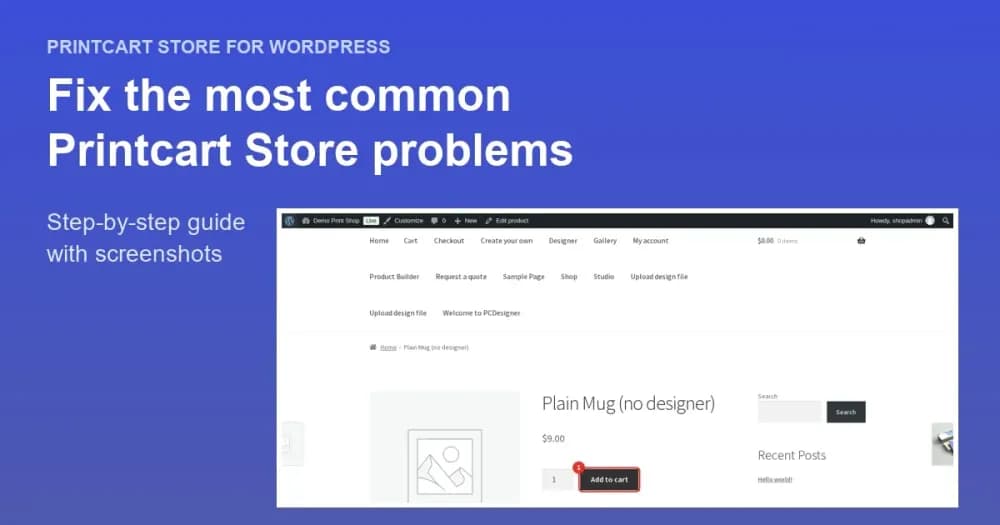
Get Started with Printcart Store for WordPress: Your First Customizable Product
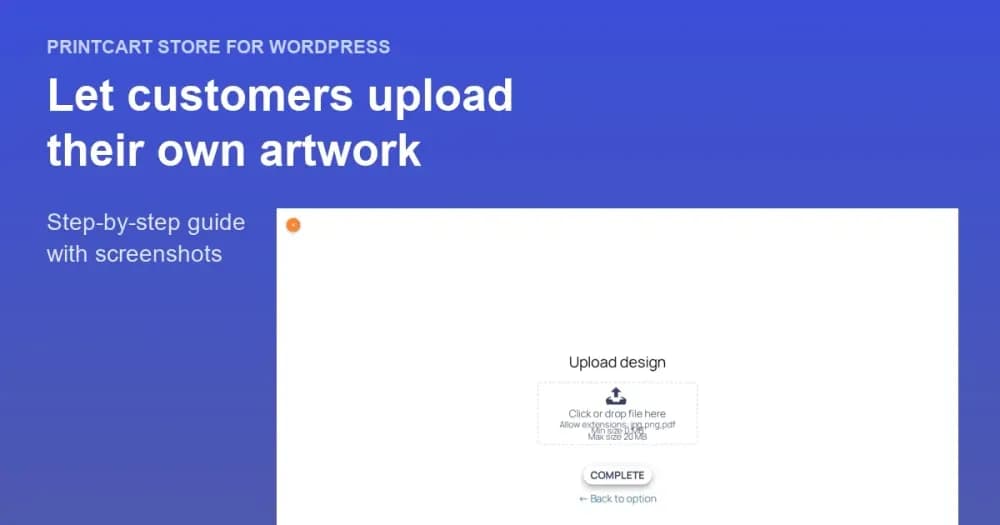
Let Customers Upload Their Own Artwork: File Types and Upload Rules in WooCommerce
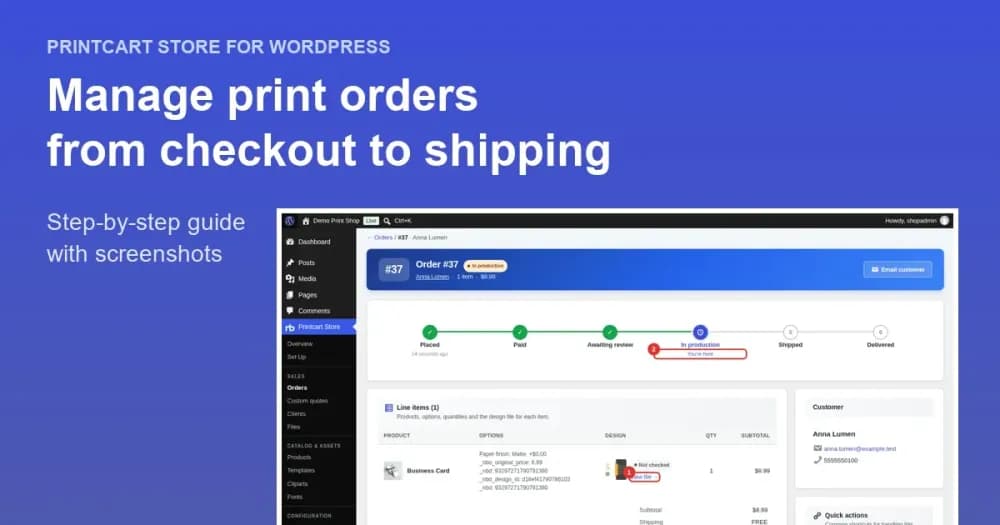
Manage it in the Printcart Dashboard
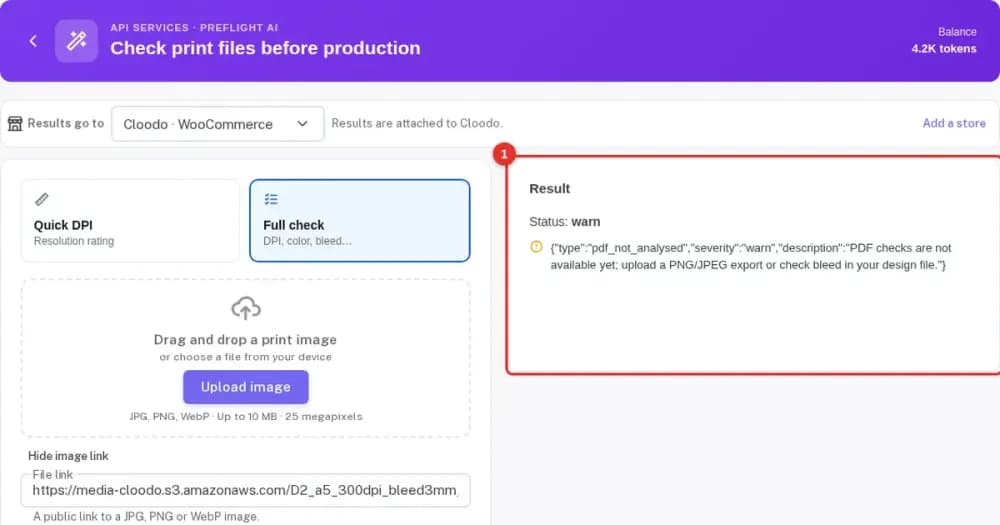
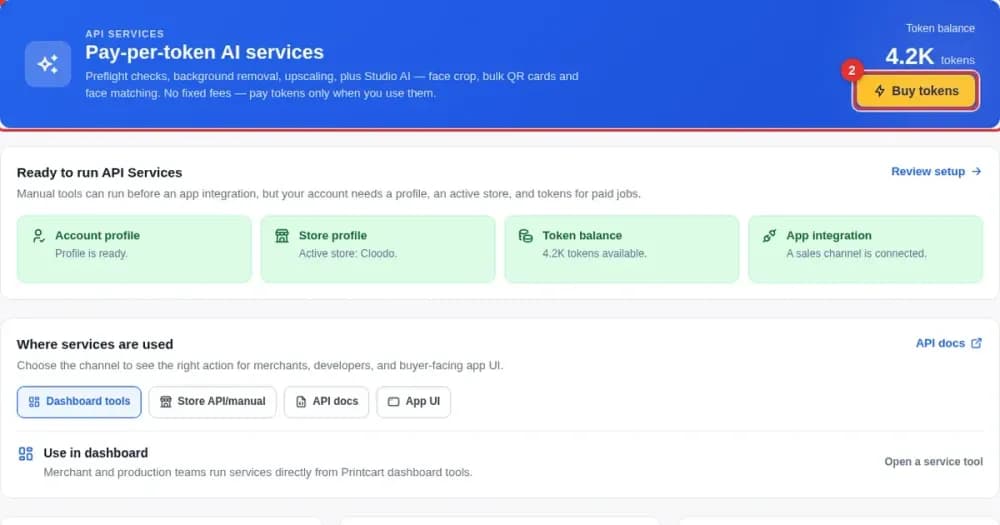
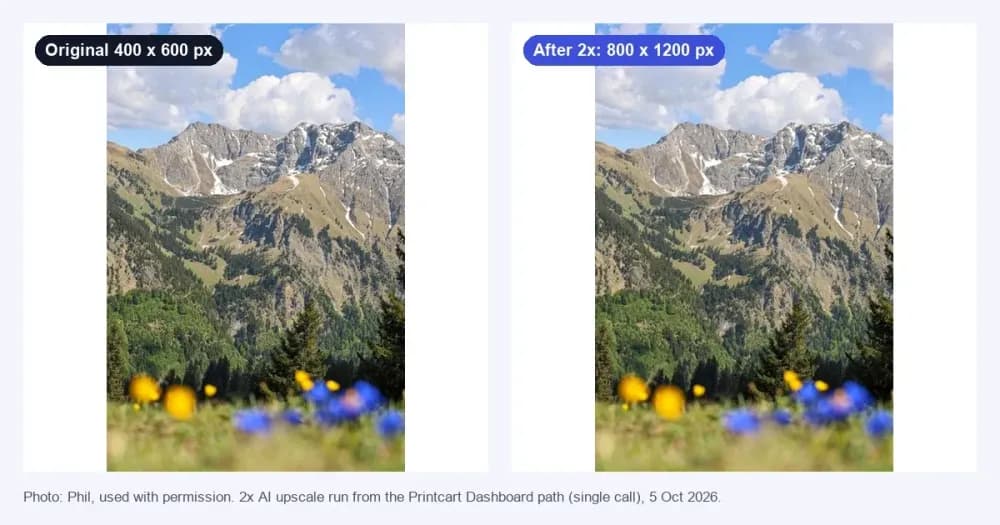
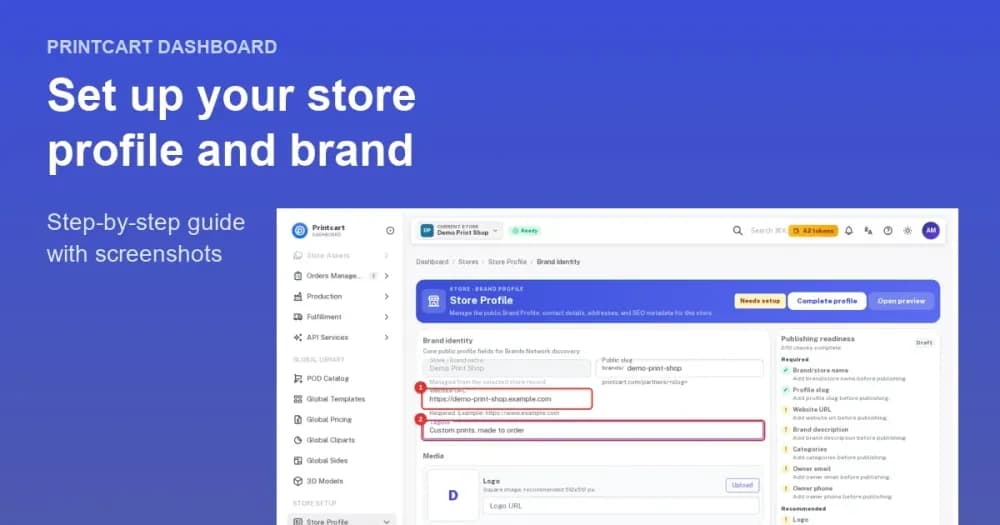

Plans
A Free plan is available, so you can install the app and try custom products before you decide on anything else. See the current plans on the marketplace listing.
Frequently asked questions
What is Printcart Store for WordPress?
Printcart Store is a WooCommerce plugin that adds a drag-and-drop product designer and customer artwork upload to your WordPress shop. It is listed on WordPress.org as Printcart Store – Web to Print Product Designer for WooCommerce.
Is Printcart Store free?
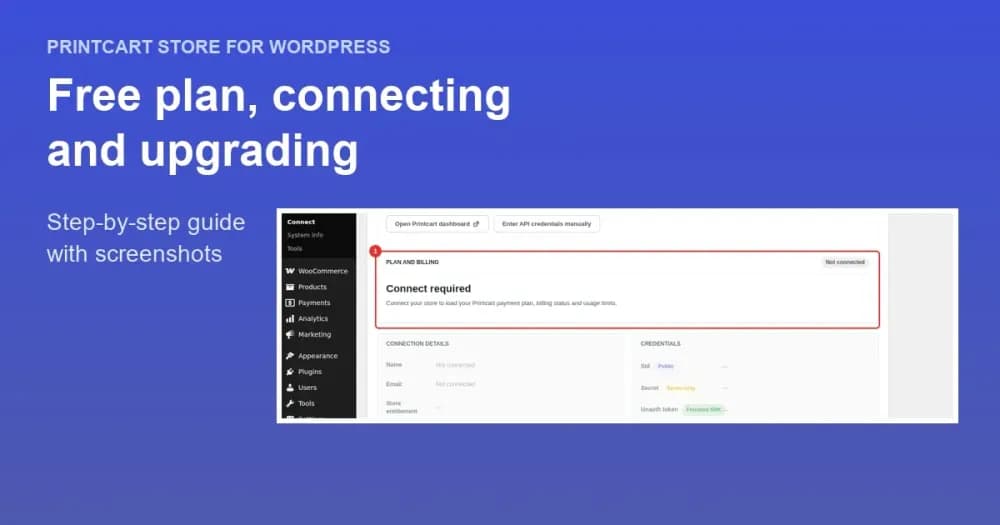
A free version is available on WordPress.org and the plugin shows the Free plan limits on product screens before you connect. Premium plans unlock cloud processing, AI tools, file storage and full API automation. The Free plan guide explains what each level includes.
Which file formats does Printcart Store export?
Every order produces high-resolution print-ready files in PDF, SVG, PNG and JPG (CMYK).
Which products can customers customize?
Apparel, drinkware, business cards, promotional materials, signage, labels, phone cases and packaging are all supported.
Does it work on mobile and with WooCommerce HPOS?
Yes. The plugin is listed as WooCommerce HPOS compatible, and the designer is responsive so buyers can design on phones, tablets and desktops.
Do I need a Printcart Dashboard account?
Yes. The Printcart Dashboard connection is used for license verification, cloud processing, order tracking and technical support, so you connect your store to a Printcart account after installing the plugin.
How do I install Printcart Store?
In WordPress, open Plugins, search for Printcart Store, then install and activate it. The setup wizard starts with Connect, where you link the site to a Printcart account, and the getting started guide walks through the rest.
How do I get support?
Submit a ticket from the support dashboard, use live chat, or email [email protected]. The troubleshooting tutorial covers the most common problems.
Support
Changelog · v2.12.0
- v2.12.02026-10-02
- Add: Orders cancelled in WooCommerce update the matching Printcart order, so they leave the production queue.
- Add: “Use existing Printcart keys” shows which store the keys open and, for a store linked to another site, lets you use the keys without re-linking it.
- Add: The order screen links straight to the print-ready PDF of each design.
- Add: The free plan’s 5-product limit is shown on product screens before you connect.
- Improve: Order options show only what the customer chose.
- Improve: Upload problems appear inside the upload box with clear wording, and file names show as uploaded.
- Improve: The design tool works in a narrowed desktop browser window, and Printing Options work on block themes such as Twenty Twenty-Five.
- v2.11.02026-09-29
- Improve: The modern design tool works properly on phones. The bottom tab bar fits 320-390px screens in equal columns, and tabs that do not fit move to a new More sheet.
- Improve: The first-run tour opens as a bottom sheet on narrow screens, with Skip tour, Close and Next always on screen. Tapping outside closes it, and steps for desktop-only controls are skipped.
- Improve: Toolbar, zoom and colour controls have 44×44 tap areas on phones. Text fields use 16px text so iOS no longer zooms the page, and the colour picker opens as a bottom sheet.
- Improve: While editing text with the on-screen keyboard open, the text toolbar stays visible above the keyboard. The font size shows one decimal on phones.
- Fix: The “Connect Printcart” notice in the design tool is shown only to store managers, never to shoppers. On phones it is a one-line strip above the tab bar instead of covering it, and dismissing it hides it for 7 days.
- Fix: The default accepted upload types read “iddd” instead of “indd”. Saved settings with the typo are corrected when read.
- Dev: New filter nbd_modern_mobile_polish (default true) turns off the phone layout changes. Desktop layout is unchanged.
- v2.10.12026-09-29
- Add: Connected stores ask the customer for name, email, optional phone and a note after a file upload, then create a pending order in the Printcart Dashboard, email the store owner and send the customer a receipt with a reference code.
- Add: The upload is added to the cart only after the customer sends their details. If Printcart cannot be reached the cart still works as before.
- Add: Order sync sends the uploaded files of upload-only items and the upload reference, so they appear on the order in the Printcart Dashboard.
- Fix: Customer upload files are now attached to the admin new-order email (previously only designs made in the designer were attached).
- v2.10.02026-09-29
- Add: Connect is now the first step of the setup wizard. After activation an unconnected store lands on it, with a one-click “Connect as {email}” summary, an Edit details option and a visible Skip for now.
- Add: Accounts created from the plugin receive a “Set your Printcart password” email, so the merchant can sign in to the Printcart Dashboard. The generated password is never shown or stored.
- Add: The connect screen lists what connecting unlocks and compares Free with Premium.
- Add: Product-limit reminders on the product list and edit screens at 80% and 100% of the plan’s product limit, with an upgrade link.
- Add: Anonymous onboarding and upgrade events (for example connect started, upgrade clicked) are sent to api.printcart.com through the existing activation channel, only after the store is connected. Events raised before connecting stay on the site until then.
- Tweak: The admin menu item reads “Connect” until the store is connected and “Printcart Account” afterwards (previously “Licenses”).
- Tweak: The setup reminder now appears on the WordPress Dashboard and Plugins screens, explains what connecting unlocks, and can be dismissed for 7 days. It never shows once the store is connected.
- Tweak: On a site served over HTTP the Printcart account can be created; store creation and connecting wait for HTTPS, with an explanation.
- Tweak: Connect screen texts are translatable.
- Fix: Automatic setup sent the account owner’s name as the store name. It now sends the shop name.
- Fix: Automatic setup deleted the existing WooCommerce REST key before signup finished, so a failed signup left the store without one. The old key is now kept until signup succeeds.
- Fix: The hourly license check ran on every page load and called api.printcart.com without credentials. It is scheduled once and skipped while the store is not connected.
- Fix: Re-activating the plugin on an unconnected store now opens the Connect step.
- v2.9.12026-09-27
- Fix: Delete Field and Clear All Fields work again in the Printing Options editor. The confirmation and notification helpers are now accessible to the editor controller.
- Fix: Clear All Fields resets the field type flags so removed option types can be added again.
Show older versions
- v2.9.02026-09-14
- Add: Order sync to the Printcart Dashboard. Paid WooCommerce orders, and every later status change (completed, cancelled), are sent in the background so they appear in the Dashboard for production, and their customers appear there as clients. The sync is on by default once a store is connected and can be turned off under Printcart Store > Licenses > Order sync.
- Add: Past-order sync. Orders from the last 30 days are sent once when a store is connected. The window (0-365 days) is configurable, and a “Save and sync past orders now” button re-runs it.
- Add: A “Printcart” box on the order screen shows the sync state, links to the order in the Dashboard and has a “Sync now” button. The orders list gets a “Sync to Printcart” bulk action.
- Add: Automatic activation emails. After a store is connected, Printcart emails the merchant a secure dashboard link and the setup steps. If no product is published, or none has the design tool enabled, a reminder follows a day later. A “Resend activation email” button is on the Licenses page.
- Tweak: Sync runs through Action Scheduler with retries and backoff. Rejected credentials are flagged for reconnection and are never deleted.
- Fix: Product upload settings (upload.json) are serialized before they are written, completing the 2.8.9 option.json fix. When WordPress returned _nbdesigner_upload as an array, the file was written as imploded values such as “pdf,ps,ai,svg,…”, which made Manage Templates > Edit crash with “Cannot access offset of type string on string”. Files corrupted this way, and double-serialized upload settings, are now read safely, falling back to the product setting.
- Fix: The modern design tool canvas is centred again on desktop and tablet. A later block rule in modern-additional.css was cancelling the centred flex layout from modern.css. A zoomed-in canvas is no longer clipped at the top.
- Fix: The zoom toolbar (zoom in/out, percentage, Fit / Fill / Print size) is available on phone-width screens again, placed above the bottom tab bar.
- Add: Pan mode in the modern design tool. A new button in the zoom toolbar lets customers drag a zoomed-in canvas with the mouse, a finger or a pen. On touch devices the stage now scrolls. Zooming keeps the view centred instead of jumping to the top-left corner.
- Fix: Frontend Translate now applies to the modern design tool. Labels translated under Frontend Translate replace the matching text in the modern view for the site language. Menu labels (File, Edit, View, Change Product, Process, Fit, Fill and more) have been added to the translatable list. Strings that are not translated there still use the standard .po/.mo translation.
- Fix: Saving a Frontend Translate language that had no saved file yet no longer overwrites the English (en_US) labels. The language code is also validated before it is used in a file path.
- v2.8.122026-09-14
- Security: The Printcart credential push endpoint (wc/v3/printcart/pc-auth) no longer accepts unauthenticated requests. It previously let anyone overwrite the store’s Printcart credentials with a single GET request. It now accepts only POST requests signed by Printcart (HMAC-SHA256 with a timestamp window and one-time nonce), validates credential format before saving, and refuses every push when no signing secret is configured.
- v2.8.112026-09-07
- Fix: Enabling “Site force login” no longer fatals the REST API. The rest_authentication_errors filter was registered with a bare function name while the callback is a class method, so every wp-json request raised “valid callback … not found” and returned a critical error page.
- Fix: In Cloud API mode the per-product “Select clipart category” restriction now applies to the cliparts it is actually chosen from – the store’s own clipart storages. It was being matched against the ids of the Printcart global library, two sets that never intersect, so the setting silently did nothing.
- Add: “Hide default cliparts” – a store-wide setting under Settings > Frontend > Clipart, overridable per product in Clipart settings, that removes the “Default cliparts” tab so customers see only the cliparts you uploaded. Filterable through nbd_hide_default_cliparts.
- Fix: The clipart tab labels shown in Cloud API mode (“Default cliparts”, “Custom cliparts”, “Load more”, “Search clipart”) are translatable; they were hardcoded English and absent from the translation template.
Start selling custom products
Trusted by 2000+ stores. Printcart Store adds a web-to-print product designer to WooCommerce. Buyers customize or upload artwork and you get print-ready files. Free plan available.
Other Printcart apps

Printcart Canvas – Canvas Print Designer & Edge-Wrap Preview for WooCommerce
Printcart Canvas is a WooCommerce plugin for selling canvas prints online. Customers upload photos, choose a size, layout and edge style, and preview how the picture wraps around the frame before they buy. Every photo gets a print-quality check, and paid orders reach production with a print-ready PDF. It is built for canvas print shops, photo labs and wall-art brands.

Printcart Solution
Printcart Solution is the Printcart POD dashboard: one place to manage orders, customer designs, uploads and print-ready files for stores connected on Shopify, Wix or WooCommerce. It is built for print shops, print-on-demand sellers and B2B providers who want a single workflow from buyer design to production. A Free plan is available.

Printcart Product Personalizer
Printcart Product Personalizer is a Shopify app that adds an online design tool to your products. Buyers personalize items with templates, text and image uploads on any device, and you receive print-ready files in SVG, PDF, PNG and JPG. It is built for print shops, print-on-demand sellers and B2B suppliers who sell custom products on Shopify. A Free plan is available.