POD Store Launch and Setup Consultancy
Our expert team helps you set up, configure, and train your staff on Printcart — ensuring your store is live, optimized, and error free from day one. Save time, reduce mistakes, and empower your team to manage designs, orders, and customers seamlessly.
- Starting at$15
- DeliveryDone for you
Free to ask. You get scope, price and timeline in writing before any work starts. Created by Printcart.
POD Store Launch and Setup Consultancy helps POD sellers, print shops, and ecommerce teams launch a sellable custom product store with clearer setup decisions. Printcart supports platform setup, product designer configuration, catalog planning, option and pricing coordination, fulfillment workflow review, launch QA, and team handoff for Shopify, WooCommerce, Magento, or a Printcart stack. Use this service when your team needs practical implementation guidance, not a generic ecommerce agency package. The engagement is designed to make the store easier to launch, operate, and improve after launch while keeping ownership with your team. Clients provide platform access, product lists, variants, pricing rules, brand assets, print areas, fulfillment rules, and a launch owner so Printcart can review the workflow against real operating needs.
Who this service is for
This service is for POD sellers preparing a first serious launch, print shops moving from offline orders into web-to-print commerce, ecommerce teams adding customer-editable print products, and existing Printcart users who need a cleaner launch process. It also fits founders who have selected a platform but still need help turning products, templates, options, and fulfillment logic into a working storefront. The best fit is a team that already has product intent, sample products, or a catalog direction, but needs a setup partner to organize the launch path and reduce avoidable rework.
The launch problem it solves
A POD store can look simple from the outside, but the operational details decide whether it is ready to sell. Product designer settings, print areas, customer input rules, price logic, shipping choices, artwork review, order handoff, and staff training all need to agree with one another. When they do not, customers may see confusing product choices, upload artwork outside the printable area, approve previews that production cannot use, or place orders that require manual repair before fulfillment. Printcart helps the team review those decisions before launch so the store is built around the way the business will actually receive, review, and fulfill orders.
What Printcart configures or delivers
The work focuses on store readiness rather than broad brand or marketing strategy. Printcart can support platform setup planning, product designer configuration for selected products, catalog and option structure, launch QA, training notes, and handoff guidance. For teams using multiple tools, the service can also help map how orders, design files, customer notes, and fulfillment status should move between the storefront and the production workflow. The outcome is a clearer launch checklist and a store configuration that your team can manage with less guesswork.
| Setup area | Printcart configures | Client provides |
|---|---|---|
| Store and platform | Launch settings, channel readiness, and practical QA points | Store access, platform choice, domain or launch plan |
| Products and designer | Selected product setup, print areas, template behavior, and preview checks | Product list, dimensions, artwork, brand assets, and template rules |
| Options and fulfillment | Option structure, pricing coordination, and handoff requirements | Variants, price rules, fulfillment rules, shipping notes, and operating owner |
Workflow impact for POD operations
A stronger launch setup reduces the amount of manual explanation your team needs after orders begin. Sales, support, design review, and fulfillment can work from the same product assumptions. Customers get clearer product choices and previews. Production receives order data that is easier to interpret. Managers can see which parts of the workflow still need human review, such as artwork quality, unusual personalization requests, or shipping exceptions. The service does not promise a perfect launch or automatic sales growth; it gives the team a practical operating base before traffic, promotions, and repeat orders add pressure.
How this engagement works
Discovery
We start by reviewing your business goals, store platform (Shopify, Wix, WooCommerce), and specific Printcart needs.
Planning
Our team prepares a clear roadmap with milestones for setup, integration, and staff training.
Configuration
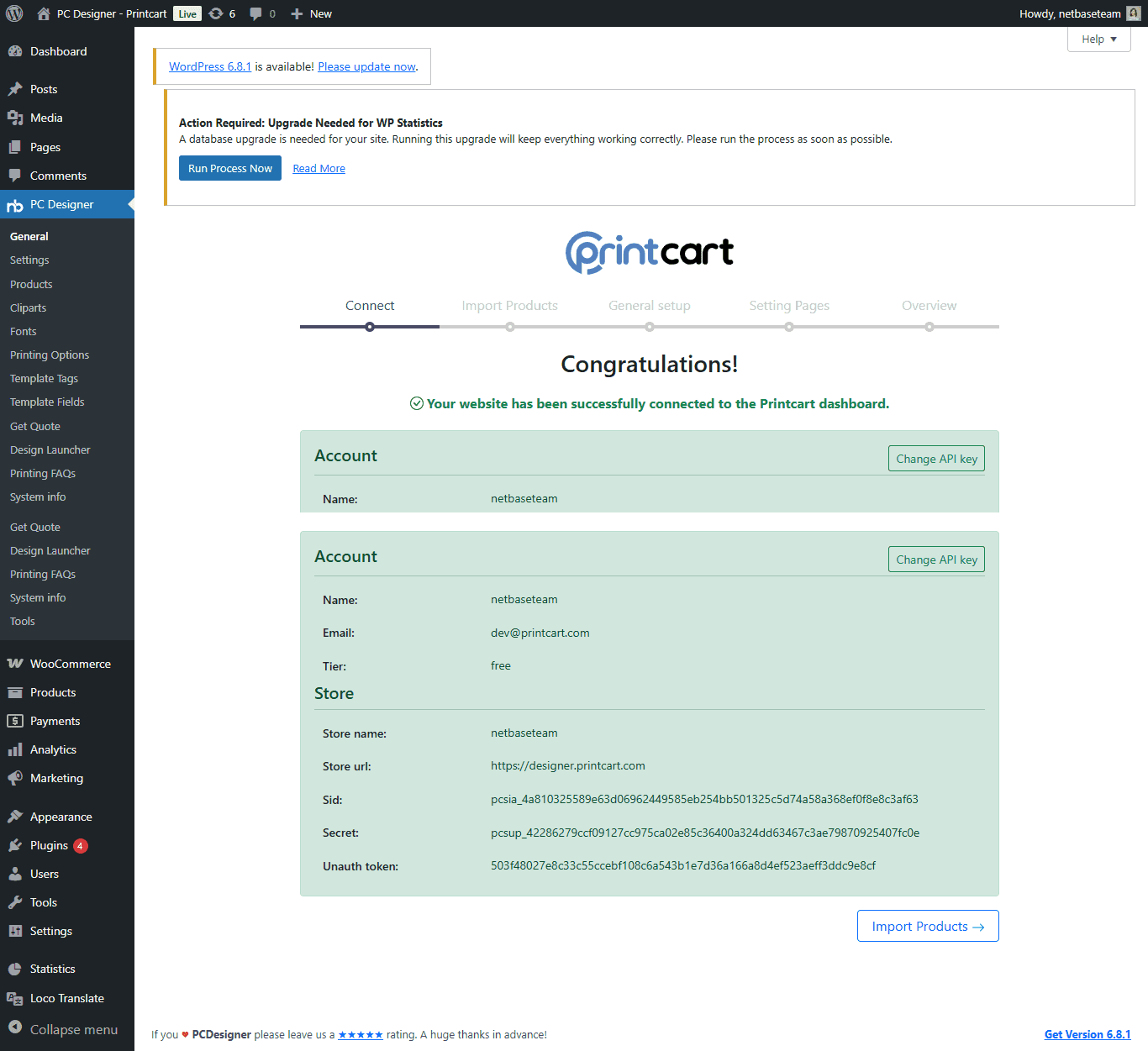
We connect your store to the Printcart Dashboard , configure products, design zones, and side templates.
Training
Your staff receives guided sessions on using Printcart tools for orders, designs, and workflow management.
Delivery
We test the full process end-to-end, launch your store, and provide documentation for smooth handover.
Client inputs needed
Before the work begins, prepare store or staging access, product names, SKU or variant logic, price sheets, print areas, mockups, brand assets, template files, fulfillment rules, support contacts, and the target launch window. If the team is migrating from another platform, add examples of current product pages, order exports, and known pain points. If staff training is part of the engagement, identify the people who will own catalog updates, design review, order review, and customer support after launch.
Frequently asked questions
Can Printcart launch the entire POD store for us?
Printcart can support setup, configuration, QA, and handoff for the Printcart-related workflow. The client still owns business decisions such as catalog strategy, pricing approval, fulfillment policy, branding, and legal terms.
Is this only for new stores?
No. Existing stores can use the service when product setup, designer behavior, fulfillment handoff, or staff process has become hard to maintain. The work can focus on a limited set of priority products before expanding.
Does setup guarantee sales or conversion improvement?
No. The service is about operational readiness. Better structure can reduce friction and support a cleaner launch, but traffic quality, offer strength, pricing, merchandising, fulfillment reliability, and support response all affect commercial results.
What should we prepare first?
Start with the product list, print areas, pricing rules, fulfillment rules, and examples of products that must be live first. Those inputs help Printcart identify setup risks before the store reaches customers.
Related Printcart resources
- Printcart services hub for related setup, integration, and catalog support.
- Printing partner workflow guide for planning the move from manual ordering to online ordering.
- Personalized product setup guide for product designer preparation.
Scope and terms for this service
Scope of Work
- Printcart will deliver training and setup consultancy for Printcart solutions.
- Services include:
- Store integration on Shopify, Wix, or WooCommerce.
- Printcart Dashboard configuration (Setup Wizard).
- Side template setup for consistent product design zones.
- Staff training on using the Printcart Dashboard.
- Custom features or additional integrations are not included and will require a separate agreement.
Delivery Timeline & Milestones
- Consultancy will follow a predefined schedule, with milestones such as:
- Initial needs assessment.
- Store connection and setup.
- Staff training sessions.
- Final review and handover.
- Timelines depend on client responsiveness and project complexity.
Communication and Support
- Communication will be handled via:
- Printcart Project Dashboard
- Ticket System
- Email or scheduled calls as needed.
- Post-project support is available under a separate maintenance package.
Ecommerce Payment Terms
- Payments must be completed in advance through:
- Credit/Debit Card
- PayPal
- Bank Transfer
- Subscription-based services will follow Printcart’s Payment Page.
- Training and consultancy sessions start only after payment confirmation.
Warranty and Bug Fixes
- Printcart guarantees that all setup and training deliverables will function as demonstrated.
- Free fixes are offered within 30 days for issues caused by our consultancy work.
- Problems related to hosting, third-party apps, or client modifications are not covered.
Custom Development & Updates
- Additional features or custom API integrations will be quoted separately.
- Ongoing updates to custom features may require maintenance fees to ensure compatibility with Printcart upgrades.
Client Responsibilities
- Provide timely access to:
- Ecommerce store backend (Shopify, Wix, WooCommerce).
- Hosting, Printcart account, and necessary credentials.
- Ensure staff are available for scheduled training sessions.
- Missing information or delays may extend project timelines.
Third-Party Licenses
- Clients are responsible for purchasing and maintaining any required:
- Themes
- Plugins
- External SaaS services
- Printcart will not be liable for costs or downtime related to third-party services.
Change Requests & Scope Adjustments
- All scope changes must be submitted via the Printcart Ticket System.
- Additional costs and revised timelines will apply.
- Work begins only after written confirmation from both parties.
These terms are designed to keep your Printcart Training & Setup Consultancy transparent, reliable, and smoothly delivered.
Ready to launch your setup with confidence? Upgrade your plan or message us directly on WhatsApp: https://wa.me/+84937869689.
Request a POD launch consultation when your team needs a practical setup review, launch QA, or guided handoff before opening a custom product store to customers. Bring your product list, platform access, and launch timeline so the review can focus on real decisions.