
Want a photorealistic 3D preview on the product? See 3D Product Previews.
Vintage Premium Quality Color Badges 1
A Badge design with editable text, editable colors. Bleed and trim stay locked to the product, so whatever your customer creates comes back print-ready.
Aclonica, Abril Fatface
Use this as a made-to-order Badge — customers personalize the editable layers and Printcart returns print-ready artwork with every order.
What's editable
Specifications
How to use this template to sell Badge
Open the ‘Vintage Premium Quality Color Badges 1’ template in the Printcart Design Tool and personalize its editable layers (editable text, editable colors). Adjust the text, swap photos, and match your brand colors right in the browser. When a customer checks out, Printcart automatically returns print-ready files for every order, so you never prepare artwork by hand.
Publish the finished design as a made-to-order Badge on your store or a marketplace app — Shopify, Wix, or WooCommerce — and start taking custom orders. Because each template is fully editable, you can launch several product variations from a single starting point and keep your catalog fresh without designing from scratch.
Also great on
Open this design in the Online Designer to try it on another product type.
License: Free to customize and use with your Printcart store. These templates are created and owned by Printcart for its merchants — not stock or public-domain assets. See terms.
Launch it as a product
- 1
Customize
Open the template in the Online Designer and make it your own — text, photos, and colors.
- 2
Publish to a store
Connect a store or marketplace app and add your customized badge as a sellable product.
- 3
Sell made-to-order
Customers personalize it and Printcart returns print-ready artwork with every order.
Learn, get help & sell it
Get it done for you
Make it print-ready
Learn
Questions & answers
- Is the "Vintage Premium Quality Color Badges 1" template free to customize?
- Yes. This badge template is free to customize and use with your Printcart store. It is Printcart-owned artwork made for merchants, so you can personalize and sell it without a separate stock license.
- What can I edit in this badge template?
- You can change editable text, editable colors right in the Printcart Design Tool. Locked layers keep the branding and print setup in place so the file stays production-ready.
- How do I turn this into a product I can sell?
- Customize it in the Online Designer, then publish it to your store or a Shopify, Wix, or WooCommerce app. Printcart returns print-ready artwork with every order, so it becomes a made-to-order badge product.
Browse other template sets
Same editable-layer setup on every product type.
More badge templates
Browse all templates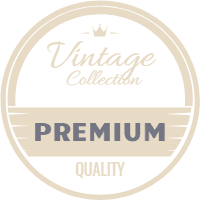 Badge
BadgeRetro promotion badges 3
 Badge
BadgeRetro promotion badges 6
 Badge
BadgeRetro promotion badges 1
 Badge
Badge