

Template category
Brochure Design Templates
Brochure templates give you multi-panel layouts — bi-fold and tri-fold — for services, real estate, and product lines. Replace the copy, photos, and pricing while the fold guides and margins stay intact. Print-ready panels mean no misaligned folds. Every template is free to customize in the Printcart Design Tool and launch as a print-on-demand product.
A product of Netbase JSC
- Templates
- 10 brochure templates
- Editable
- Text, photo & colour layers
- Output
- 300 DPI, print-ready
- Licence
- Free with Printcart store
Library
Brochure templates
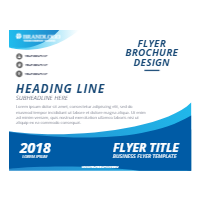 Brochure
Modern wavy business brochure template
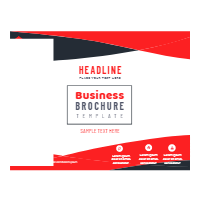 Brochure
Colorful Vector Business Brochure Template Design
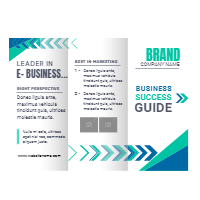 Brochure
business tri fold brochure template design
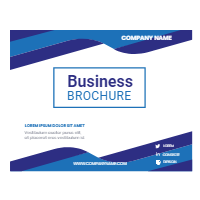 Brochure
Wavy blue business brochure
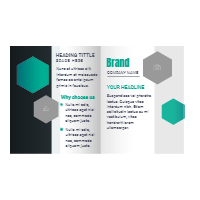 Brochure
 template with hexagonal shapes
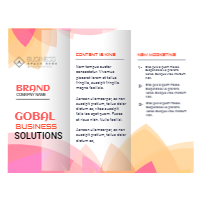 Brochure
Modern brochure with warm colors
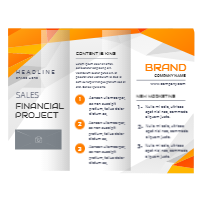 Brochure
abstract orange trifold brochure design business template
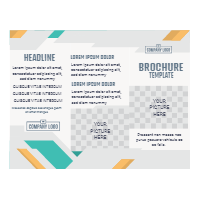 Brochure
Corporate trifold business brochure
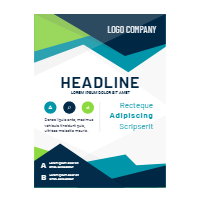 Brochure
Business brochure template with space for text 1
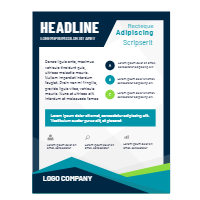 Brochure
Business brochure template with space for text
About
What are brochure templates and how do I use them for POD?
Ready-made, print-ready layouts
Brochure templates are ready-made, print-ready layouts that agencies and commercial printers customize and sell as made-to-order products. Sellers reach for them to create tri-fold service brochures, real-estate listings, product catalogs, and travel and tour guides.
Edit in the Design Tool
You edit the text, photos, and colors right in the Printcart Design Tool, while locked layers keep your branding and print setup intact. Because the bleed, margins, and sizing are already built in, every brochure you send to production comes back as print-ready artwork with each order — you never prepare files by hand.
Publish and sell
Publish the finished design to your store or a marketplace app (Shopify, Wix, or WooCommerce) and start taking custom orders. These templates are Printcart-owned artwork, free to customize and use with your Printcart store, so you can launch personalized brochure products without buying third-party stock.
Prefer to build from scratch? Build from scratch with Shapes cliparts →
Compare
Starting from a brochure template vs. designing from scratch
| Comparison aspect | Using a brochure template | Designing from scratch |
|---|---|---|
| Getting started | Open a ready-made layout and personalize the text, photos, and colors. | Build the layout, spacing, and composition from a blank canvas. |
| Print-ready setup | Bleed, margins, and sizing are already built in. | You set bleed, margins, and sizing yourself before it is print-safe. |
| Design skill needed | None — locked layers protect the layout and print setup. | Requires design software and layout experience. |
| Cost | Free to customize and use with your Printcart store. | Often a paid design app or a freelance designer. |

Huy Nguyen (David)
Talk to an expert
- Works with merchants in 80+ countries, any industry — services are delivered remotely.
- Contracts and payments are made directly with the company, Netbase JSC.
- Service work is quoted in writing before any payment is taken.
A Netbase JSC company
FAQ
Brochure templates: questions & answers
Who are brochure templates designed for?
- Brochure templates are designed for agencies and commercial printers. Personalize the text, photos, and colors in the Printcart Design Tool, then publish the finished design to your store as a print-on-demand product.
What can I make with brochure templates?
- Common uses include tri-fold service brochures, real-estate listings, product catalogs, and travel and tour guides. Each design is fully editable, so you can spin several product variations from one starting point.
Are Printcart's brochure templates free to use?
- Yes. Every brochure template is free to customize and use with your Printcart store. The artwork is created and owned by Printcart for its merchants — it is not third-party stock — so you can personalize and sell it without buying a separate license.
Seasonal
Seasonal picks
Get ahead of the season — prep artwork early and have the store ready before demand peaks.







Next steps
Learn, get help & sell it
Get it done for you
Make it print-ready
Learn

Ready to start selling custom print products?
Grow your printing operations with Printcart's Web-to-Print tools.