

Print-on-Demand tutorials
Print-on-demand (POD) lets you sell custom products — apparel, mugs, phone cases, and more — without holding inventory: a customer orders, a connected print provider produces and ships one unit, and you keep the margin. These Printcart tutorials cover choosing a POD platform, pricing products, connecting a storefront, and handling orders through Printcart’s catalog and designer tools.
Updated · Maintained by the Printcart team.
Browse other tutorial categories
Print-on-Demand tutorials
47 guides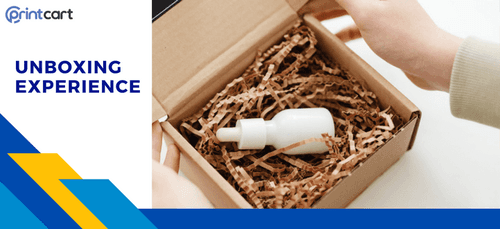
Enhancing the Unboxing Experience for Print-on-Demand products
The unboxing experience for Print-on-Demand (POD) products refers to the process of receiving and opening a package containing customized or personalized…
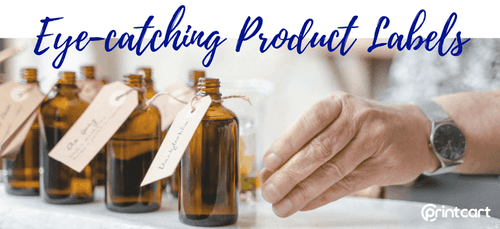
Designing Eye-catching Product Labels for Print-on-Demand: Branding at a Glance
Designing eye-catching product labels is essential for attracting consumer attention and making your product stand out on the shelves.

Inserting Branding Materials in POD Shipments: Maximizing Brand Visibility
Inserting branding materials in Print-on-Demand (POD) shipments is a crucial aspect of creating a memorable and cohesive brand experience for customers.
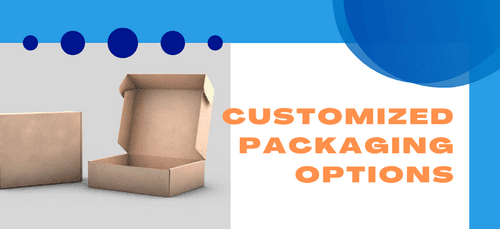
Customized Packaging Options for POD: Enhancing Branding and Customer Experience
Customized packaging options for Print-on-Demand (POD) products are a fantastic way to enhance the customer experience and leave a lasting impression.
Creating a Distinct Brand Identity for POD products: Strategies and Considerations
Creating a distinct brand identity for POD (Print-on-Demand) products is crucial for standing out in a crowded marketplace.

Quality Control: Ensuring High-quality POD Products
Quality control is a vital aspect of any business that involves the monitoring and evaluation of products or services to ensure they meet specified…

Optimizing Printing Partner for your POD Business
Understanding order routing is crucial for optimizing the selection of printing partners.
Striking a balance: Profitability vs. Market Demand in Print-on-demand Pricing
The success of a print-on-demand (POD) business hinges on finding the delicate balance between profitability and market demand.

Pricing Strategies for POD Products: Finding your Unique Approach
Pricing strategies for POD (Print on Demand) products are crucial for businesses to maximize profitability while remaining competitive in the market.
All 47 print-on-demand tutorials are spread over 6 pages: Print-on-Demand tutorials, page 1, More Print-on-Demand tutorials, page 2, More Print-on-Demand tutorials, page 3, page 4 (this page), More Print-on-Demand tutorials, page 5, More Print-on-Demand tutorials, page 6.
A guided tutorial vs. trial and error
| With a Printcart tutorial | Trial and error | |
|---|---|---|
| Setup time | Follow real, numbered steps with screenshots from the actual Printcart dashboard. | Work out each screen by clicking around, repeating mistakes along the way. |
| Risk of a misprint | Bleed, color and resolution checks are called out at the step where they matter. | A missed bleed or resolution problem is often only caught after a print run. |
| Where to start | Each guide links to the real template, tool or app it uses, ready to open. | No fixed starting point — the right tool or template has to be found first. |
Sources and standards
A Netbase JSC company
80+ countries served
Source: Netbase JSC, Printcart's parent company (as of Oct 2026).

Huy Nguyen (David)
Founder & CEO
- Works with merchants in 80+ countries, any industry — services are delivered remotely.
- Contracts and payments are made directly with the company, Netbase JSC.
- Service work is quoted in writing before any payment is taken.
Questions & answers
Can you work with a merchant in my country?
- Yes. Printcart services are delivered remotely, so we work with merchants in any country. Netbase JSC, the company behind Printcart, has worked with clients in 80+ countries.
Do you support my industry?
- Printcart services are not tied to one industry. Full stores, custom development, integration and support are delivered remotely; tell us what you sell and we will say plainly whether Printcart fits.
How do I pay securely?
- You sign the contract with and pay the company, Netbase JSC. App plans are billed through Shopify or Wix for stores on those platforms, and through PayPal for WooCommerce and direct stores. Full-store orders on solution.printcart.com check out through PayPal. Service work is quoted in writing in your Helpdesk ticket before any payment.
Who do I talk to?
- Talk to our CEO, Huy Nguyen (David), on WhatsApp at https://wa.me/84937869689 or by email at support@printcart.com.