
Print-on-Demand tutorials
Print-on-demand (POD) lets you sell custom products — apparel, mugs, phone cases, and more — without holding inventory: a customer orders, a connected print provider produces and ships one unit, and you keep the margin. These tutorials cover choosing a POD platform, setting product pricing, connecting a storefront, and handling customer orders through Printcart’s catalog and designer tools. Start here if you’re deciding whether POD fits your business, or you’re already selling and want to tighten your production and fulfillment workflow.
Browse other tutorial categories
Print-on-Demand tutorials
46 guides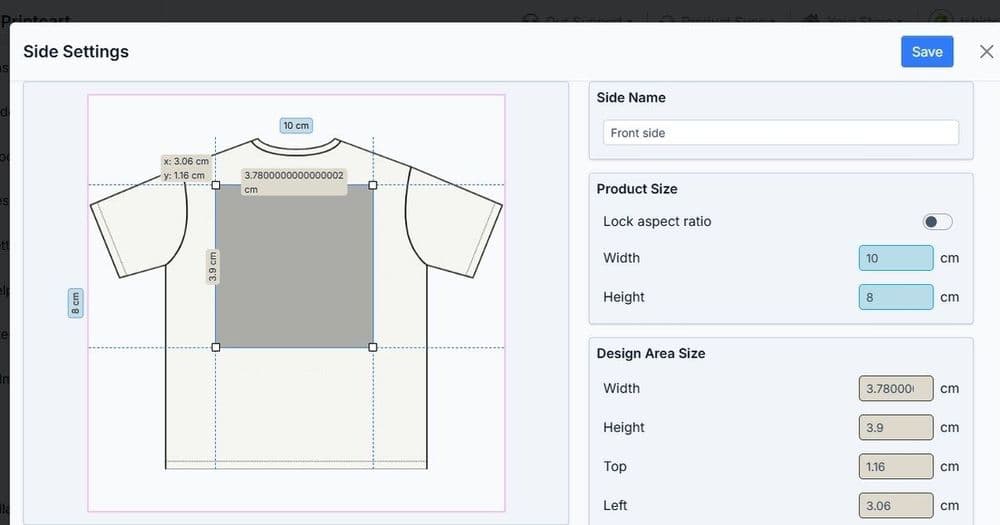 Print-on-Demand
Configuring Print Product Options, Variants and Print Areas
Configure print product options, variants, and print areas so every choice a customer makes maps to correct pricing and a print-ready file. This guide...
 Print-on-Demand
How to Upscale Low-Res Artwork for Printing (AI)
Upscale low-resolution artwork so it holds up at print size instead of looking blurry or pixelated. This guide shows print-on-demand sellers and print...
 Print-on-Demand
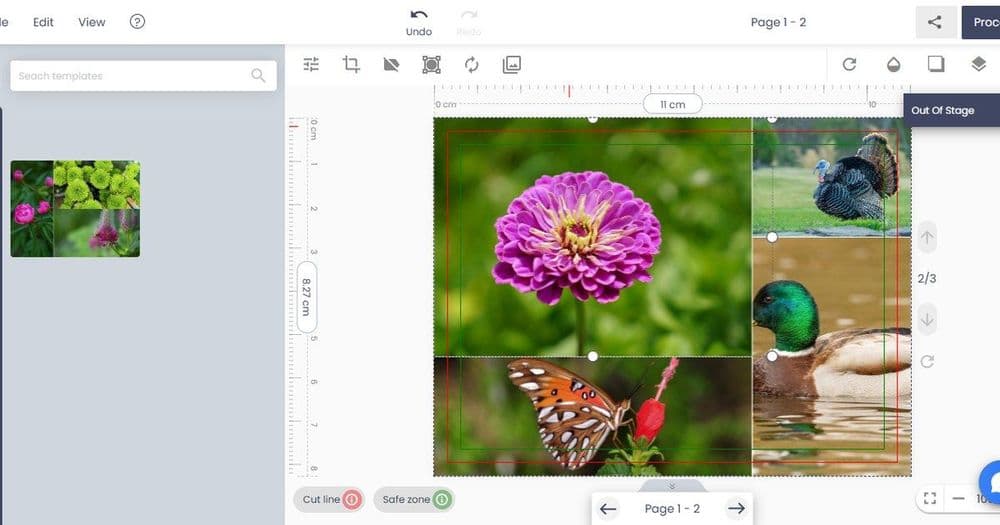
AI Print File Preflight: Catch Problems Before Production
Preflight print files before production to catch low DPI, missing bleed, wrong color mode, and font risks that cause reprints. This guide shows...
 Print-on-Demand
How to Remove Backgrounds from Product Photos for Print & Listings
Remove backgrounds from product photos to get clean listing images and print mockups. This guide shows print-on-demand sellers and catalog teams how to...
 printcart
How to Create Personalized Print-on-Demand Gifts: Workflow, Seasons & Mistakes
Create personalized print-on-demand gifts with a repeatable workflow: choose gift-ready products, build editable templates, define customer input fields,...
 printcart
Incorporating Sustainable Practices in Print-on-Demand: Meeting the Growing Demand
Incorporating sustainable practices in Print-on-Demand (POD) operations is essential for minimizing the environmental impact of the printing industry. By...
 printcart
Adapting to Design and Fashion Trends in Print-on-Demand: Staying Fashion-Forward
Adapting to design and fashion trends is essential for businesses in the creative and fashion industries. It involves staying up-to-date with the latest...
 printcart
Exploring Emerging Market Niches in Print-on-Demand: Untapped Potential
Emerging market niches in Print-on-Demand (POD) present exciting opportunities for sellers to tap into new and underserved customer segments. These niches...
 printcart
Seasonal Opportunities in Print-on-Demand: Leveraging Holidays and Special Occasions
Seasonal opportunities in the Print-on-Demand (POD) industry provide businesses with a chance to capitalize on the increased demand for themed products...