


Print-on-demand & gifts

Improving User Experience for Customized Product Orders and Portfolio Display

This project focused on optimizing the online presence and ordering process for a company specializing in custom products. By enhancing the catalog structure and user workflow, we streamlined the ordering experience and improved service discoverability. The result was a more intuitive platform enabling customers to personalize their products easily and efficiently.

Improving User Experience for Customized Product Orders and Portfolio Display - project preview

The challenge

The client operates in the online retail sector, providing customized products including apparel and promotional materials. Their previous website architecture presented challenges in service discoverability, complex ordering processes, and inefficient product management, hindering the customer experience. The primary goal was to enhance the customer's journey toward placing an order for personalized products while exhibiting their offerings effectively.

The solution

Solution Overview

To address these challenges, the consultancy implemented a comprehensive redesign focused on user experience. This included creating a clearer product categorization system, enabling easier navigation through the catalog, and integrating user-friendly interfaces for product customization. The system streamlined the process from product selection to order submission.

Implementation Approach

The implementation process was executed in phased stages. Initially, an audit of the existing customer journey was conducted to identify bottlenecks. This was followed by iterative design sprints, focusing on user feedback to refine the interface. Full-scale deployment ensured that the new features were seamlessly integrated while maintaining operational integrity.

What was built

  • Enhanced online ordering system with simplified navigation
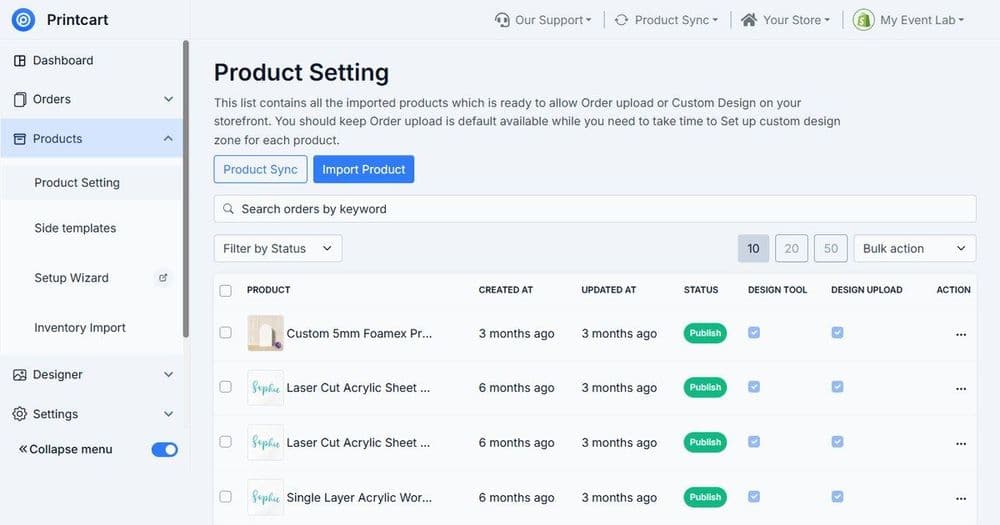
  • Improved artwork upload functionality for personalized products
  • Clearer categorization of product offerings for better service discoverability
  • Intuitive design setup, allowing customers to visually customize products in real time

How it fits the order workflow

This new system effectively fits into the client’s workflow: once a customer selects and customizes a product, they proceed to proofing and artwork approval stages before moving on to production and fulfillment. The integration supports the client’s operational goals while enhancing customer satisfaction.

Outcome

The enhanced platform led to a significantly improved user experience. Customers benefited from a reduced friction in selecting options and submitting their custom designs, resulting in a quicker turnaround from order placement to fulfillment. The portfolio-ready structure allowed for better showcasing of products, making it simpler for customers to find and personalize services related to their needs.

What the workflow covers

  • Faster order-to-proof handoff

    Moves orders into a clear review and proofing step with all details captured up front, reducing delays caused by missing specs or scattered messages.

  • Cleaner catalog navigation

    Improves how products are grouped and presented so customers find the right category faster and are less likely to abandon due to confusion.

  • Fewer mistakes on custom specs

    Standardizes the capture of sizes, colors, placements, quantities, and notes, reducing rework and misunderstandings during production.

  • Centralized artwork management

    Keeps customer files and references tied to each order, making it easier to locate the latest artwork version and avoid using the wrong file.

  • Consistent customer updates

    Automatically sends confirmations and progress notifications so customers feel informed while your team spends less time answering “what’s the status?” questions.

  • Smoother internal routing

    Routes orders to the right stage and person—sales review, design/proofing, production, fulfillment—so responsibilities are clear and nothing slips through.

  • Better visibility for operations

    Creates a predictable flow with clear statuses, making it easier to prioritize urgent orders and manage busy periods without chaos.

  • Scales with growing demand

    As order volume increases, the workflow reduces manual effort per order, helping you maintain service quality without adding unnecessary overhead.

Questions about this project

It helps standardize steps like capturing product options, collecting artwork, confirming order details, routing the order for proofing, and sending customer updates. This reduces manual follow-ups and keeps orders moving smoothly.

Yes. The template is meant to be adjusted to your product types, option sets (sizes, colors, quantities), and add-ons. You can also align naming to your internal terminology for fewer mistakes.

Yes, you can auto-send order confirmations and key status updates (received, in proofing, approved, in production, ready to ship). A paid plan is recommended for higher sending reliability and monitoring.

Not required. You can start with a simple upload-and-notes flow. If you already use a design preview tool, this workflow can be adapted to store preview links and keep everything tied to the order for easier handoff.

It’s ideal for businesses selling customizable products online—especially where customers must choose options, upload artwork, and then wait for proof approval before production. It also fits teams managing a growing catalog and repeat orders.

By using structured fields and checklists for common choices, it prevents missing information like sizes, placement instructions, or deadline notes. It also keeps artwork linked to the correct order to avoid mix-ups.

Yes. The workflow is designed around a proofing step where artwork and notes are reviewed, then the customer can be notified for approval. On a Pro plan, you can add reminders and escalation alerts if approvals stall.

You can add a quote-first step before the order is finalized, then convert approved quotes into an order record with the same proofing and production stages. Pro plans help with approvals, reminders, and reporting.

Prepare your product categories, key customization options, standard customer messages, and a clear internal process (who reviews proofs, who approves production, who handles fulfillment). If you have it, include your current order form or inquiry flow.

Basic setup can be done quickly if your catalog structure and emails are already defined. More time is needed if you want advanced routing, multiple product families, or custom approval rules. Pro plans help with stable, always-on operations.

Print-on-demand & gifts

Optimizing Online Presence for Print Service Providers

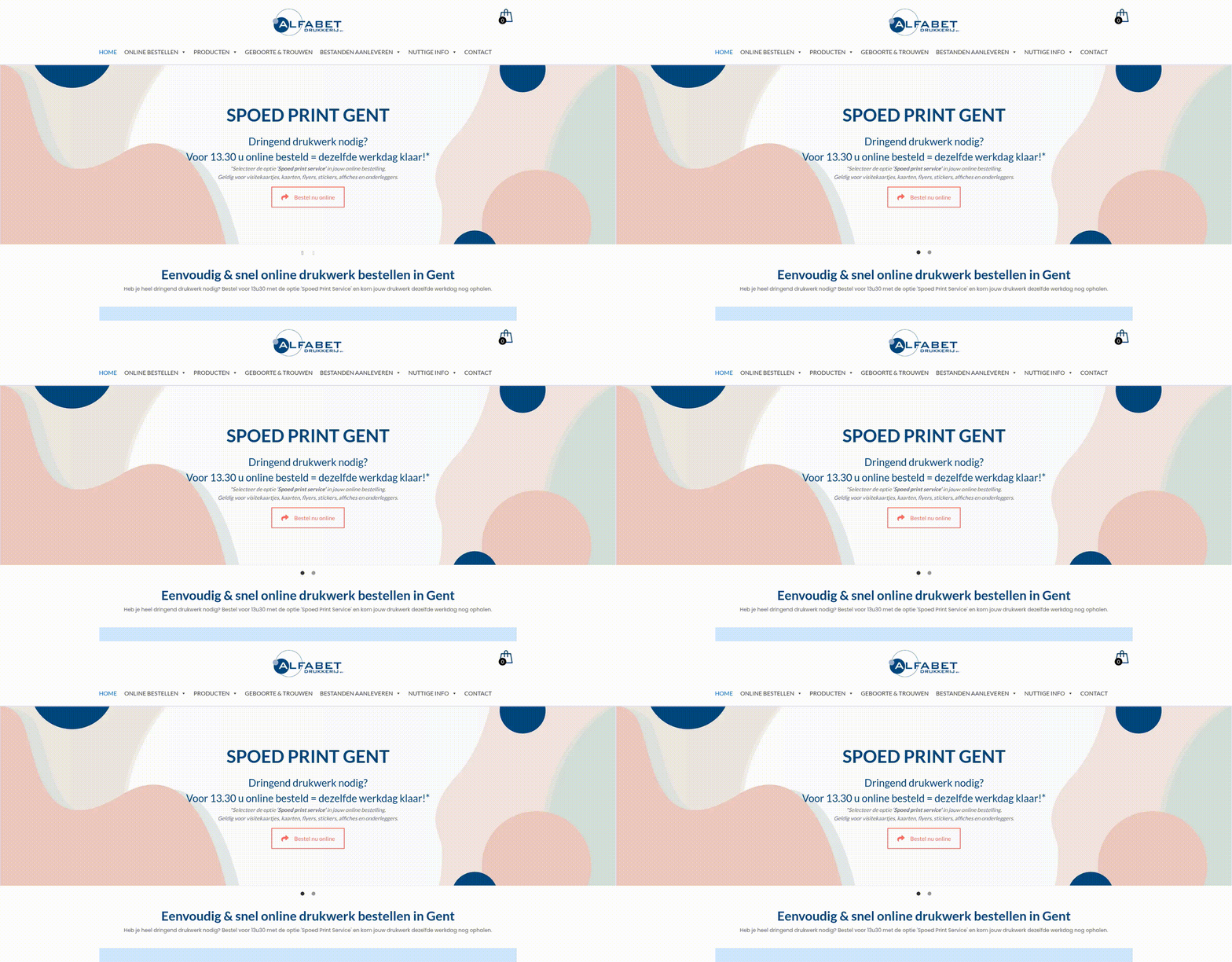
This project showcases how Cmsmart streamlined the online ordering experience for a print service provider, enhancing product discoverability and simplifying the ordering process. By improving the user journey, customers can easily navigate through a well-structured service catalog and personalize their products with ease.

Read the case study →
Transforming the Online Ordering Flow for Custom Print Services - project preview
Print-on-demand & gifts

Transforming the Online Ordering Flow for Custom Print Services

This case highlights how a customized online ordering system was developed to address the unique needs of a print service provider, enhancing customer experience and streamlining the order process. Cmsmart played a crucial role in redesigning the ordering workflow, allowing users to efficiently navigate through service categories, configure their products, and submit designs with minimal friction. The optimized ordering experience has significantly improved the overall usability and satisfaction for customers looking to personalize their print solutions.

Read the case study →
Transforming the Online Ordering Journey for Custom Products - project preview
Print-on-demand & gifts

Transforming the Online Ordering Journey for Custom Products

Cmsmart played a pivotal role in enhancing the online presence of a business specializing in personalized products. By focusing on improving discoverability and streamlining the ordering process, Cmsmart helped create a more user-friendly experience. This transformation included implementing effective product categories and an efficient workflow for customers to easily create and order custom items.

Read the case study →

Want a store like this?

Start with a free Printcart account, or see how our services can set it up for you.

Create free account →
Improving User Experience for Customized Product Orders and Portfolio Display | Printcart