

Key takeaways
- Match the Printcart app to the storefront platform, buyer journey, and order workflow you already use.
- Test product sync, customer design data, checkout metadata, and fulfillment callbacks before launch.
- Treat this as an ongoing operating workflow, not a one-time setup task.
- Document the approval owner, fallback process, and production handoff before customers start ordering.
- Review the workflow after the first real orders and tighten the steps that cause rework.
Part 1 of 5 in the Canvas Prints by Printcart on Wix series. | Part 2: Start Selling Canvas Prints on Wix with 5 Sample Products → | Canvas Prints by Printcart app page
What do you need before you start?
- A Wix site with Wix Stores added. The app reads your products and orders there.
- Owner or admin access to the site.
- About five minutes. No developer, no API key and no separate account.
How do you install Canvas Prints by Printcart on Wix?
Step 1Add the app and approve the permissions
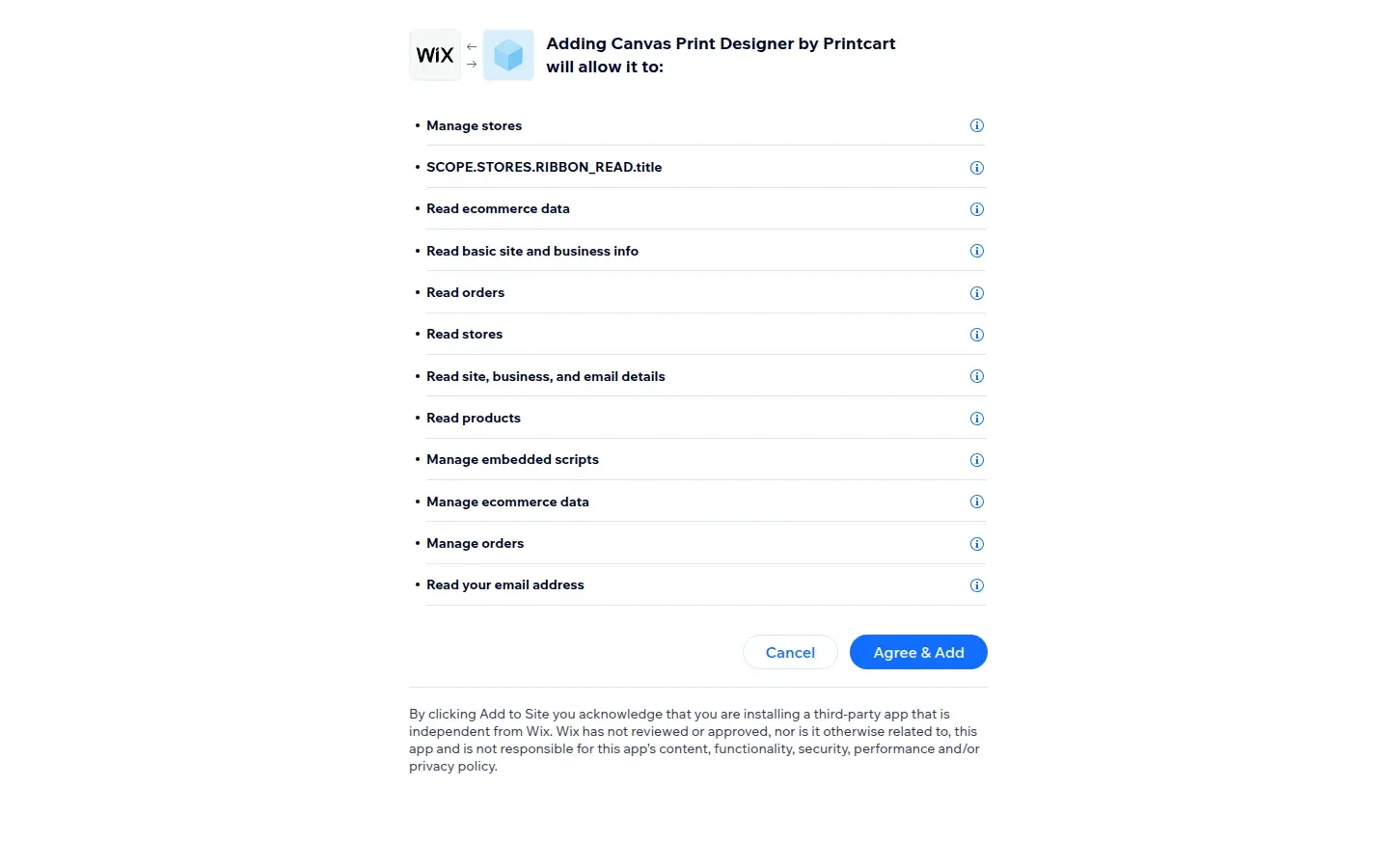
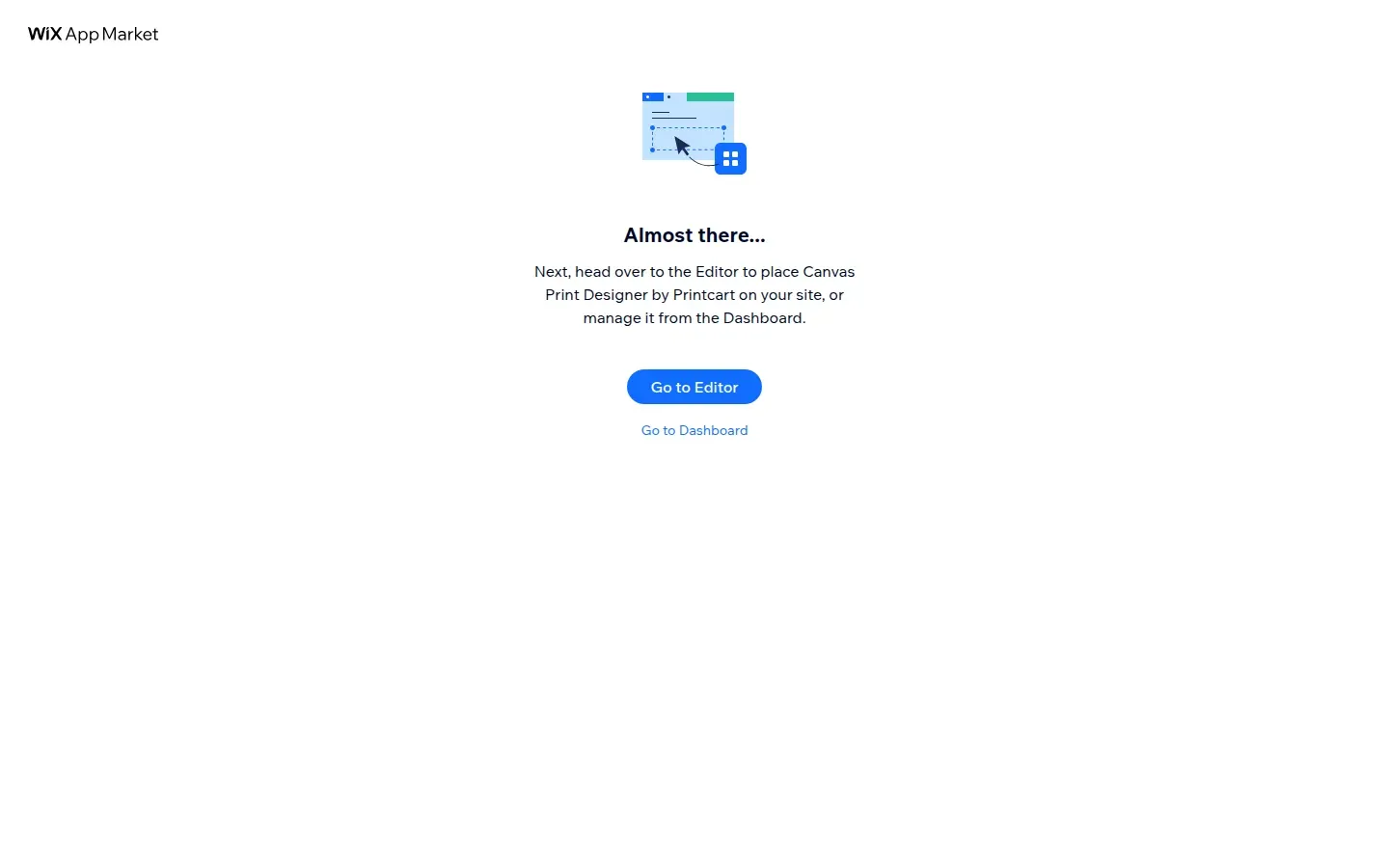
Search for Canvas Prints by Printcart in the Wix App Market and click Add to Site. Wix lists what the app may do on your site: manage stores, products, orders and ecommerce data, manage embedded scripts (this is how the buttons appear on your product page), and read basic site details and your email address. One line may show as a code, SCOPE.STORES.RIBBON_READ.title. That label comes from Wix's own screen and is about reading product ribbons. Click Agree & Add.
Expected result: Wix shows a page titled "Almost there..." with two options.
Step 2Choose Go to Dashboard
Click Go to Dashboard. You will place the buyer button in the Editor later, once your products exist (part 5 of this series). If you closed the page, open your Wix Dashboard, expand Apps in the left sidebar and click the canvas app's entry below Manage Apps and App Market.
Expected result: your Wix Dashboard opens with the canvas app in the main area.
Step 3Open the setup wizard
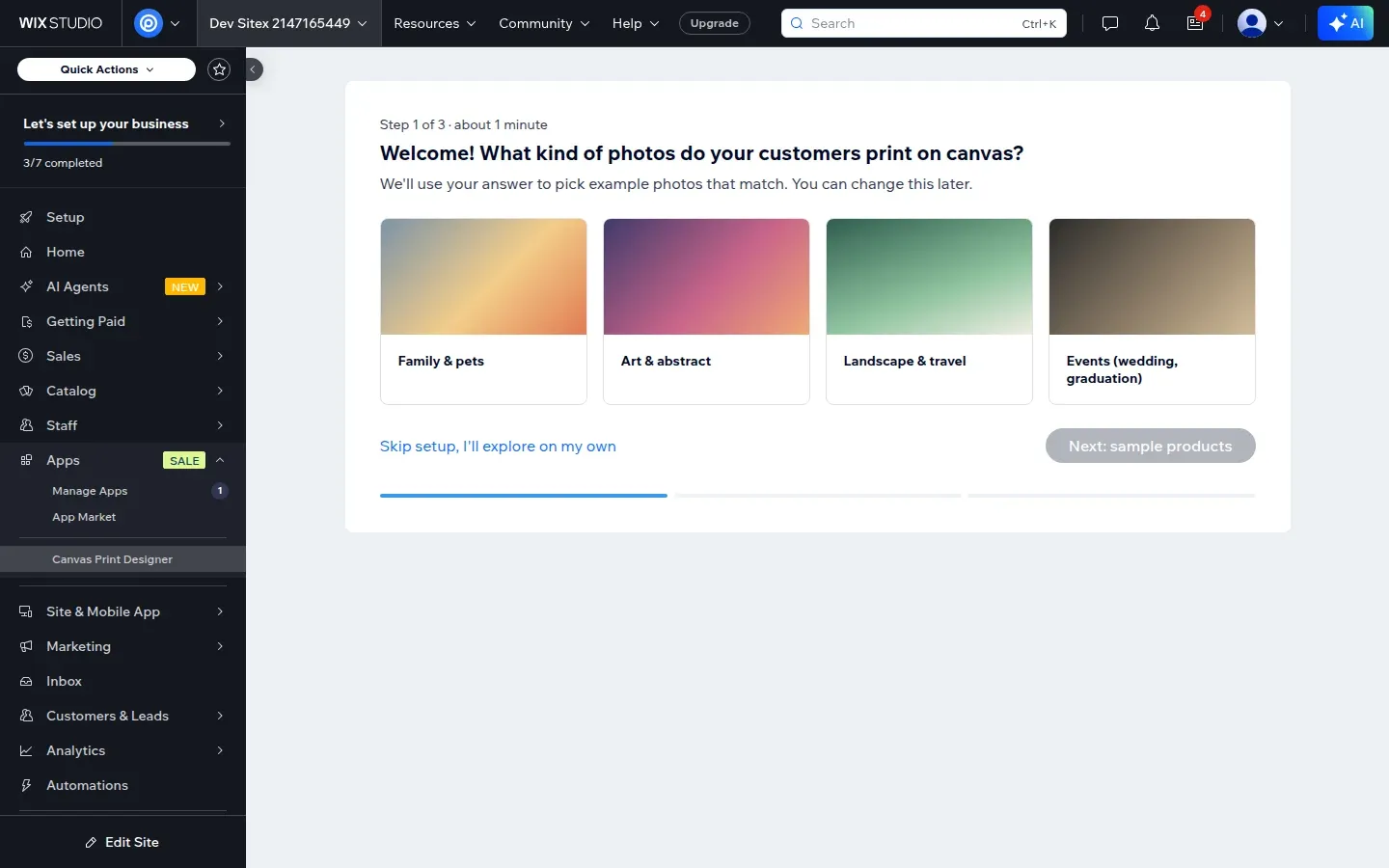
The app starts on its welcome step, "Step 1 of 3 · about 1 minute". It asks what kind of photos your customers print on canvas.
Expected result: four niche tiles, a link "Skip setup, I'll explore on my own" and a Next: sample products button that stays grey until you pick a tile. Part 2 walks through this step.
Step 4Check that your store is connected
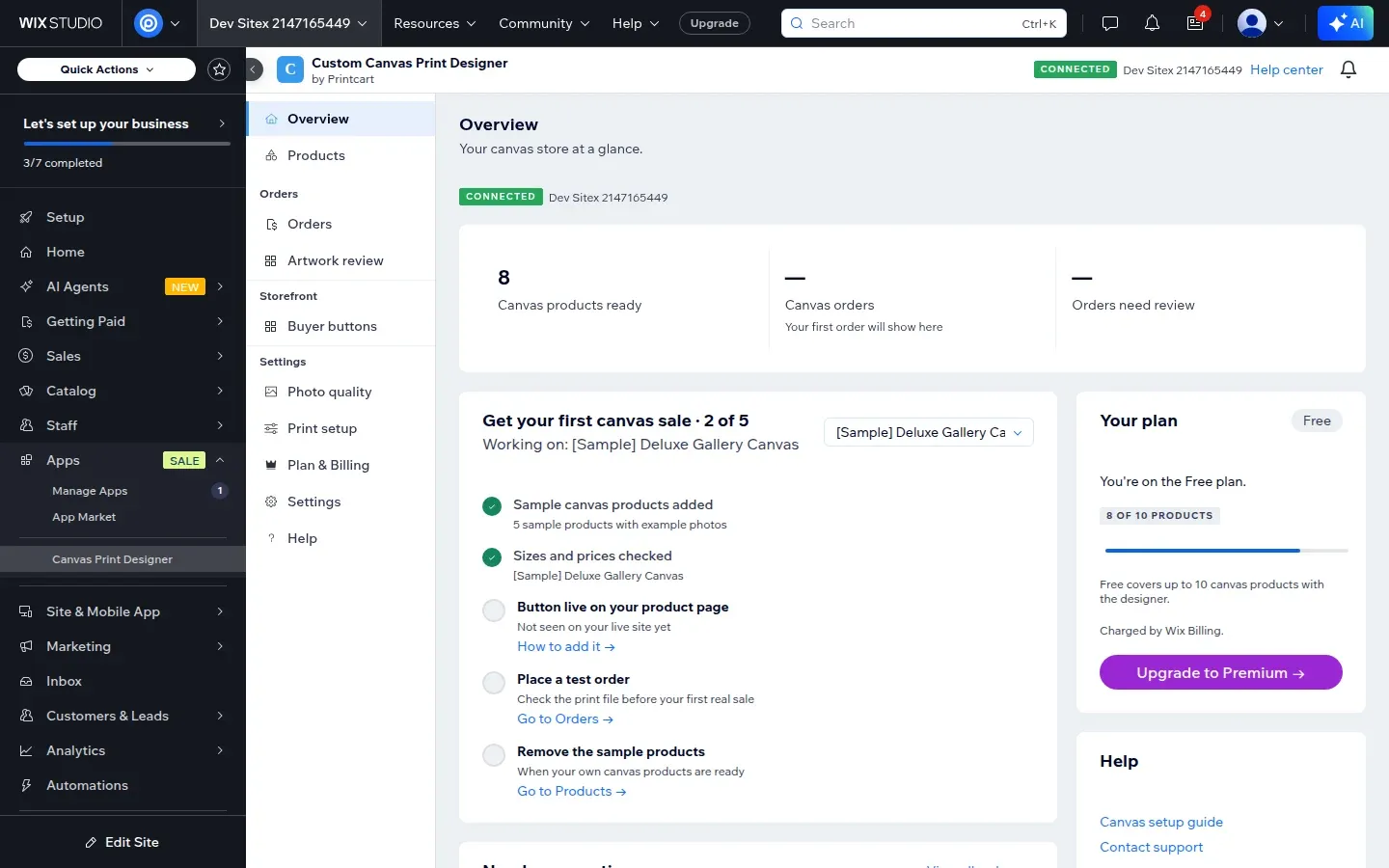
After the wizard, or after you skip it, every page of the app has a header. Look at its top right.
Expected result: a green CONNECTED tag next to your site name. The Overview page shows the same tag and your plan. You did not paste a key or sign in anywhere else. Your product and order counts stay empty until you add products in part 2.
Troubleshooting
I do not see the app in my sidebar
Open Apps, then Manage Apps, and check that Canvas Prints by Printcart is listed. If you installed it while the Editor was open, refresh the Dashboard.
The app says it is not connected
Reload the page once. If it persists, remove the app under Manage Apps and add it again from the Wix App Market. Your store settings are kept when you reinstall.
Nothing shows on my product page yet
That is expected. The button needs canvas products first and then one step in the Editor. Parts 2, 3 and 5 cover it.
What should you do next?
- Part 2: Start Selling Canvas Prints on Wix with 5 Sample Products
- Canvas Prints by Printcart app page
- Browse all Printcart tutorials
Part 1 of 5 in the Canvas Prints by Printcart on Wix series. | Part 2: Start Selling Canvas Prints on Wix with 5 Sample Products → | Canvas Prints by Printcart app page
Your launch checklist
What should you check before you launch How to Add a Canvas Print App to Your Wix Store?
This guide covers web-to-print launch planning, buyer experience, and repeatable production in Printcart. Before you offer it to your own buyers, place one test order yourself with a real product, a real design file and a real checkout, then answer the questions below.
- Can a customer complete the flow without staff intervention?
- Does the production team receive the exact artwork, option, and approval data they need?
- Is there a clear fallback when artwork, pricing, approval, or fulfillment data is missing?