To check whether an image is big enough to print, open printcart.com/tools/preflight , add a PNG or JPG, enter the print size in inches and pick a target DPI. The page divides the image's pixel size by the print size and shows an estimated DPI with a "meets" or "below" message. It is a quick estimate for image files. It does not check PDFs, bleed, colour or...
Key takeaways
What you need before you start
- A PNG or JPG file. No account is needed.
- The size you want to print, in inches, and the DPI your printer asks for. If you do not know it, 300 is a common starting point for sharp prints.
Check an image on printcart.com
Step 1Open the print file checker
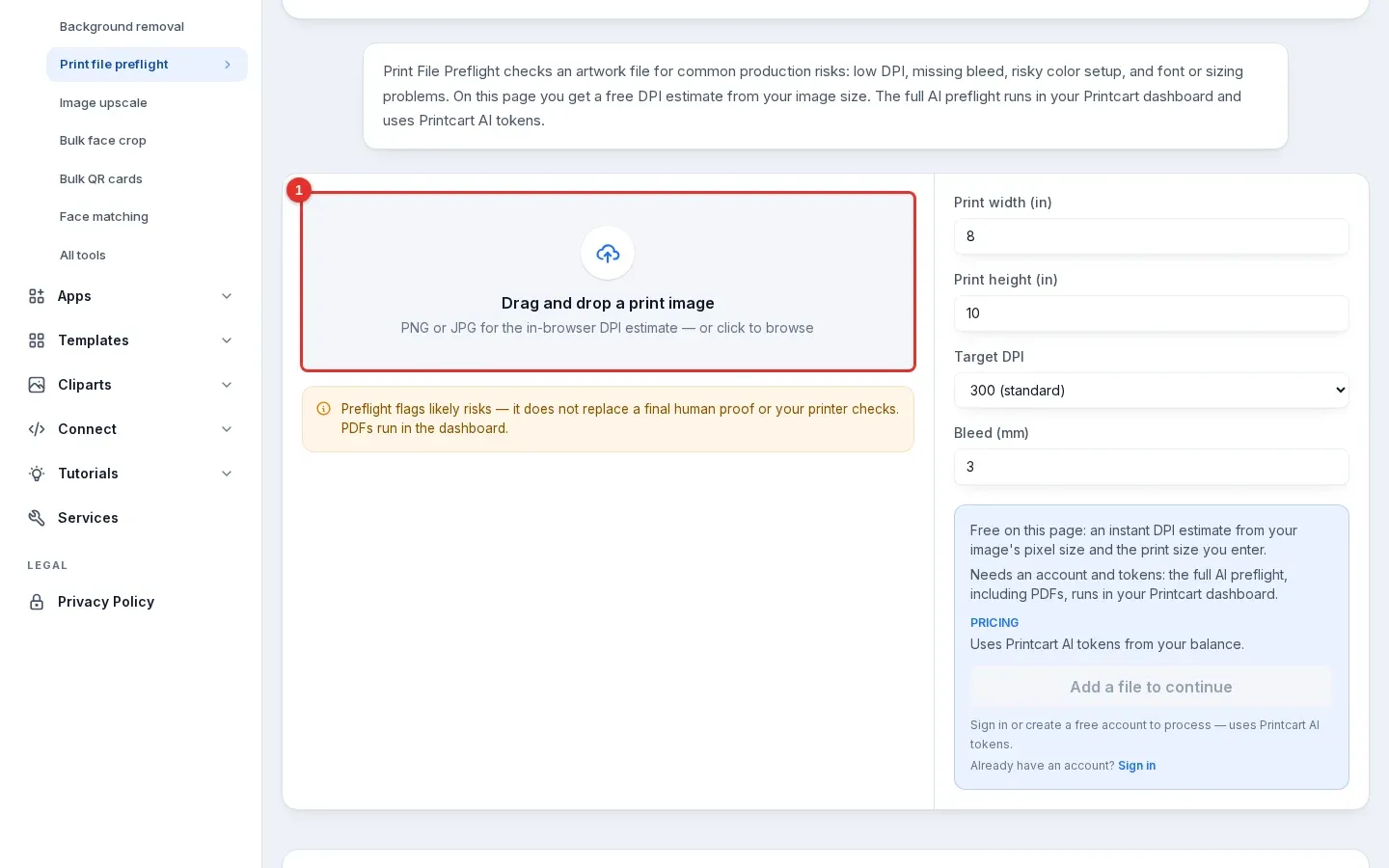
Go to Print file preflight. The drop zone (1) says "Drag and drop a print image". Click it or drag a file onto it.
Expected result: the drop zone is ready and the form on the right shows a print size of 8 x 10 inches, a target of 300 DPI and a bleed of 3 mm.
Step 2Add your image and enter the print size
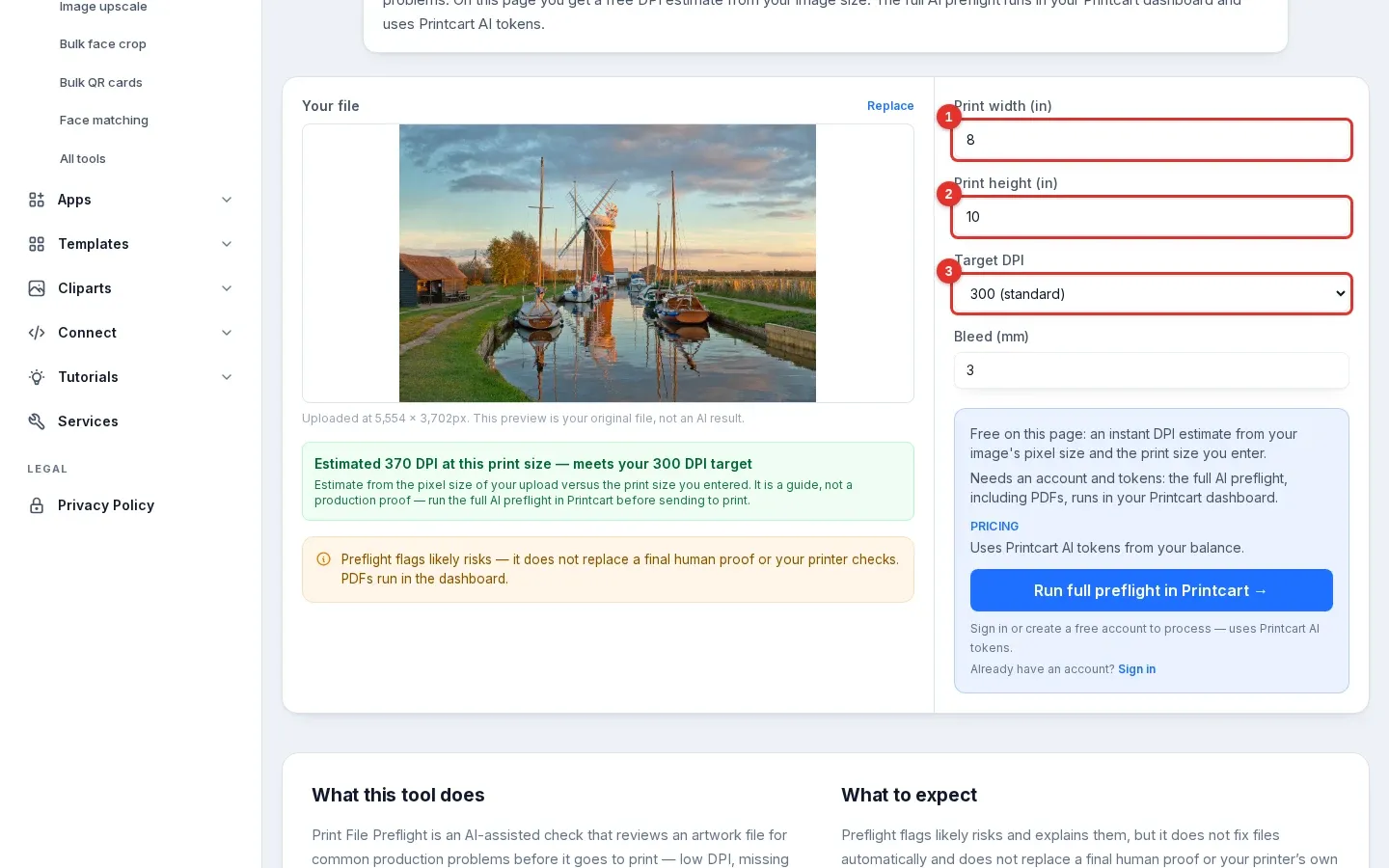
Add your image, then type the print width (1) and height (2) in inches. Check that the target DPI (3) matches what your printer asks for. We used a 5,554 x 3,702 px landscape photo at the default 8 x 10 inches and a 300 DPI target.
Expected result: the page shows the file size it read and a green line: "Estimated 370 DPI at this print size — meets your 300 DPI target". The page works this out from the smaller of the two sides: 3,702 px divided by 10 inches is 370.
Step 3Try a larger print
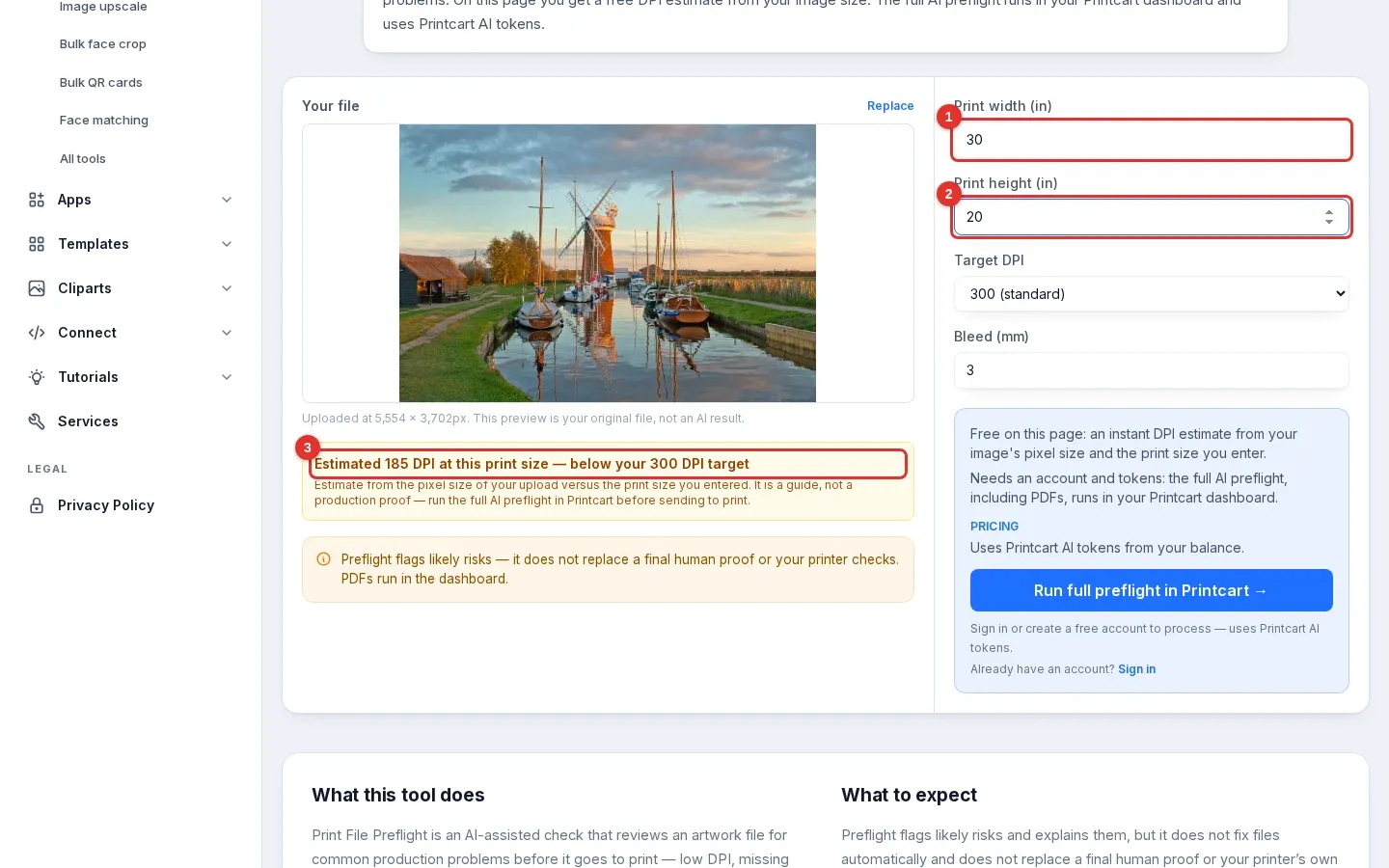
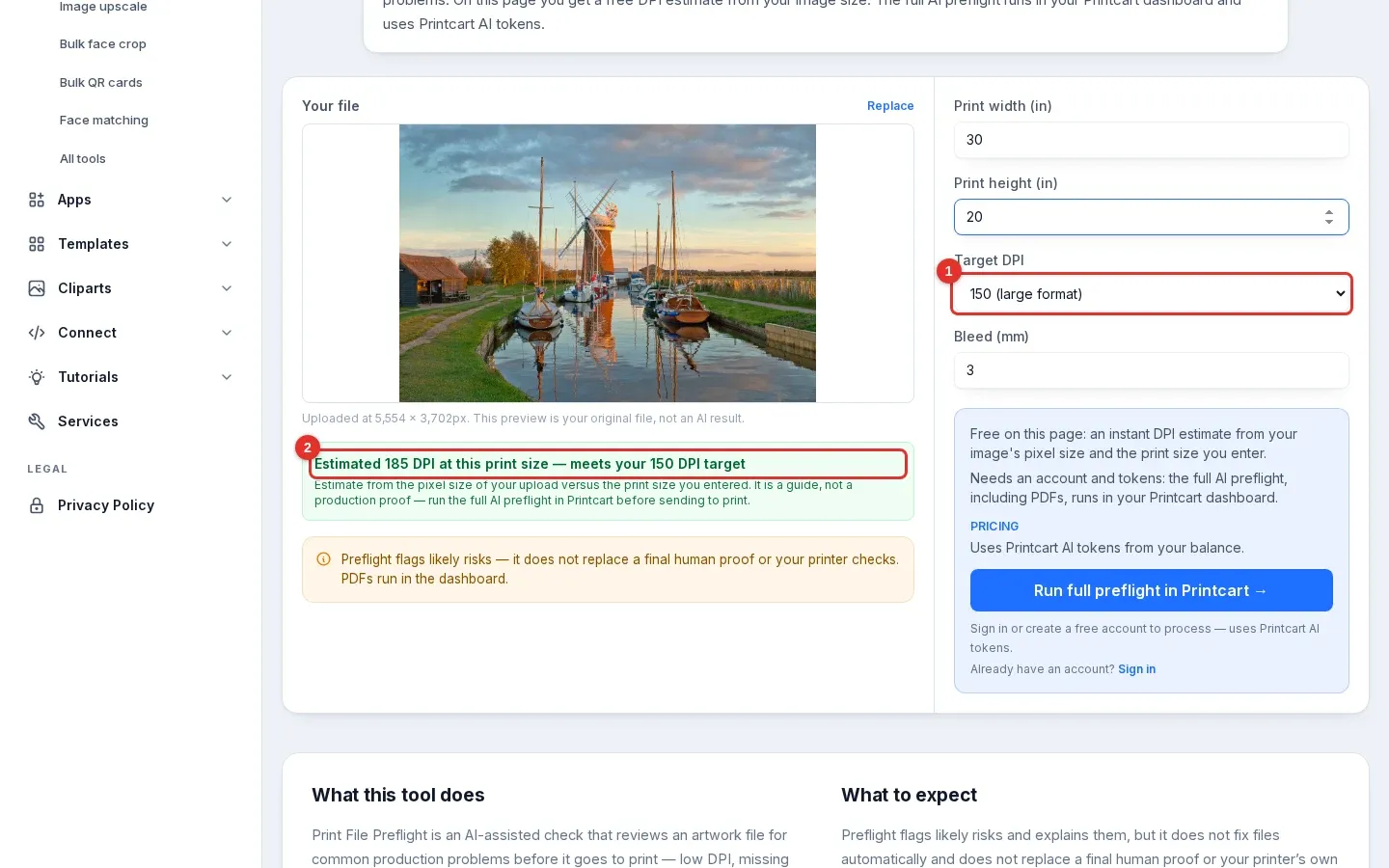
Change the size to 30 x 20 inches (1 and 2). The same photo now has far fewer pixels per inch.
Expected result: an amber line (3): "Estimated 185 DPI at this print size — below your 300 DPI target". Both sides give the same result here, since 5,554 px / 30 in and 3,702 px / 20 in are both about 185.
Step 4Compare against a different target
Open the Target DPI list (1) and choose 150 (large format). The list offers 150, 300 and 600.
Expected result: the same 185 DPI estimate now reads "meets your 150 DPI target" (2). The photo did not change; only the requirement did. Ask your printer which target applies to your product before you decide the file is fine.
Step 5See what a small file looks like
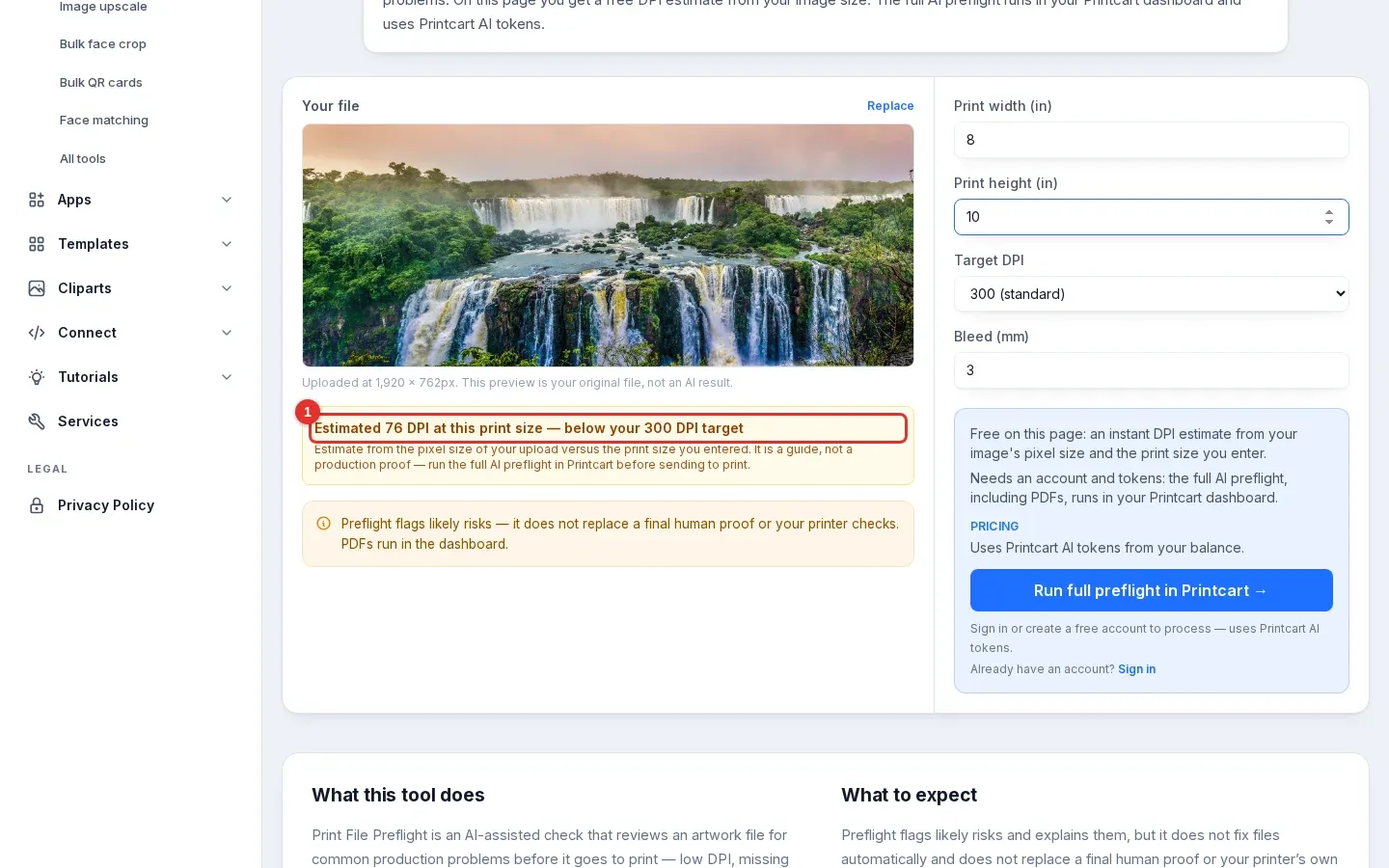
Add a smaller file. We used a 1,920 x 762 px panorama at 8 x 10 inches and a 300 DPI target.
Expected result: "Estimated 76 DPI at this print size — below your 300 DPI target" (1). A file like this needs a smaller print, a higher-resolution original, or an enlargement step. See how large you can print a photo.
Step 6Run the full check in your Printcart account
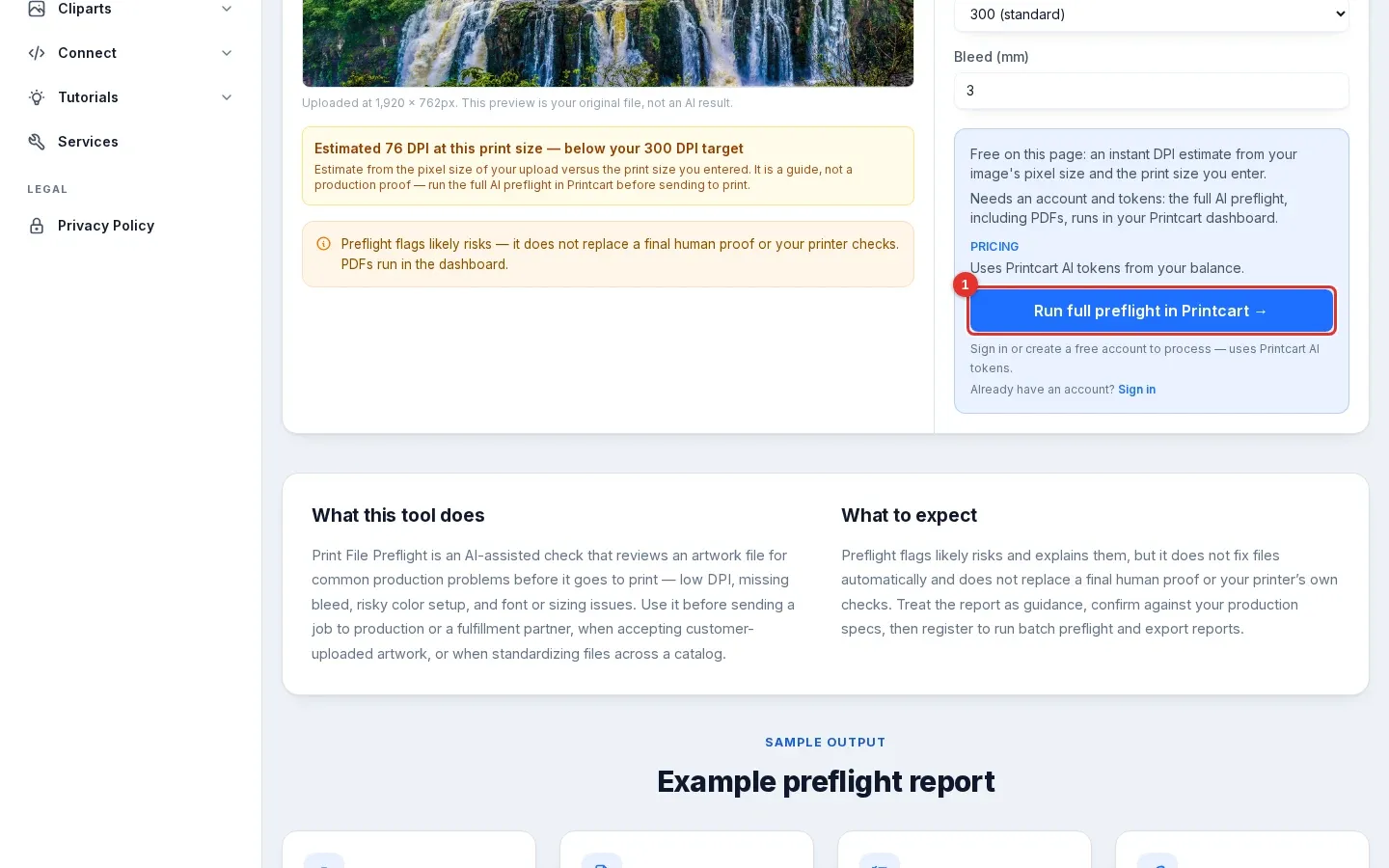
The estimate only looks at pixel size. For the full check, use Run full preflight in Printcart (1). It opens sign-up or sign-in, and the check runs in your account. Try the estimate with your own image first so you know which files need the full check.
Expected result: the button opens the Printcart sign-up page, set to continue to the preflight tool in your account.
Here is what a full check on an image file returned on 5 October 2026. A photo tagged 150 DPI failed the 300 DPI profile, and a 300 DPI photo passed:
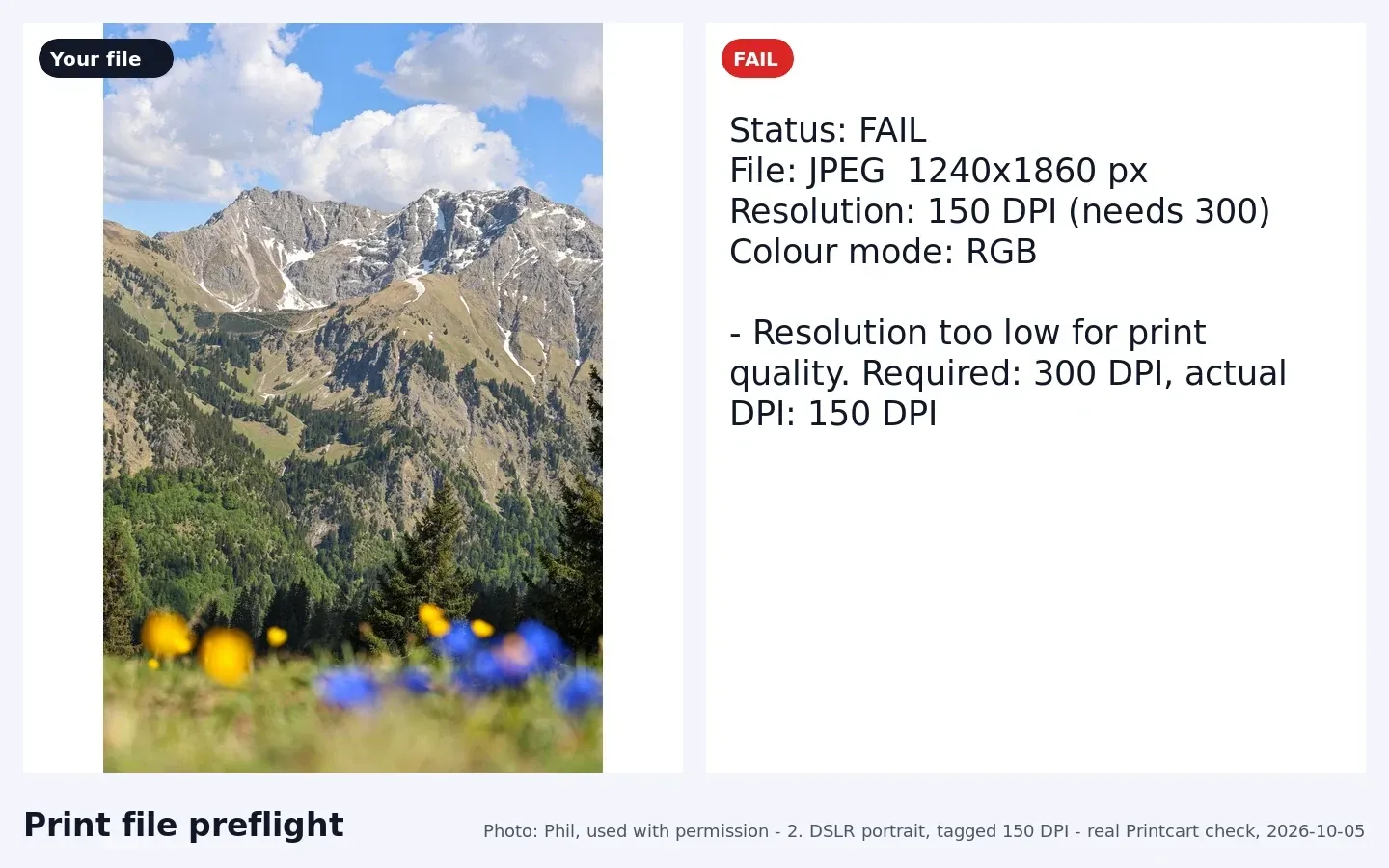
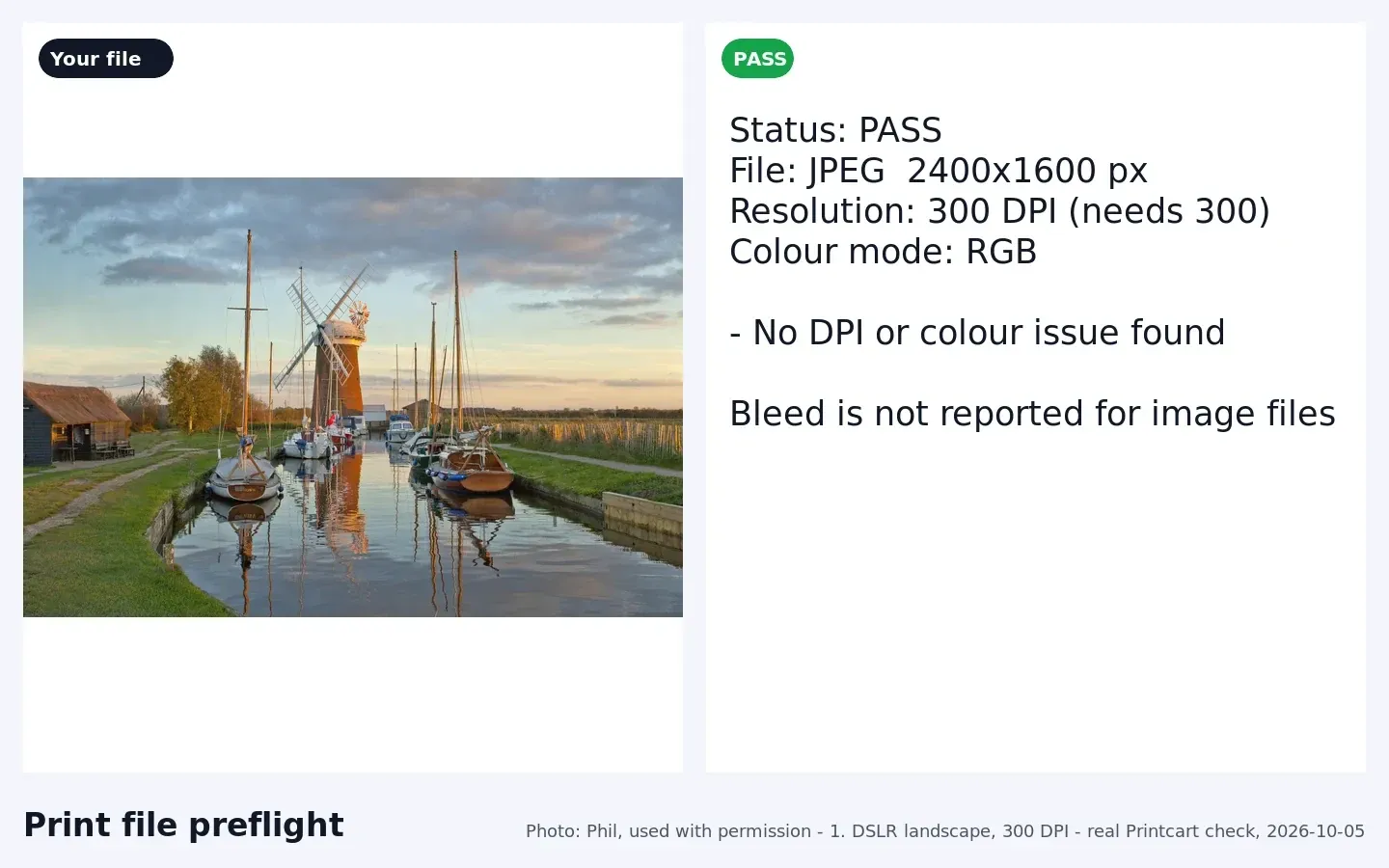
Known limitation. For image files, the full check reads the DPI saved in the file and the colour mode. At the time of writing it does not report bleed for image files, so check bleed with your printer's template.
Troubleshooting
- The number looks too low or too high. Enter the width and height the same way round as the image. In our test the same landscape photo gave 370 DPI at 8 x 10 inches and 462 DPI at 10 x 8 inches.
- Changing the Bleed field does not change the estimate. That is expected: the free estimate uses only pixels and print size. Bleed is not part of it.
- The file says 300 DPI but the estimate is lower. The estimate uses the pixels in the image, not the DPI label saved in the file. A label cannot add pixels.
- The page does not accept my file. This page takes PNG and JPG for the in-browser estimate. It does not check PDFs.
What is DPI and how is it calculated?
DPI means dots per inch, the number of image pixels that cover one inch of the printed product. Divide the width in pixels by the print width in inches, do the same for the height, and the smaller result is the number that matters.
Is 300 DPI always required?
No. The right target depends on the product and how close people look at it. Large-format prints are often judged at a lower target than a business card. That is why the checker offers 150, 300 and 600. Use the figure your printer gives you.
Does changing the DPI label in an editor make a small image sharper?
No. Changing the label does not add pixels. To print larger without losing sharpness you need more pixels, either from a better original or from an enlargement.
Next steps
- Enlarge a small file: how large you can print a photo and the Image upscale tool.
- Clean a product photo first: remove a background on printcart.com.
- Use checks inside your store: WordPress plugin, Shopify app, Wix app or connect your store.
- More photo tools: Photo commerce tools tutorials.
Ready for whole folders? Process whole folders and save results to your store — choose a long-term plan, or create an account to start.
Printcart field note
What to verify before you roll out Check If a Photo Is Big Enough to Print: Free Size Check on printcart.com
This tutorial is written from Printcart implementation patterns across web-to-print launch planning, buyer experience, and repeatable production. Before treating it as complete, test the workflow with one real product, one real design file, and one real order path.
Check If a Photo Is Big Enough to Print: Free Size Check on printcart.com — common questions
What is DPI and how is it calculated?
DPI means dots per inch, the number of image pixels that cover one inch of the printed product. Divide the width in pixels by the print width in inches, do the same for the height, and the smaller result is the number that matters.
Is 300 DPI always required?
No. The right target depends on the product and how close people look at it. Large-format prints are often judged at a lower target than a business card. That is why the checker offers 150, 300 and 600. Use the figure your printer gives you.
Does changing the DPI label in an editor make a small image sharper?
No. Changing the label does not add pixels. To print larger without losing sharpness you need more pixels, either from a better original or from an enlargement.
Next steps in Printcart
Connect check if a photo is big enough to print: free size check on printcart.com with catalog setup, templates, production workflows, and implementation support.
Want to put check if a photo is big enough to print: free size check on printcart.com into practice?
Use the related Printcart tool below, or create a free account to start building with the product designer.