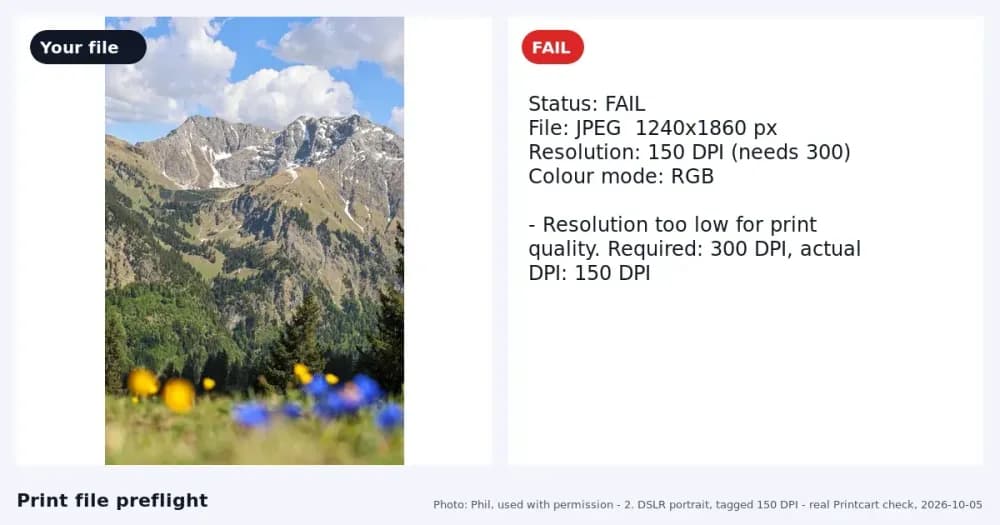
We upscaled the same photo and logo 2x in Printcart and Bigjpg Free on 2026-10-06 and measured pixels, sharpness, limits and sign-up. Bigjpg was sharper. This guide shows the practical setup decisions, Printcart tools, and production checks needed to apply it.
Key takeaways
Updated on 2026-10-07. Printcart publishes this comparison and makes one of the tools tested. We ran every tool ourselves with the same files and default settings, and we show the cases where other tools did better.
Quick answer. In our 2026-10-06 test with 2 identical images, Printcart Image Upscale and Bigjpg Free both returned 2x files (1600x1200 and 600x600). Bigjpg's edge sharpness measured about 2x higher and needed no account. Printcart runs through an account and API. Choose Bigjpg for one-off enlargements; choose Printcart for store workflows.
Summary: Printcart vs Bigjpg at a glance
| Criterion | Printcart | Bigjpg Free | Verdict |
|---|---|---|---|
| Detail and sharpness (D5 photo, P4 logo) | 3 of 5 | 4 of 5 | Weaker |
| Artefacts at 200% | 3 of 5 | 3 of 5 | Similar |
| Output pixels at 2x | 1600x1200; 600x600 | 1600x1200; 600x600 | Similar |
| Sign-up and watermark | Account and tokens for AI processing; no watermark seen | No account; no watermark seen | Weaker |
| Largest file accepted | 10 MB (refused 15.1 MB, HTTP 422) | 5 MB on the free plan ("Over Size" on 15.1 MB) | Better |
Edge sharpness: on the dog photo crop Bigjpg scored 720 on the variance-of-Laplacian metric and Printcart 331; on the logo text crop 4546 against 2561. A higher number means harder edges, and it can also reward ringing, so we also looked at the crops.
Printcart matched Bigjpg on output size and format handling; the difference is in how crisp the 2x result looks and in how you reach the tool.
How we tested
Date, tools and versions
- Printcart Image Upscale (/tools/image-upscale), run 2026-10-06 (UTC) through the service API as the Printcart test account (paid tier, token wallet); same engine as the Dashboard. Default engine, scale 2x. The public page only shows target output sizes; the AI upscale runs in the Dashboard with tokens.
- Bigjpg (bigjpg.com), Free, no account, run 2026-10-06 (UTC). Chromium on Linux, driven by a script at human pace in one browser session; no CAPTCHA appeared and no account was created. Bigjpg's terms (last updated 2026-06-23) do not mention automation or benchmarking.
Input set
| Code | File | Pixels / size | Source and licence | Why it is hard |
|---|---|---|---|---|
| D5 | D5_a4_800.jpg | 800x600, 123 KB | Phil, used with permission (iPhone photo, cropped and reduced) | Soft phone detail: fur, brick and grass at low resolution |
| P4 | P4_logo_300px.png | 300x300, 20 KB | Printcart test library, fictional brand | Thin serif text at 300 px |
| A12 | A12.png | 3000x3000, 15.1 MB | Phil, used with permission | Large file: tests upload limits |
Every tool received exactly the same files. Download the inputs and the original outputs (ZIP); each side has a meta.json with the date, URL, plan, settings and file hashes.
Default settings
Both tools ran at their defaults. Bigjpg offers Artwork or Photo, 2x to 16x and a noise-reduction level; its defaults are Artwork, 2x and None (8x and 16x are paid). We chose 2x for Printcart to match Bigjpg's default. Photo mode and 4x were not tried (no "Beyond defaults" section in this first test).
Rubric
| Criterion | Weight | How measured | Printcart | Bigjpg Free |
|---|---|---|---|---|
| Detail and sharpness | 25 | Crops at 200%; variance of Laplacian on the same pixels | 3 | 4 |
| Artefacts | 15 | Halos, smearing, invented detail at 200% | 3 | 3 |
| DPI at print size | 20 | Output pixels divided by inches (we calculated; neither tool reports it) | 2 | 2 |
| Maximum factor on tested plan | 10 | Highest factor offered | 3 (2x/4x) | 3 (2x/4x free) |
| Sign-up and watermark | 10 | First result without an account; watermark on download | 1 | 5 |
| Batch and API | 10 | Public API and batch on the tested plan | Not scored (batch not tested) | Not scored (free-plan API not tested) |
| Price per result | 10 | Plan price divided by results | Priced in tokens (see Pricing); not scored | Not scored |
Total on the 5 criteria we could measure for both tools (weight 80): Printcart 40 of 80, Bigjpg 53 of 80. The last two rows are not scored for either tool. Visual scores are provisional: one reviewer (an AI agent working from the saved files) scored them, not the two human graders our standard asks for. The numbers (pixels, bytes, seconds, sharpness metric, decode counts) are measured.
Repeating the test
Results can change as tools update. You can repeat this test: download the same input set, use default settings, and compare at 100% zoom. We re-test every quarter and log changes below.
Results by criterion
Detail and sharpness
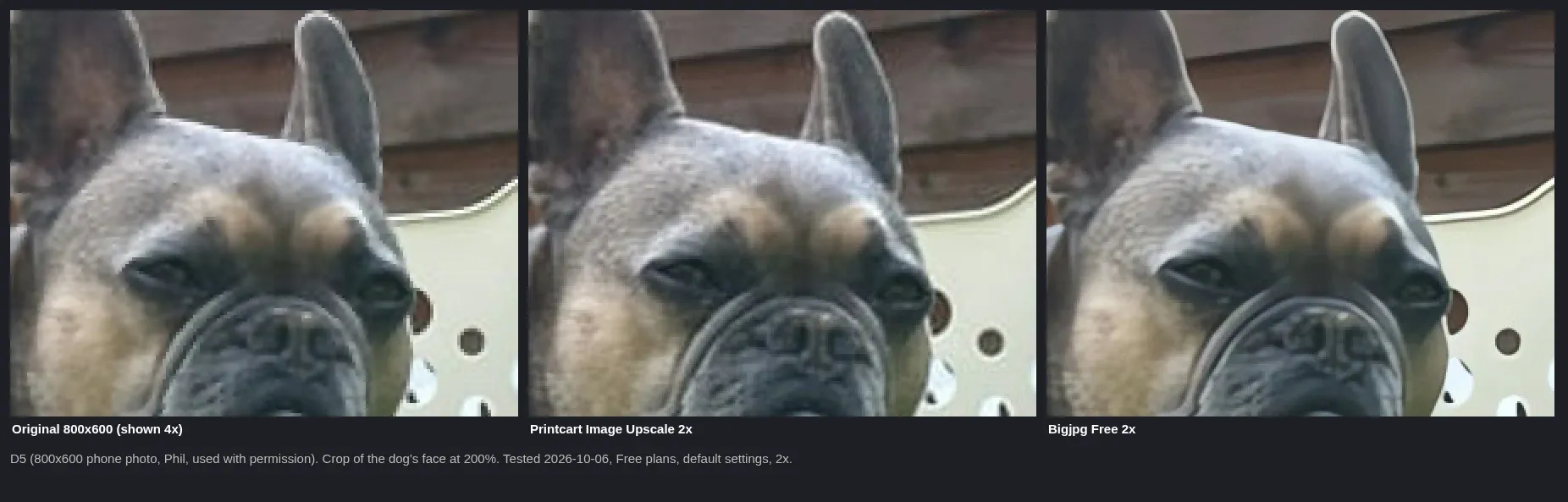
Input: Phil, used with permission. Output: Printcart Image Upscale 2x (paid test account, API) and Bigjpg Free 2x, default settings, 2026-10-06. Crop of 300x240 output pixels shown at 200%.
Detail: Bigjpg gave the crisper fur and eyes on D5; Printcart was smoother and slightly softer. Both kept the original's light outline around the ear.
Logo text

Input: Printcart test library (fictional brand). Output: both tools at 2x, defaults, 2026-10-06. Crop 270x90 output pixels at 200%.
Edges: Bigjpg's letters had darker, harder edges; Printcart's letters were rounder and lighter. For a logo that will be printed small, Bigjpg looked cleaner in our crop.
Output size, format and time
| Input | Printcart output | Bigjpg output | Time (one run each unless noted) |
|---|---|---|---|
| D5 800x600 | 1600x1200 PNG, 3.74 MB | 1600x1200 JPEG (quality 95), 478 KB | Printcart 11 s; Bigjpg 16 s and 30 s (two runs) |
| P4 300x300 | 600x600 PNG, 72 KB | 600x600 PNG, 89 KB | Printcart 10 s; Bigjpg 16 s |
| A12 3000x3000, 15.1 MB | Refused: image_too_large_bytes, limit 10 MB, no tokens spent | Refused: "Over Size" (free limit 5 MB) | n/a |
Printed size: both 2x results of D5 are 1600x1200 pixels, which is about 114 DPI at 11x14 inches and 44 DPI at 24x36 inches (long side). Neither tool shows DPI at print size for you.
Sign-up, watermark and limits
Bigjpg ran without an account on its Free plan and the files carried no visible watermark. Printcart's public page lets you pick 2x or 4x and see the output size without an account; the AI upscale itself needs an account and tokens. We saw no watermark on Printcart outputs.
Where Bigjpg wins
- Sharpness: Bigjpg's 2x results had harder edges on both the photo crop and the logo crop (sharpness metric 720 vs 331 and 4546 vs 2561).
- No account: Bigjpg produced the first result without signing up; Printcart needs an account and tokens for the AI upscale.
Where Printcart wins
- Larger uploads: Printcart accepted files up to 10 MB (its refusal message on the 15.1 MB file), while Bigjpg Free is limited to 5 MB; both refused our 15.1 MB test file.
- A callable API on the account we tested: the same job ran through the service API with a job status and a per-job token count. We did not test Bigjpg's API.
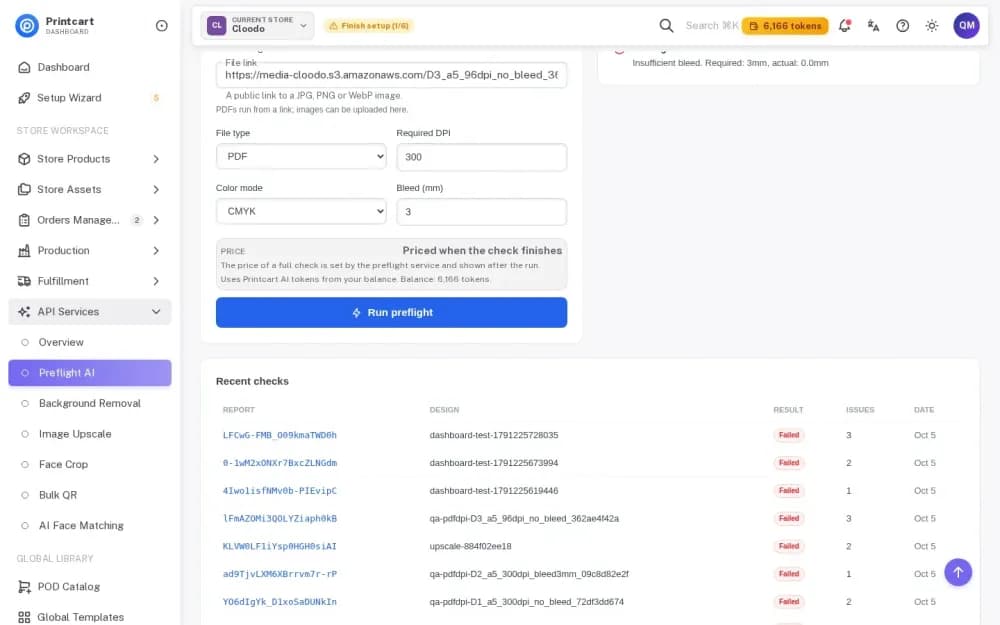
- Printcart sits inside an account with store tools and a preflight check (we did not test that chain here); Bigjpg is a stand-alone page.
Pricing and limits (as of 2026-10-06)
- Printcart (api.printcart.com/v1/public/pricing, read 2026-10-07): plans Free 50 tokens a month, Starter $29 for 3,000, Pro $99 for 20,000, Business $299 for 100,000 and Partner $999 for 500,000 (6-month commitment); at Starter, one token is about $0.0097. Image Upscale costs 60 tokens per image, flat (about $0.58 on Starter). See AI wallet pricing.
- Bigjpg: free users are limited to 3000x3000 px and 5 MB per image and to 2x/4x (bigjpg.com, read 2026-10-06). Paid plans add 8x/16x and larger files.
Prices change; check the vendor's page.
Who should pick which
- Etsy seller enlarging a few logos a week: Bigjpg Free gave the crisper logo in our test and needs no account.
- POD store with many designs: use Printcart if you want results tied to your store account, an API and a follow-up preflight; run the upscale and check the crops first.
- Print shop checking customer uploads: upscale, then confirm the DPI at the real print size; neither tool does that calculation for you.
- Developer: Printcart has a documented service API with job status; we did not test Bigjpg's API.
Try it yourself
Open Printcart Image Upscale and pick 2x or 4x to see the output size for your file. Our sample inputs are in the ZIP above. Step-by-step guides: Upscale a low-resolution photo for printing and How to upscale low-res artwork for printing.
FAQ
Is Bigjpg free for print-size images?
On its free plan Bigjpg accepts images up to 3000x3000 pixels and 5 MB and enlarges 2x or 4x (bigjpg.com, 2026-10-06). Larger factors and files need a paid plan.
Does upscaling make a blurry photo sharp?
No. Upscaling adds pixels and smooths or sharpens edges, but it cannot recover detail the original never captured. Check the result at your final print size.
What DPI do I need for a poster?
Printful says most products need at least 150 DPI and some, such as phone cases, 300 DPI (printful.com, 2026-10-06). Divide the output pixels by the print size in inches.
Can I upscale a whole folder?
Printcart runs jobs through its Dashboard and API. We did not test batch on either tool in this comparison.
Changelog and corrections
- 2026-10-06 - first test. Not tested: 4x, Photo mode, batch, Bigjpg API.
- 2026-10-07 - added the support address, Printcart token prices from the public pricing API and the pricing call to action.
Spotted an error or a changed price? Email [email protected] and we will re-check and update the changelog within 5 business days. Prices change; check the vendor's page.
All product names are trademarks of their owners. Printcart is not affiliated with them.
Process whole folders and save results to your store: see Printcart AI wallet pricing and plans.
Printcart field note
What to verify before you roll out Printcart vs Bigjpg: Upscaling Artwork for Print, Tested
This tutorial is written from Printcart implementation patterns across file quality, proofing, and production risk. Before treating it as complete, test the workflow with one real product, one real design file, and one real order path.
Printcart vs Bigjpg: Upscaling Artwork for Print, Tested — common questions
Is Bigjpg free for print-size images?
On its free plan Bigjpg accepts images up to 3000x3000 pixels and 5 MB and enlarges 2x or 4x (bigjpg.com, 2026-10-06). Larger factors and files need a paid plan.
Does upscaling make a blurry photo sharp?
No. Upscaling adds pixels and smooths or sharpens edges, but it cannot recover detail the original never captured. Check the result at your final print size.
What DPI do I need for a poster?
Printful says most products need at least 150 DPI and some, such as phone cases, 300 DPI (printful.com, 2026-10-06). Divide the output pixels by the print size in inches.
Can I upscale a whole folder?
Printcart runs jobs through its Dashboard and API. We did not test batch on either tool in this comparison.
Next steps in Printcart
Connect printcart vs bigjpg: upscaling artwork for print, tested with catalog setup, templates, production workflows, and implementation support.
Want to put printcart vs bigjpg: upscaling artwork for print, tested into practice?
Use the related Printcart tool below, or create a free account to start building with the product designer.