When a product is switched on in Printcart POD, your Wix product page shows the Printcart buttons. A buyer clicks Customize Online , adds a photo or text in the designer, clicks Process and lands in the Wix cart with the item. The same works on a phone. Checkout is Wix checkout, so your Wix store must be able to accept orders.
Key takeaways
Part 4 of 6 in the Printcart POD for Wix series. ← Part 3: Set up printing options and pricing | Part 5: Receive Wix orders and download print files → | Printcart for Wix app page
Before you start
- Printcart POD installed and connected, with at least one product switched on (Part 2).
- A Wix site that is published. To take orders, the Wix site also needs a payment method and a Wix plan that accepts online orders.
Walk through your store as a buyer
Step 1Open a product page on your live site
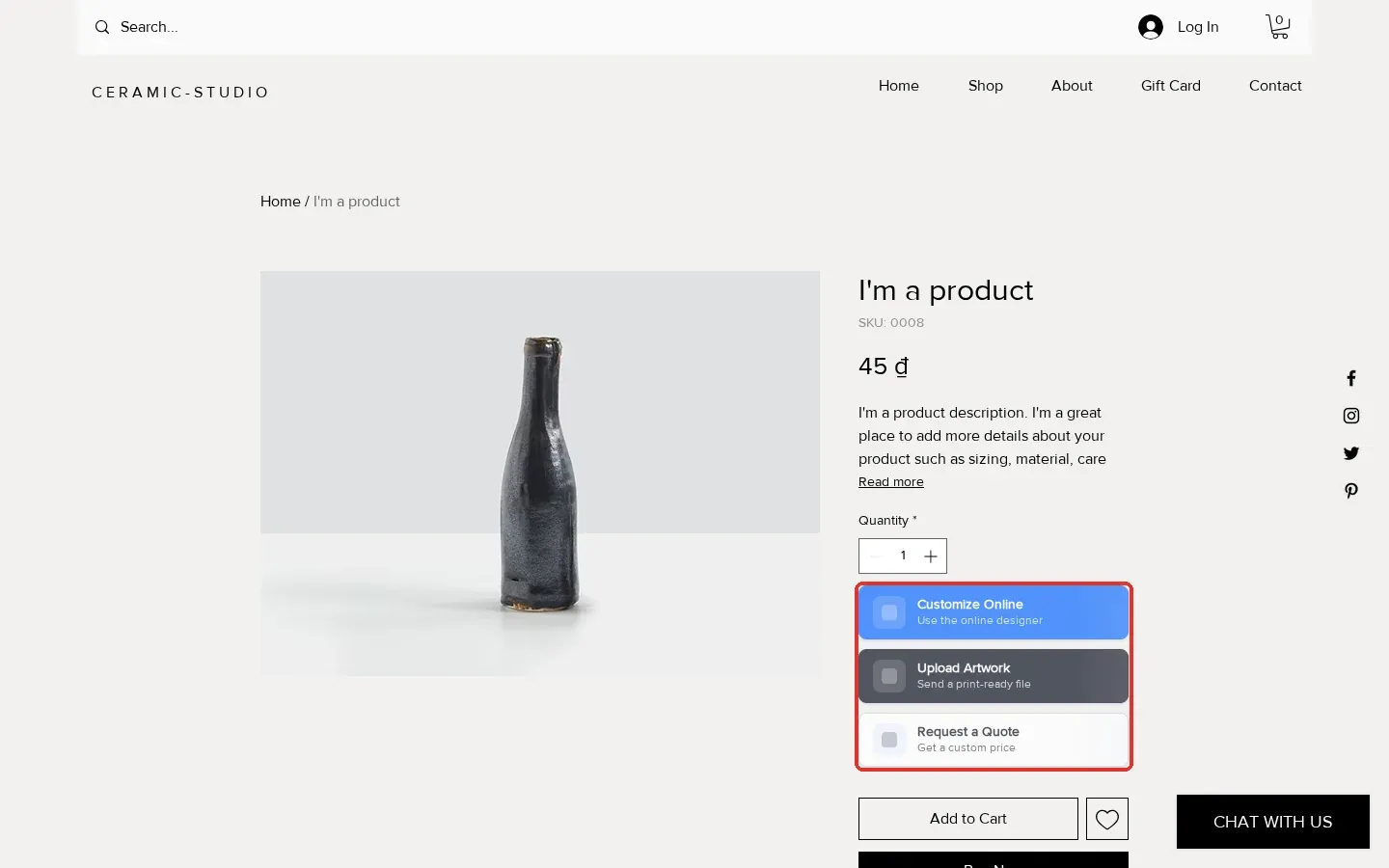
Open the product in a private browser window so you see what a buyer sees. The Printcart buttons sit under the quantity box, above Add to Cart.
Expected result: You see the Printcart buttons (highlighted) next to the normal Wix buttons.
Step 2Open the designer
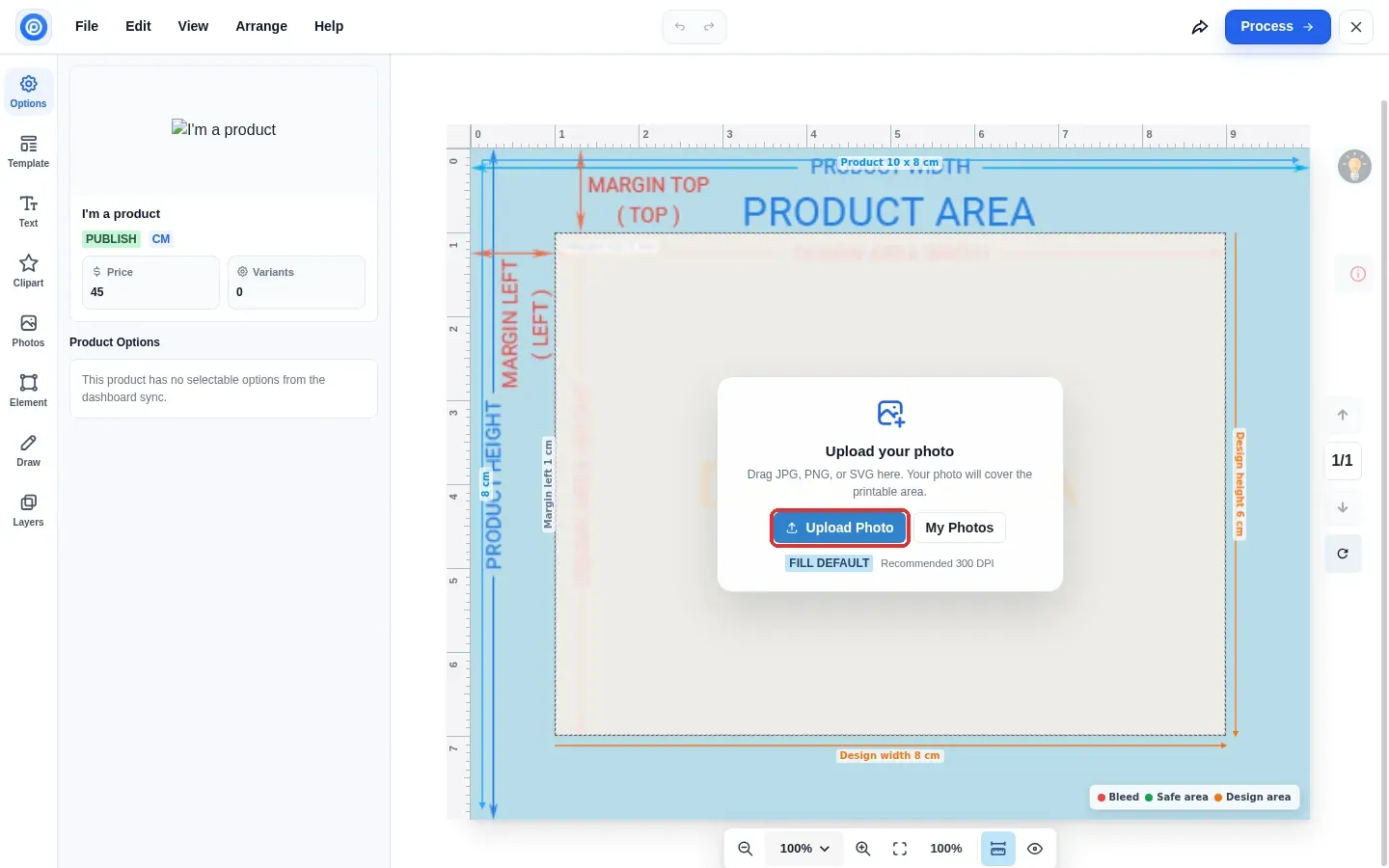
Click Customize Online. The designer opens over the page and shows the print area, the margins and the safe area for this product. Upload Photo adds a picture from your computer.
Expected result: The designer opens with the product size and print area marked.
Step 3Add artwork and click Process
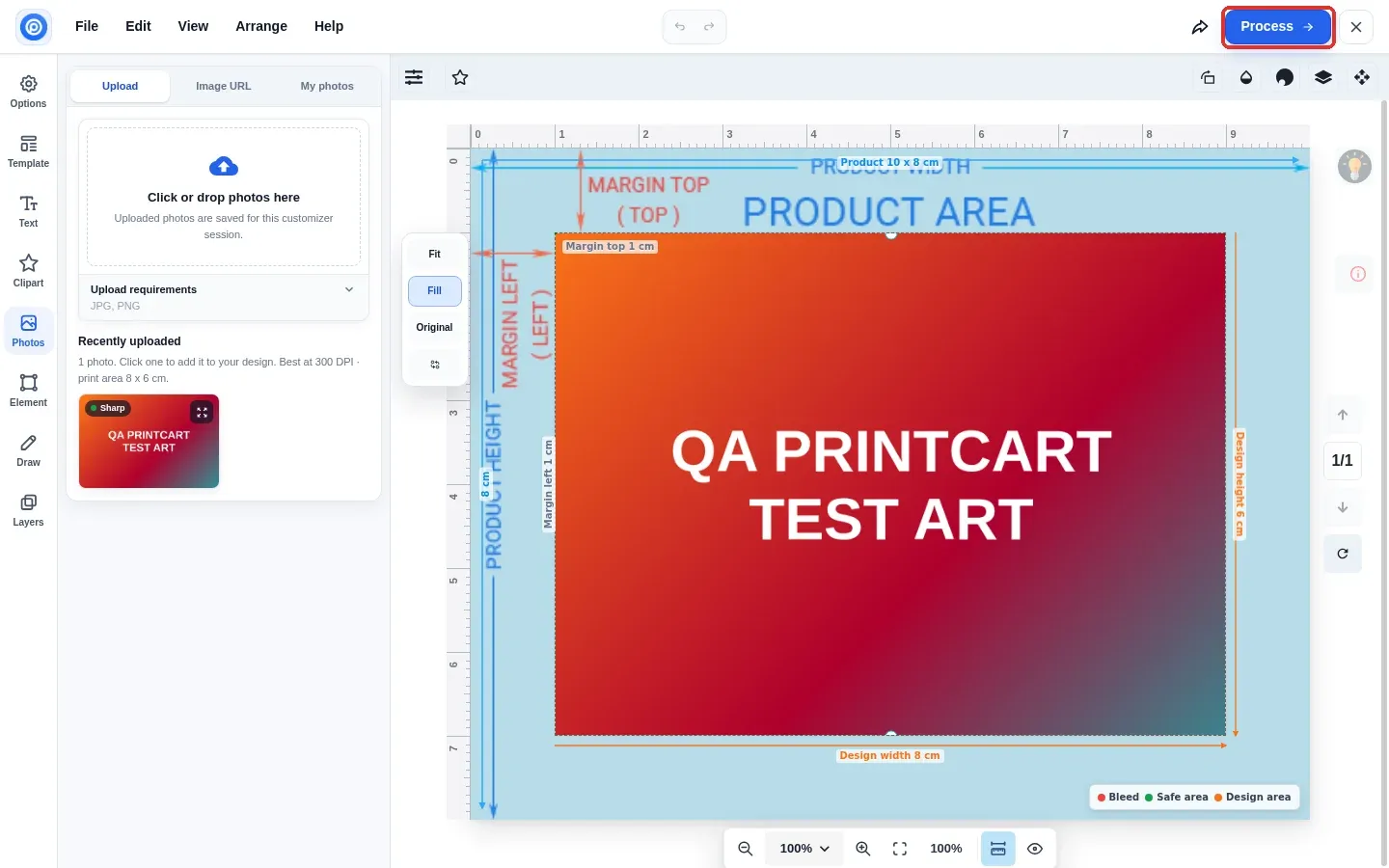
Upload a picture. On a computer it fills the print area straight away; you can move or resize it, add text, or choose a template. When it looks right, click Process at the top right.
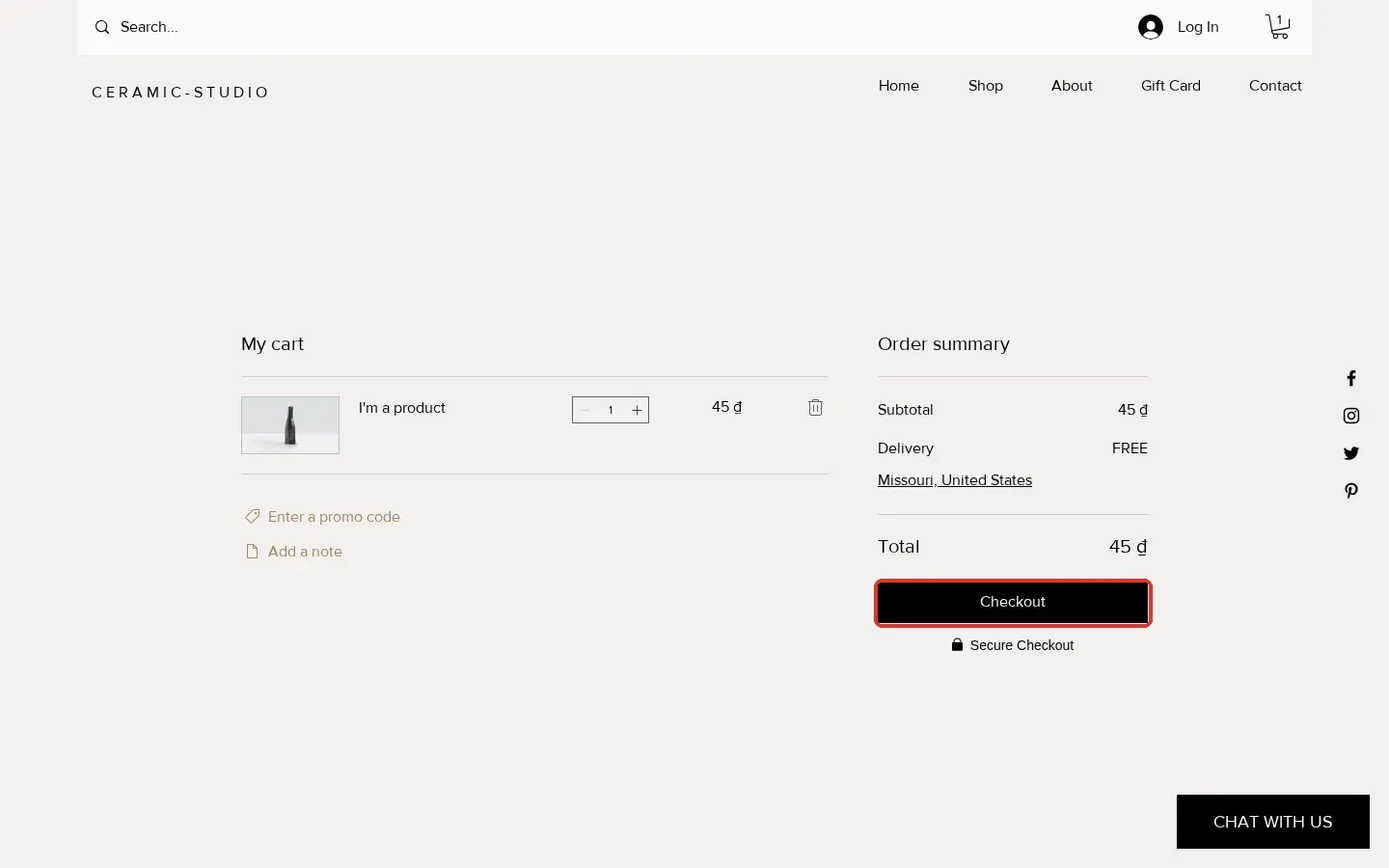
Expected result: The designer closes and the item is added to the Wix cart.
Step 4Try the same on a phone
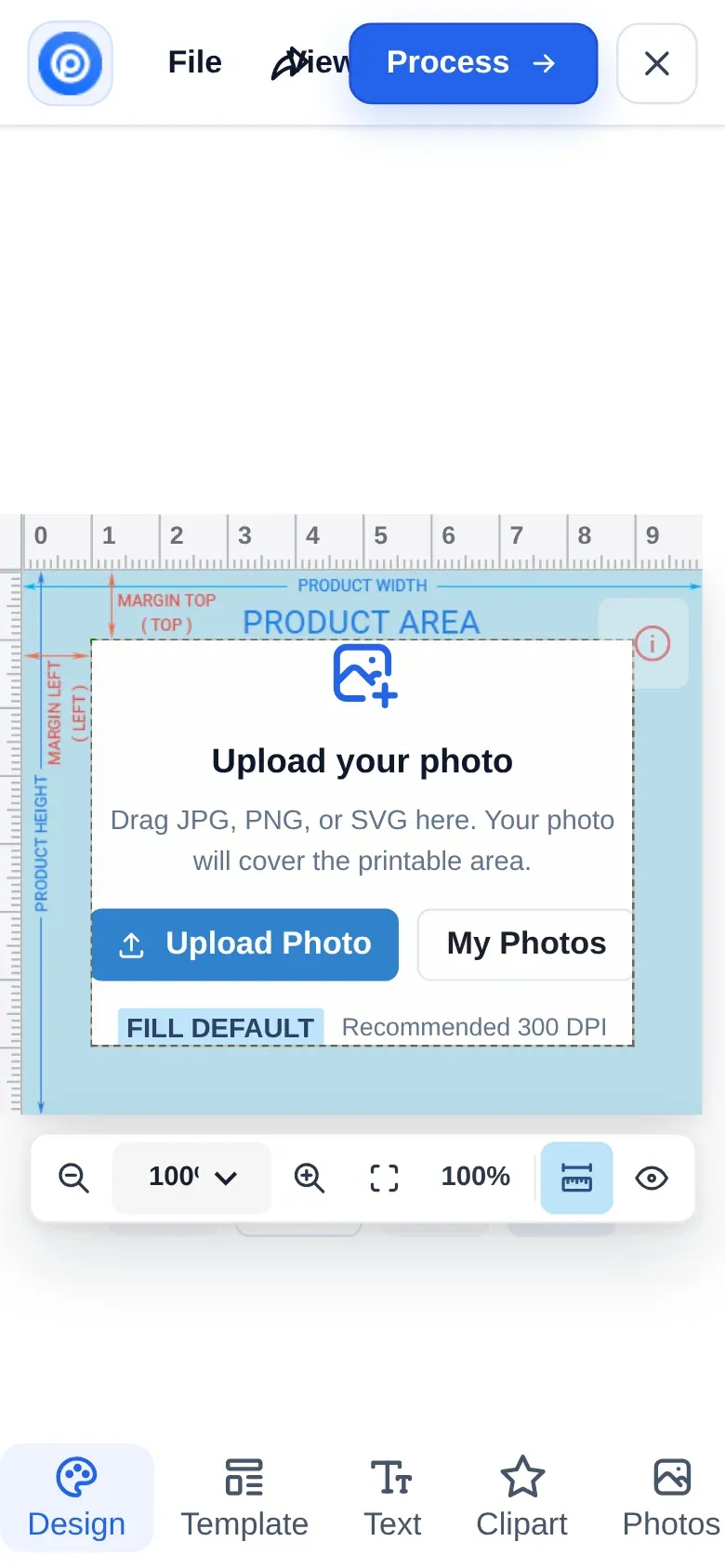
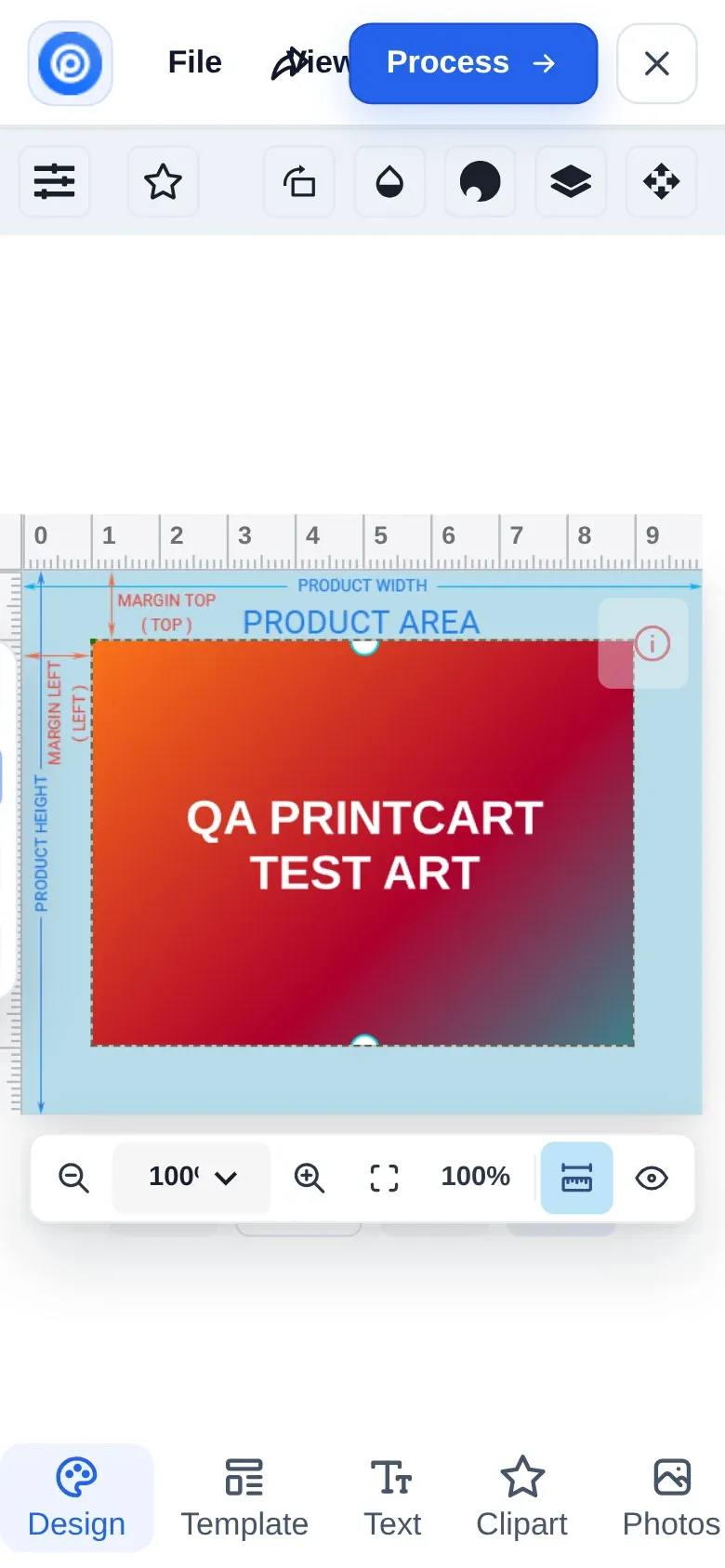
The designer works on a phone, with the tools in a bar at the bottom. After you upload a photo on a phone, tap the picture in Recently uploaded to place it, go back to Design, then tap Process.
Expected result: The item lands in the mobile cart.
Step 5Check out
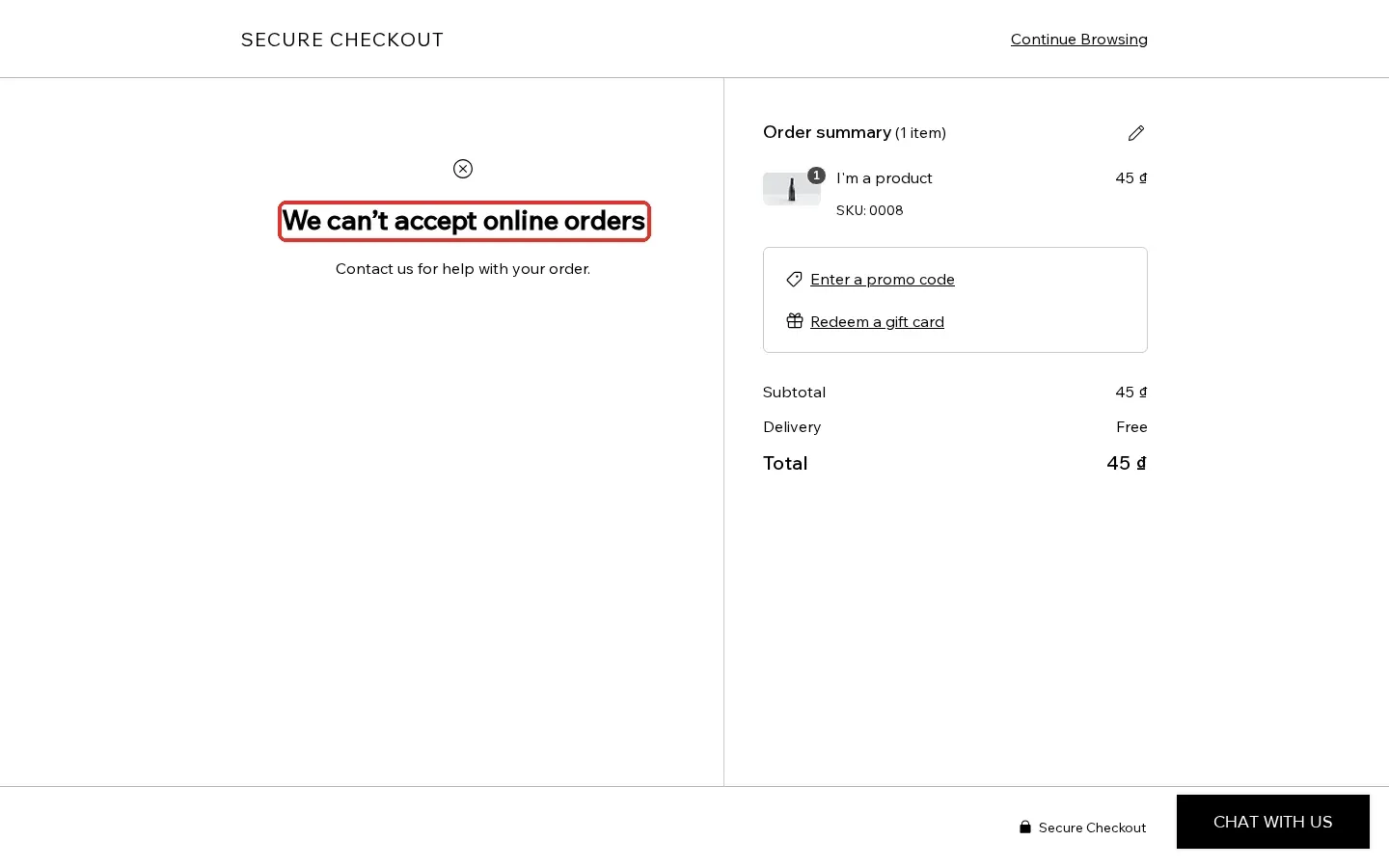
Checkout is the normal Wix checkout. If Wix shows We can’t accept online orders, the problem is on the Wix side: the site has no plan or payment method that accepts online orders yet. Printcart does not block the buyer; fix it in your Wix dashboard under Getting Paid and your Wix plan.
Expected result: Wix takes the order, and it appears under Order in Printcart POD (Part 5).
Is the free plan a problem for buyers?
No. On the Free plan buyers still design, upload and add to cart. Nothing in the designer or the cart mentions billing. The Free plan adds a watermark to previews (see Part 6).
Troubleshooting
- No buttons on the product page: check the product is switched on and published in Printcart POD, reload in a private window, then contact us with your site address.
- The product picture in the designer is blank: the designer shows the product image from Wix; add a product image in Wix Stores.
- Buyers cannot pay: see Step 5.
Next steps
Part 4 of 6 in the Printcart POD for Wix series. ← Part 3: Set up printing options and pricing | Part 5: Receive Wix orders and download print files → | Printcart for Wix app page
Printcart field note
What to verify before you roll out What Your Buyers See on a Wix Product Page with Printcart
This tutorial is written from Printcart implementation patterns across catalog structure, design controls, and customer personalization. Before treating it as complete, test the workflow with one real product, one real design file, and one real order path.
What Your Buyers See on a Wix Product Page with Printcart — common questions
Is the free plan a problem for buyers?
No. On the Free plan buyers still design, upload and add to cart. Nothing in the designer or the cart mentions billing. The Free plan adds a watermark to previews (see Part 6).
Next steps in Printcart
Connect what your buyers see on a wix product page with printcart with catalog setup, templates, production workflows, and implementation support.
Want to put what your buyers see on a wix product page with printcart into practice?
Use the related Printcart tool below, or create a free account to start building with the product designer.