Files without bleed get white slivers at the trim edge. Catch them with a preflight that checks bleed before production, then add bleed or ask the customer for a new file. Printcart's Dashboard full check measures bleed on PDFs, and the WooCommerce order screen can run a check on the order's print PDF.
Key takeaways
What missing bleed does
A printer cuts the sheet after printing, and the cut is never perfectly exact. Vistaprint explains that without bleed a noticeable white line can appear at the edge of the final product, which is why bleed is needed most when the design runs to the edge or has a background colour. Bleed is commonly 0.125 inches (3 mm) beyond the trim line, but the amount depends on your printer.
Catch it at upload
The earlier you catch it, the cheaper it is. A check on the file before production tells you, with a number, how much bleed there is.
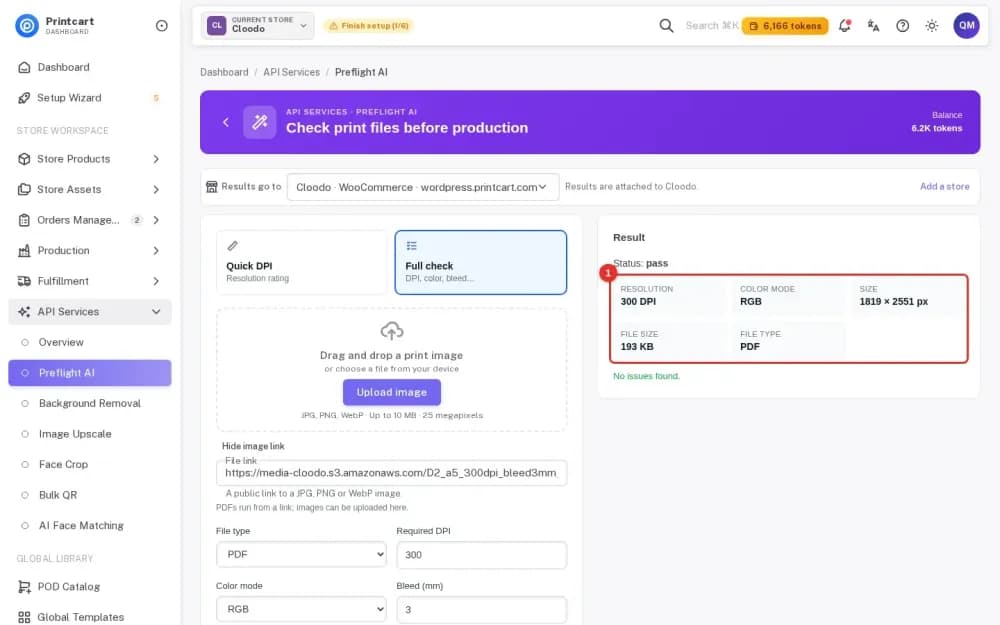
- Dashboard. Preflight AI, Full check: set file type PDF, DPI, colour mode and bleed in millimetres, and run it. In our tests of 5 and 6 October 2026, an A5 PDF without bleed was reported as "Insufficient bleed. Required: 3 mm, actual: 0.0 mm", and an A5 PDF with 3 mm bleed passed. Steps: Preflight a Print PDF in Your Printcart Dashboard.
- WooCommerce order screen. With Printcart Store 2.13.2 or newer, you download the print PDF of the order's design and click Run AI Preflight; the report lists resolution, colour mode, fonts and bleed. Steps: Preflight Customer Files from a WooCommerce Order with Printcart.
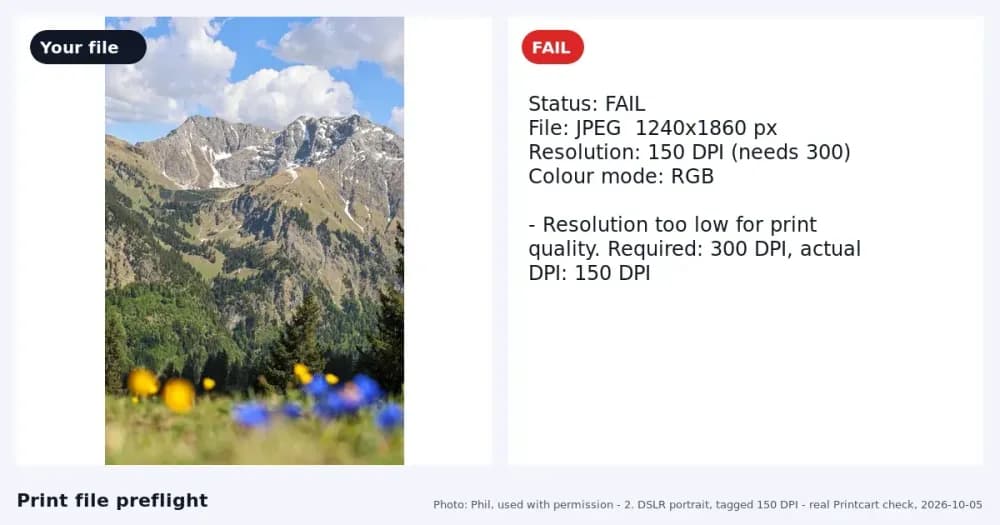
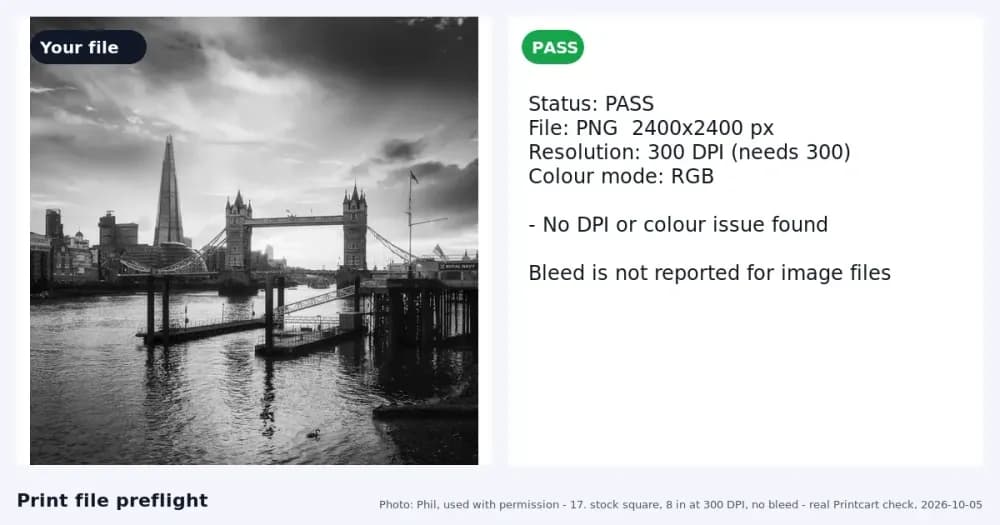
- Image files. For JPG and PNG the report says bleed is not reported, so ask customers to send a PDF when bleed matters.
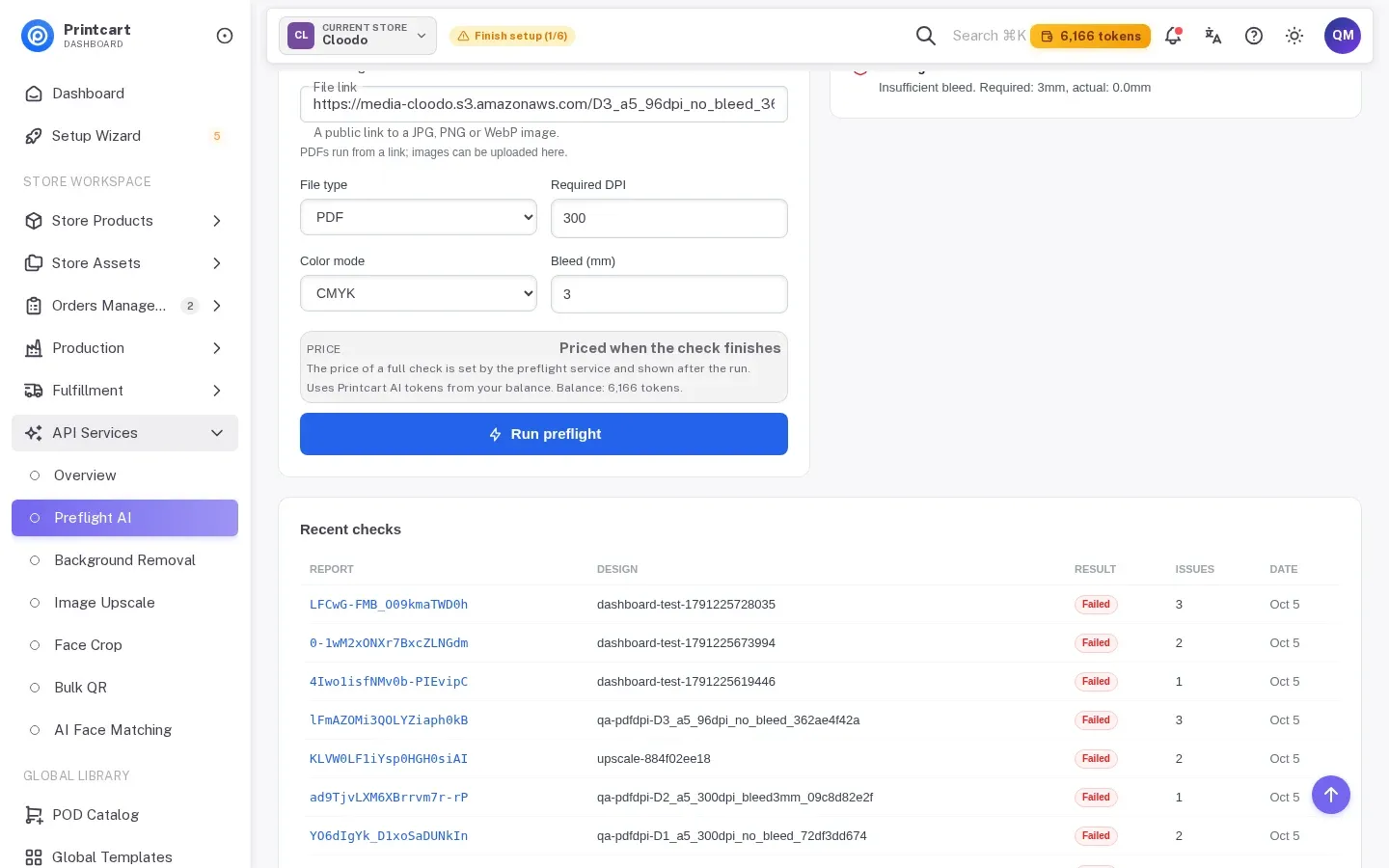
These checks run on files you or an order produce. They do not block a buyer's upload on their own. Checks that run on a file before you send it to production are the reliable place to catch bleed today.
Fix or reject
- Add bleed yourself when the artwork has a simple background that can be extended. Do it in your design app and re-export the PDF.
- Ask for a new file when the edge contains important detail. Say exactly what you need, for example "PDF with 3 mm bleed on every edge".
- Re-check the new file the same way before production.
Tell customers early
- Put the requirement on the product page: file type, bleed in mm, minimum DPI and colour mode.
- Offer a downloadable template with the trim and bleed lines.
- Explain the reason in one sentence: "Bleed stops thin white lines at the cut edge."
- Keep the message about the file, never about billing.
Test notes. Real Printcart runs on 6 October 2026 from a test account. Inputs are real photos: free Unsplash photos (each one is credited in its image) and photos by Phil, used with permission. Prices change; the Dashboard shows the price before every job.
FAQ
What is bleed?
Artwork that extends past the trim line so a cutting error does not leave a white edge. Vistaprint describes 0.125 inches (3 mm) as common.
Can Printcart check bleed in an image file?
In our runs, the report said bleed is not reported for image files. PDF checks report bleed.
Does the check stop the buyer from uploading?
The checks described here run in the Dashboard and on the WooCommerce order screen. They inform you; they do not block the buyer.
How much bleed should I ask for?
Ask your printer. 3 mm is common but not universal.
Keep reading
- Print file checker
- Preflight Customer Files from a WooCommerce Order with Printcart
- Preflight a Print PDF in Your Printcart Dashboard
- How to Check DPI and Bleed Before Sending a File to the Printer
- Why Is My Print Blurry When the Image Looks Sharp on Screen?
- Printcart apps for WooCommerce, Shopify and Wix
Ready for whole folders? Process whole folders and save results to your store — choose a long-term plan, or create an account to start.
Sources
Outside facts in this article come from these pages. Rules change, so check the current version before you rely on them.
- Vistaprint: Crop Marks and Bleed Explained (accessed 6 October 2026; no date shown).
Printcart field note
What to verify before you roll out Customers Send Files Without Bleed: How to Stop It at Upload
This tutorial is written from Printcart implementation patterns across file quality, proofing, and production risk. Before treating it as complete, test the workflow with one real product, one real design file, and one real order path.
Customers Send Files Without Bleed: How to Stop It at Upload — common questions
What is bleed?
Artwork that extends past the trim line so a cutting error does not leave a white edge. Vistaprint describes 0.125 inches (3 mm) as common.
Can Printcart check bleed in an image file?
In our runs, the report said bleed is not reported for image files. PDF checks report bleed.
Does the check stop the buyer from uploading?
The checks described here run in the Dashboard and on the WooCommerce order screen. They inform you; they do not block the buyer.
How much bleed should I ask for?
Ask your printer. 3 mm is common but not universal.
Next steps in Printcart
Connect customers send files without bleed: how to stop it at upload with catalog setup, templates, production workflows, and implementation support.
Want to put customers send files without bleed: how to stop it at upload into practice?
Use the related Printcart tool below, or create a free account to start building with the product designer.