Check a print file by dividing its pixel size by the print size in inches to get the effective DPI, and confirm 3 mm (0.125 in) of bleed on every edge. Printcart's checker estimates DPI in your browser for image files; PDF checks, including bleed, run in your Printcart Dashboard.
Key takeaways
Effective DPI explained
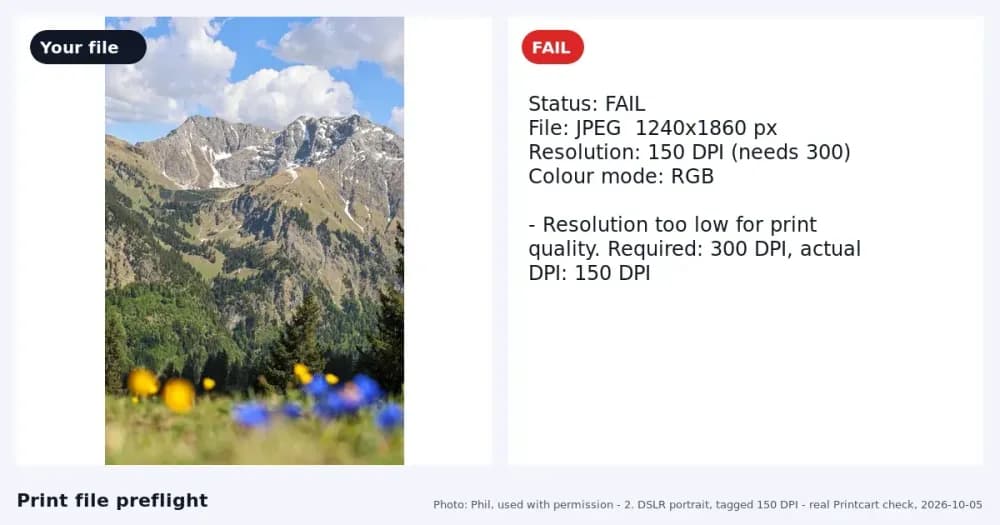
DPI is the number of image pixels that cover one inch of the printed product. It depends on the print size, not on a label in the file. Divide the pixel width by the print width in inches, do the same for the height, and use the smaller result.
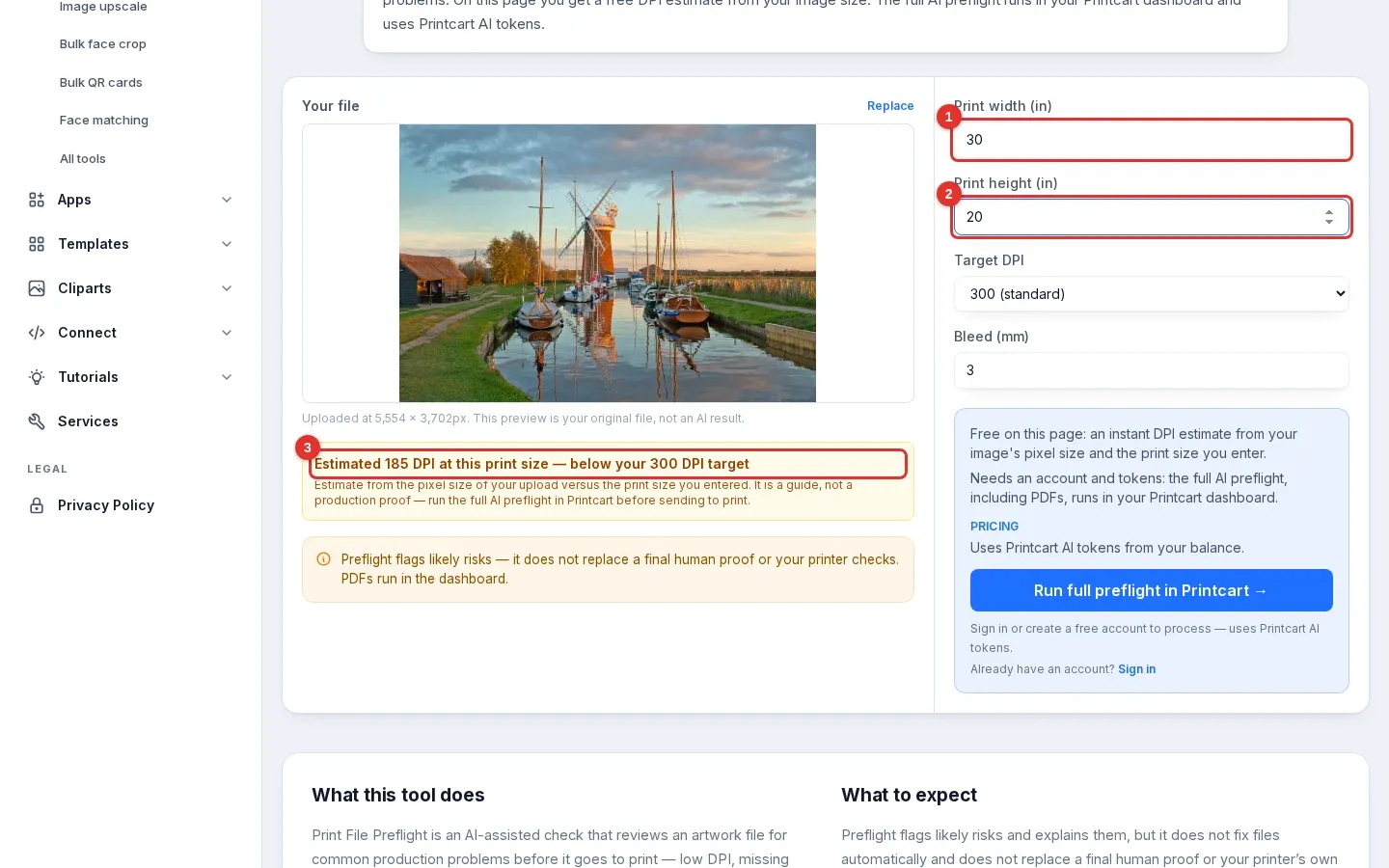
Example: a 5,554 x 3,702 px photo printed 8 x 10 inches gives 3,702 / 10 = about 370 DPI. The same photo at 30 x 20 inches gives about 185 DPI. Printful asks for print files of at least 150 DPI sized to the actual print dimensions, and notes that changing the DPI label does not add detail. Vistaprint recommends 300 DPI for a sharp print. Use the number your own printer gives you.
Bleed explained
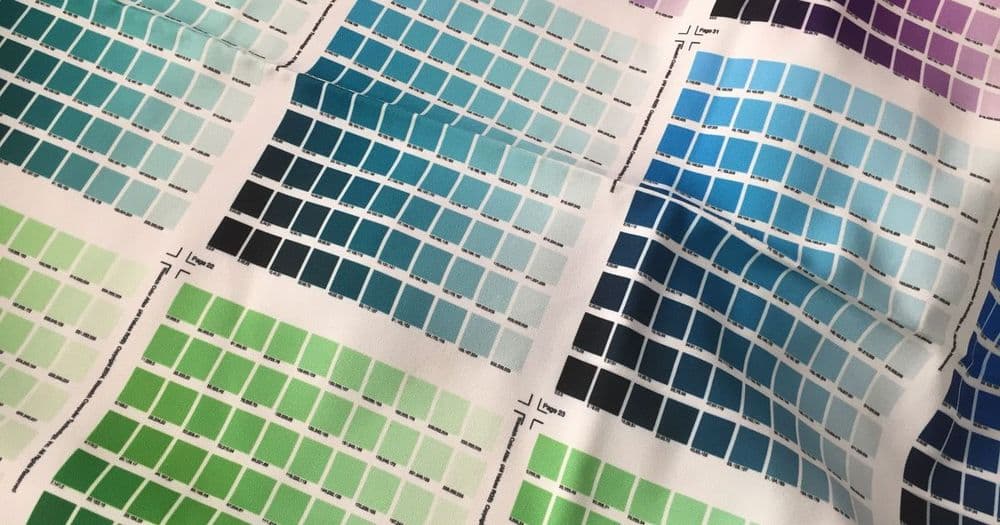
Bleed is extra artwork that extends past the trim line, where the paper is cut. Cutting is never perfectly exact, and without bleed a thin white line can appear at the edge of the final product. Vistaprint describes the bleed as commonly 0.125 inches (3 mm) beyond the trim line. Bleed matters most when your design runs to the edge or has a background colour. Ask your printer for the exact amount, because it can differ by product and country.
Check in 3 steps
- Estimate DPI at your print size. Open printcart.com/tools/preflight, add a PNG or JPG, enter the print size in inches and pick your target DPI. No account is needed. The page shows an estimate such as "Estimated 370 DPI at this print size" with a meets or below message. The bleed field on this page does not change the estimate. Steps with screenshots: Check If a Photo Is Big Enough to Print.
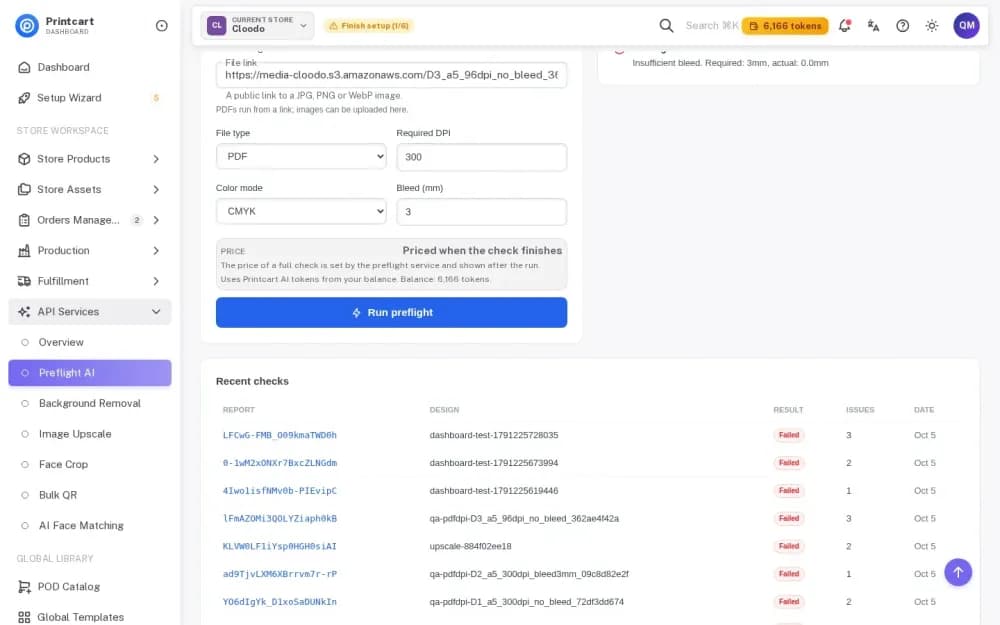
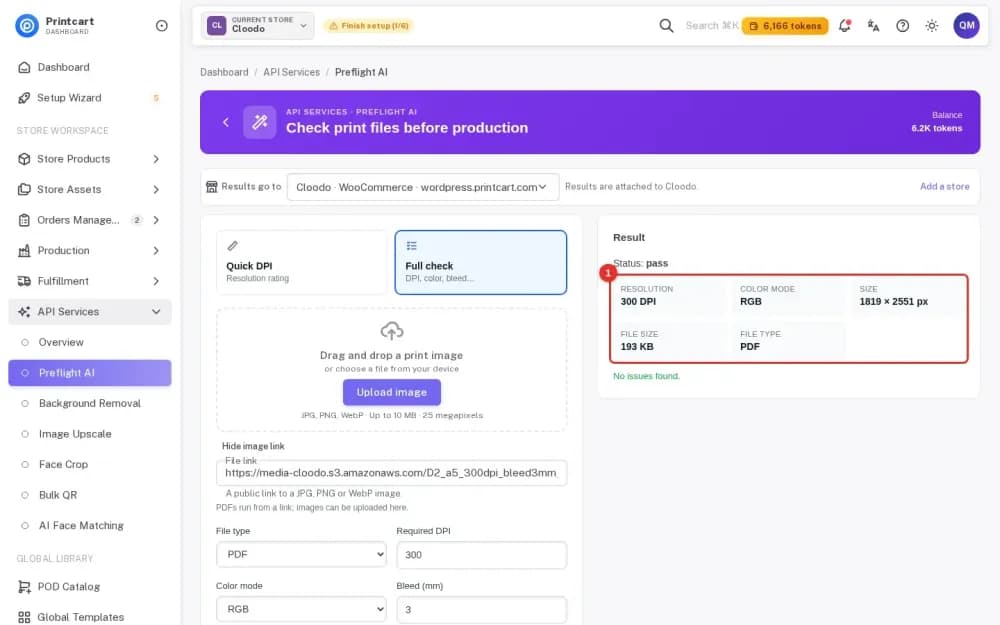
- Run the full check for PDFs. In the Dashboard, open API Services and Preflight AI, switch to Full check, set the file type, DPI, colour mode and bleed in millimetres, and run it. In our test of 5 and 6 October 2026, three A5 PDFs gave the right readings: 300 DPI without bleed, 300 DPI with 3 mm bleed, and 96 DPI. No tokens were taken for the scan. Steps: Preflight a Print PDF in Your Printcart Dashboard.
- Read the report. It lists the measured values and one line for each problem, such as "Insufficient bleed. Required: 3 mm, actual: 0.0 mm".
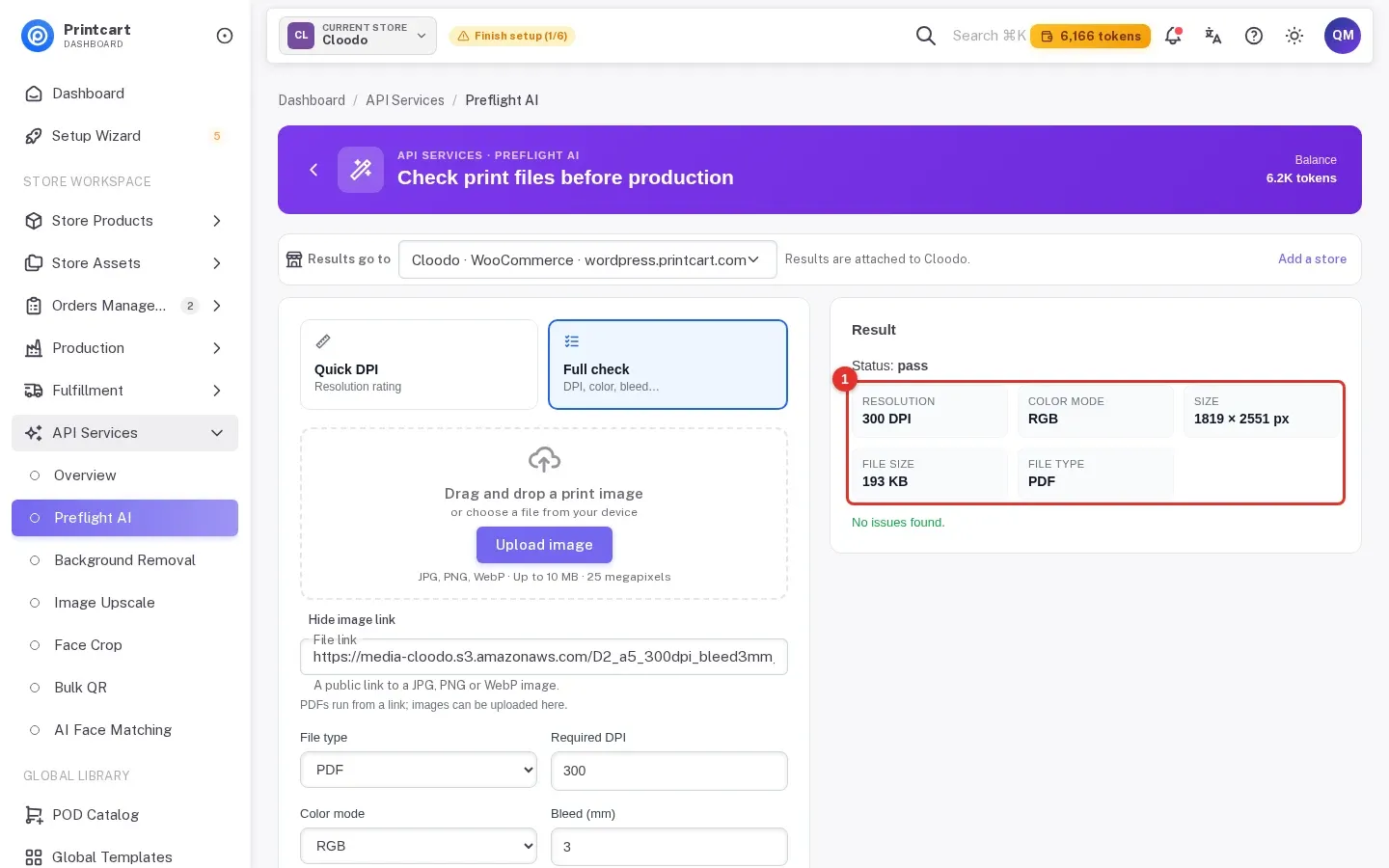
Image files (JPG, PNG) are checked for resolution and colour mode. In our runs the report said bleed is not reported for image files, so check bleed on the PDF you send to the printer.
What to fix first
- Resolution. If the effective DPI is below your printer's minimum, use a larger original, a smaller print size or an upscale.
- Bleed. Extend the background past the trim line by the amount your printer asks, then re-export the PDF.
- Colour mode. Match what your printer asks for. See How to Convert RGB to CMYK Without Losing Color.
- Fonts and transparency. Embed fonts and flatten effects if the report flags them.
Test notes. Real Printcart runs on 6 October 2026 from a test account. Inputs are real photos: free Unsplash photos (each one is credited in its image) and photos by Phil, used with permission. Prices change; the Dashboard shows the price before every job.
FAQ
What is effective DPI?
The pixels that cover one inch at the size you print. Divide the pixel width by the print width in inches.
How much bleed do I need?
Vistaprint describes 0.125 inches (3 mm) as common. Ask your printer, because the amount can differ by product and country.
Does the free checker check bleed?
No. The browser page estimates DPI from pixels and print size for image files. PDF checks, including bleed, run in the Dashboard.
Does the scan cost tokens?
In our tests the preflight scan used no tokens. The Dashboard shows the price before any job that does.
Keep reading
- Print file checker
- Image upscale tool (when DPI is too low)
- Preflight a Print PDF in Your Printcart Dashboard
- Why Is My Print Blurry When the Image Looks Sharp on Screen?
- Customers Send Files Without Bleed: How to Stop It at Upload
- Printcart apps for WooCommerce, Shopify and Wix
Ready for whole folders? Process whole folders and save results to your store — choose a long-term plan, or create an account to start.
Sources
Outside facts in this article come from these pages. Rules change, so check the current version before you rely on them.
- Printful Help Center: What is DPI, resolution and actual print file size? (accessed 6 October 2026; no date shown).
- Vistaprint: Crop Marks and Bleed Explained (accessed 6 October 2026; no date shown).
- Vistaprint Help Center: Why does my design look blurry or pixelated? (page states "Last updated June 16, 2026"; accessed 6 October 2026).
Printcart field note
What to verify before you roll out How to Check DPI and Bleed Before Sending a File to the Printer
This tutorial is written from Printcart implementation patterns across file quality, proofing, and production risk. Before treating it as complete, test the workflow with one real product, one real design file, and one real order path.
How to Check DPI and Bleed Before Sending a File to the Printer — common questions
What is effective DPI?
The pixels that cover one inch at the size you print. Divide the pixel width by the print width in inches.
How much bleed do I need?
Vistaprint describes 0.125 inches (3 mm) as common. Ask your printer, because the amount can differ by product and country.
Does the free checker check bleed?
No. The browser page estimates DPI from pixels and print size for image files. PDF checks, including bleed, run in the Dashboard.
Does the scan cost tokens?
In our tests the preflight scan used no tokens. The Dashboard shows the price before any job that does.
Next steps in Printcart
Connect how to check dpi and bleed before sending a file to the printer with catalog setup, templates, production workflows, and implementation support.
Want to put how to check dpi and bleed before sending a file to the printer into practice?
Use the related Printcart tool below, or create a free account to start building with the product designer.