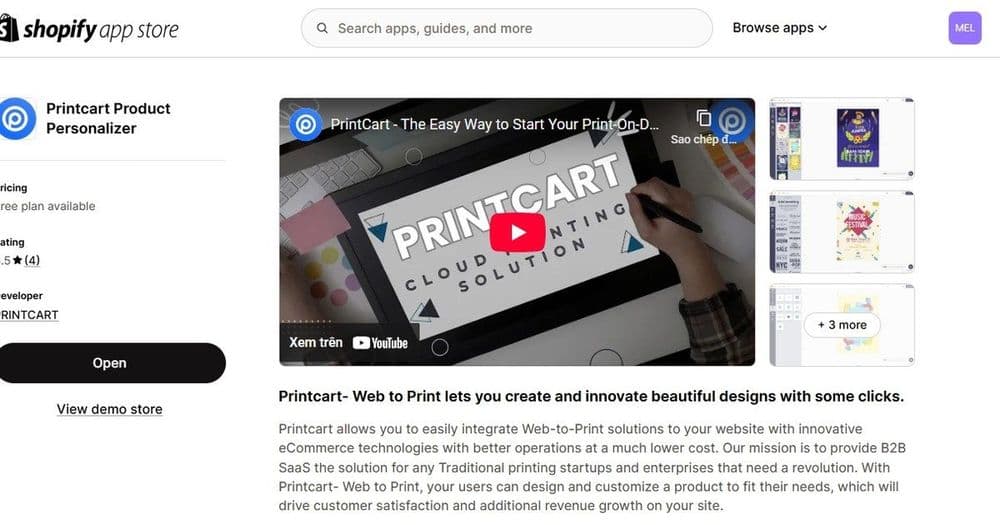
The right Printcart app depends on where you already sell: use the Shopify app for a Shopify store, the WooCommerce plugin for WordPress, and the Wix app for a Wix site. Corporate teams should plan a Microsoft 365 print portal, and a Chrome extension is in development for faster workflows. Each option adds a product designer and web-to-print orders. Browse...
Key takeaways
What do all Printcart apps have in common?
Every Printcart app does the same core job: it adds a live product designer to the platform you already use and returns a print-ready file with each order, so you can sell customizable, made-to-order products. You keep your existing storefront, checkout, and payments; Printcart adds the personalization and web-to-print layer on top. The difference between the apps is not what they do but where they do it — which platform they plug into and which kind of business they suit.
That means the choice is mostly made for you by your current setup. If you already run a store on Shopify, Wix, or WooCommerce, match the app to it. If you are starting fresh or running a corporate print program, the decision is about goals rather than an existing platform.
Which Printcart app should you choose?
| App | Best for | Status | Where to start |
|---|---|---|---|
| Shopify app | Shopify stores selling custom products | Available | Printcart for Shopify |
| WooCommerce plugin | WordPress owners wanting full control | Available | Printcart for WooCommerce |
| Wix app | Design-led small stores on Wix | Available | Printcart for Wix |
| Microsoft 365 portal | Corporate teams ordering branded print | In development | Apps hub and services |
| Chrome extension | Designers and merchants wanting speed | In development | Apps hub and services |
When should you match the app to an existing platform?
If you already have traffic and a checkout, keep them. A Shopify store should use the Shopify app, covered in selling custom print products on Shopify. A WordPress site should use the WooCommerce plugin, covered in WooCommerce web-to-print setup. A Wix site should use the Wix app, covered in adding a product designer to Wix. In each case you are adding a custom-product line to a store that already works.
When should you choose by business goal instead?
Some situations are not defined by an existing platform. If you are launching a new custom-product business from scratch, start with how to launch a POD store with Printcart and choose a storefront path there. If your need is internal — employees ordering on-brand business cards, signage, and swag — plan a Microsoft 365 corporate print portal rather than a retail app. And if your priority is speeding up a daily production routine, watch for the Printcart Chrome extension.
What should you check before you commit?
- Where your buyers already are. Add Printcart to the platform that already has your traffic.
- Retail versus corporate. A storefront app and a corporate print portal solve different problems.
- Availability. Shopify, WooCommerce, and Wix are live; Microsoft 365 and the Chrome extension are in development.
- Catalog readiness. Whatever the platform, you still need products with correct print areas and options.
- Fulfillment path. Confirm how print-ready files reach production before launch.
Can you keep your Printcart setup if you switch platforms later?
Choosing an app should not feel like a permanent lock-in, and it helps to understand what stays with you if your storefront changes. The parts that take the most effort to build — your product catalog, print areas, templates, options, pricing logic, and fulfillment setup — live in Printcart, not in the storefront platform. The app is the connector that presents that work on Shopify, WooCommerce, or Wix. So if you move from one platform to another, you are reconnecting a new storefront to the same underlying Printcart configuration rather than rebuilding your products from zero.
That has a practical implication for the decision: pick the app that matches where your buyers are today, and do not over-think the fear of a future switch. Focus your setup energy on getting the catalog, templates, and print options right, because those are the durable assets. The storefront app can change as your business grows — a Wix store today, a Shopify store later — while the customizable products you built continue to serve customers throughout.
If you are genuinely unsure which platform to commit to, the safest first move is to build your catalog and templates in Printcart, then connect whichever storefront already has your traffic. You can always add or change the storefront connection later without discarding that groundwork.
Next best step
Once you have picked a platform, the setup pattern is the same everywhere — continue with the product designer guide and building a custom product catalog. If you would rather have it configured for you, Printcart offers implementation services that set up your chosen app, catalog, designer, print options, and fulfillment.
Not sure which app to pick? Browse the Printcart apps hub, create a free Printcart account, or talk to the Printcart team for a recommendation.
Printcart field note
What to verify before you roll out Which Printcart App Fits Your Platform? A Comparison
This tutorial is written from Printcart implementation patterns across catalog structure, design controls, and customer personalization. Before treating it as complete, test the workflow with one real product, one real design file, and one real order path.
Which Printcart App Fits Your Platform? A Comparison — common questions
What do all Printcart apps have in common?
Every Printcart app does the same core job: it adds a live product designer to the platform you already use and returns a print-ready file with each order, so you can sell customizable, made-to-order products. You keep your existing storefront, checkout, and payments; Printcart adds the personalization and web-to-print layer on top. The difference between the apps is not what they do but where they do it — which...
When should you match the app to an existing platform?
If you already have traffic and a checkout, keep them. A Shopify store should use the Shopify app , covered in selling custom print products on Shopify . A WordPress site should use the WooCommerce plugin , covered in WooCommerce web-to-print setup . A Wix site should use the Wix app , covered in adding a product designer to Wix . In each case you are adding a custom-product line to a store that already works.
When should you choose by business goal instead?
Some situations are not defined by an existing platform. If you are launching a new custom-product business from scratch, start with how to launch a POD store with Printcart and choose a storefront path there. If your need is internal — employees ordering on-brand business cards, signage, and swag — plan a Microsoft 365 corporate print portal rather than a retail app. And if your priority is speeding up a daily...
Can you keep your Printcart setup if you switch platforms later?
Choosing an app should not feel like a permanent lock-in, and it helps to understand what stays with you if your storefront changes. The parts that take the most effort to build — your product catalog, print areas, templates, options, pricing logic, and fulfillment setup — live in Printcart, not in the storefront platform. The app is the connector that presents that work on Shopify, WooCommerce, or Wix. So if you...
Next steps in Printcart
Connect which printcart app fits your platform? a comparison with catalog setup, templates, production workflows, and implementation support.
Want to put which printcart app fits your platform? a comparison into practice?
Use the related Printcart tool below, or create a free account to start building with the product designer.