Adding a product designer to Wix means connecting Printcart to your Wix store so shoppers personalize products on the page and each order returns a print-ready file. The Printcart Wix app adds the customizer, keeps your Wix checkout, and connects catalog, print options, and fulfillment so you sell customizable products without building a designer.
Key takeaways
Why add a product designer to a Wix store?
Wix is a strong fit for visually driven small businesses, but out of the box it sells fixed products. To sell personalized print products — apparel, mugs, gifts, stationery — you need a live designer on the product page and a way to convert each customization into a production-ready file. The Printcart Wix app provides both, placing a customizer on your Wix product pages and returning print-ready artwork with every order while your Wix storefront and checkout stay in place.
For a Wix owner, this means offering made-to-order products without leaving the platform you already use for your site, brand, and payments. Customers design, preview, and buy; you receive a clean file to produce. Nothing about your existing Wix design or checkout changes, so the risk of adding a custom line is low: you are extending a store that already works rather than migrating to a new one.
How do you set up Printcart on Wix?
Step 1Connect the app to your Wix store
Add the Printcart app to your Wix store from the Wix App Market and connect it to your Printcart account. The Printcart for Wix page explains what the app does and how to begin.
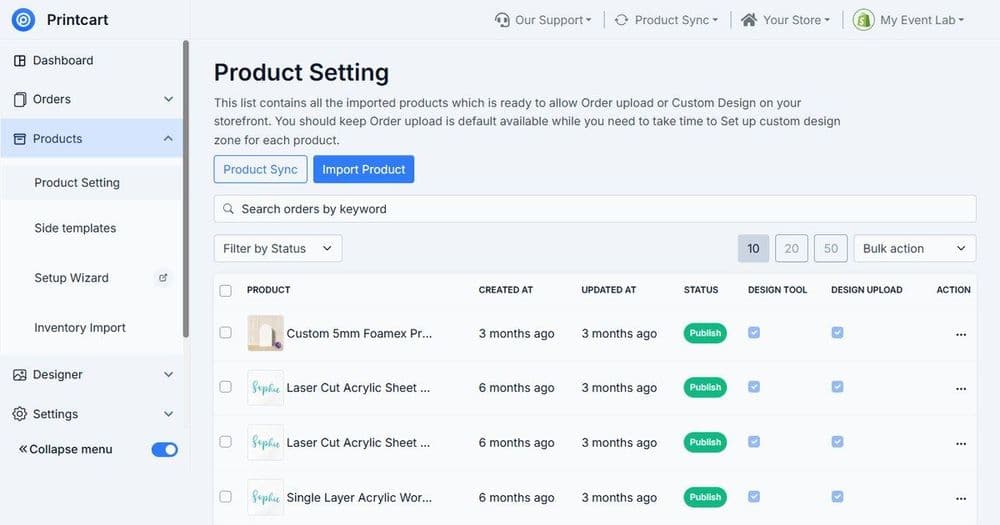
Step 2Build customizable products
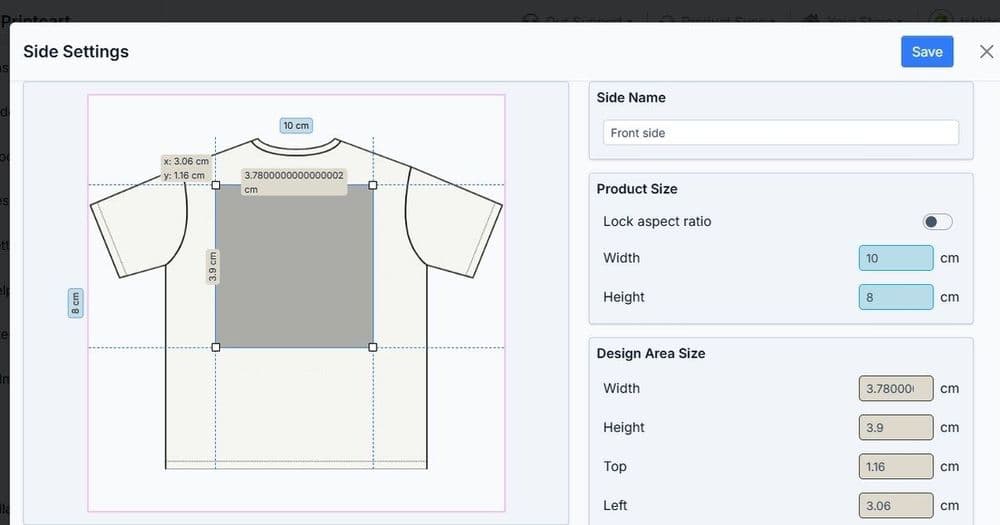
Create products with real variants and correct print areas so the customer preview matches what is produced. If your catalog has many options, work through building a custom product catalog for POD first.
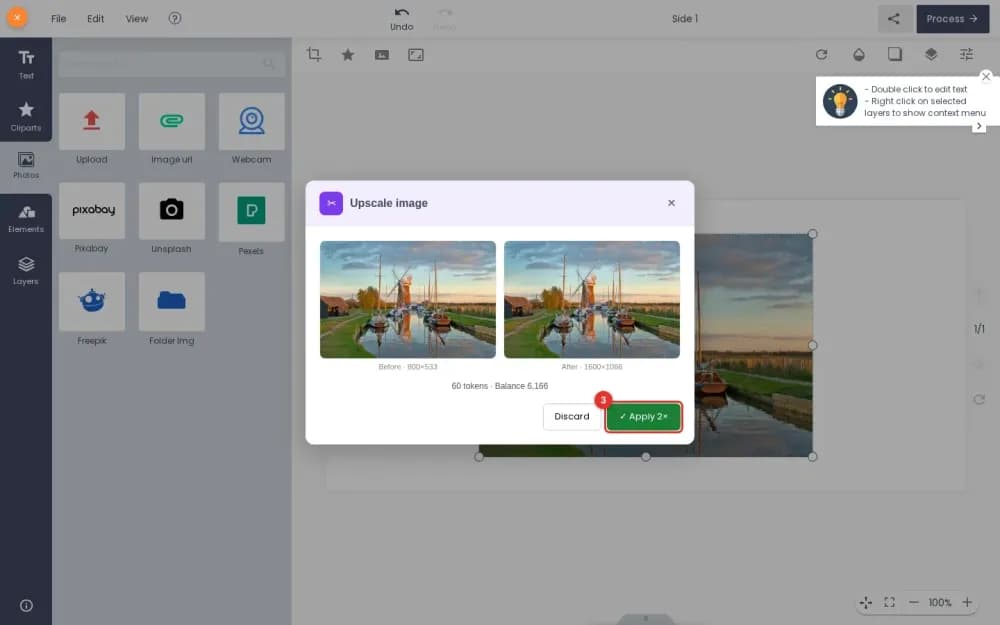
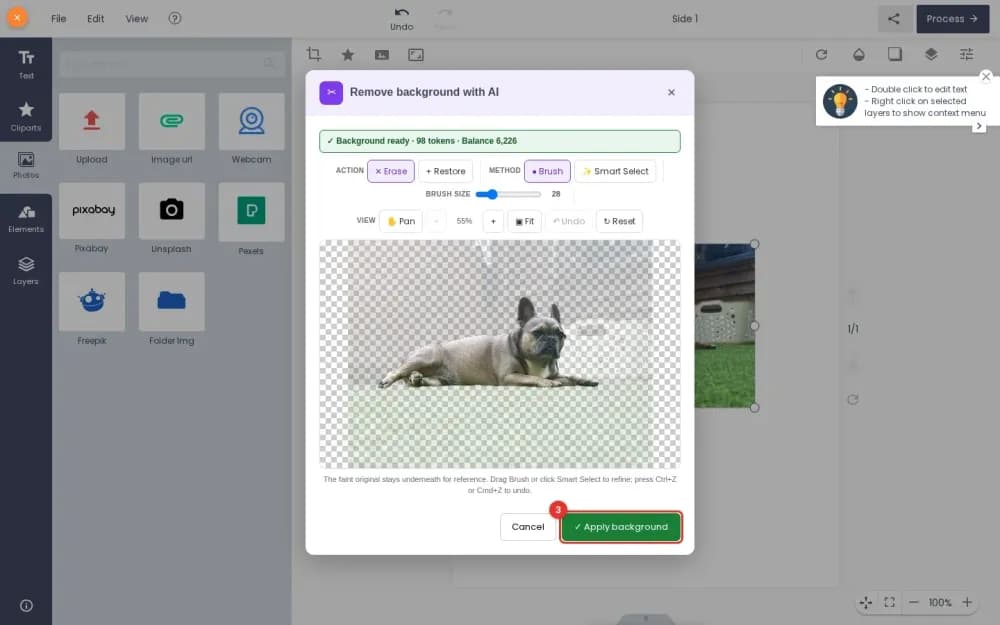
Step 3Configure the designer and print options
Set up the designer so customers add text, images, and templates inside safe areas, and define print options and pricing. See setting up the online product designer for the full walkthrough.
Step 4Connect fulfillment and test
Route orders to production or a printing partner, confirm the file handoff, and place one real end-to-end order before you promote the store.
Wix alone versus Wix with Printcart
| Factor | Wix alone | Wix with Printcart |
|---|---|---|
| Product type | Fixed products | Customer-personalized print products |
| On-page experience | Static images and options | Live product designer with preview |
| Production handoff | Manual artwork collection | Print-ready file with each order |
| Best for | Brochure sites and simple catalogs | Personalized gifts and custom print |
Who should use Printcart on Wix?
It suits Wix owners running small, design-led stores who want to add a personalized product line — boutiques, gift shops, creators, and local print businesses. Because you keep the Wix site you already built, it is a low-friction way to test custom products. If you are choosing between platforms, compare options in which Printcart app fits your platform, and if personalized gifts are your target, see creating personalized POD gifts.
Common setup mistakes to avoid
- Skipping print-area setup. Designs can print off-position without correct print areas.
- Underpricing custom products. Include printing, fees, and shipping before setting prices.
- Launching without a test order. Verify the production file handoff end to end first.
- Too many products at once. Start with a focused set you can fulfill reliably.
What can you sell with a Wix product designer?
A Wix store with a product designer suits any product a customer wants to make personal, and Wix owners tend to do especially well with gift-led and design-led lines. Personalized mugs, apparel, tote bags, phone cases, stationery, ornaments, and keepsakes all translate naturally into customizable products, because the buyer's own name, photo, or message is the reason they purchase. Wix's strength as a visual site builder plays directly to this: your brand, imagery, and storytelling are already strong, and the designer adds the interactive step that converts a browser into a buyer.
Start with a focused set of products that have obvious gifting or personalization intent rather than launching a broad catalog at once. A tight range is easier to photograph well, template cleanly, and fulfill reliably, and it lets you learn which designs and occasions actually sell before you expand. As demand becomes clear, add variants and seasonal designs on top of the products that already convert. Because everything runs inside the Wix site you already maintain, growing the range is a matter of adding products and templates, not rebuilding your store.
Next best step
With the app connected, the designer setup drives your custom sales — continue with the product designer guide and price with the POD profit margin guide. If you want it configured for you, Printcart offers implementation services that set up catalog, designer, print options, and fulfillment.
Ready to add a designer to your Wix store? Get the Printcart Wix app, create a free Printcart account, or talk to the Printcart team.
Printcart for Wix: the step-by-step series
Printcart field note
What to verify before you roll out Add a Product Designer to Your Wix Store with Printcart
This tutorial is written from Printcart implementation patterns across file quality, proofing, and production risk. Before treating it as complete, test the workflow with one real product, one real design file, and one real order path.
Add a Product Designer to Your Wix Store with Printcart — common questions
Why add a product designer to a Wix store?
Wix is a strong fit for visually driven small businesses, but out of the box it sells fixed products. To sell personalized print products — apparel, mugs, gifts, stationery — you need a live designer on the product page and a way to convert each customization into a production-ready file. The Printcart Wix app provides both, placing a customizer on your Wix product pages and returning print-ready artwork with every...
Who should use Printcart on Wix?
It suits Wix owners running small, design-led stores who want to add a personalized product line — boutiques, gift shops, creators, and local print businesses. Because you keep the Wix site you already built, it is a low-friction way to test custom products. If you are choosing between platforms, compare options in which Printcart app fits your platform , and if personalized gifts are your target, see creating...
What can you sell with a Wix product designer?
A Wix store with a product designer suits any product a customer wants to make personal, and Wix owners tend to do especially well with gift-led and design-led lines. Personalized mugs, apparel, tote bags, phone cases, stationery, ornaments, and keepsakes all translate naturally into customizable products, because the buyer's own name, photo, or message is the reason they purchase. Wix's strength as a visual site...
Next steps in Printcart
Connect add a product designer to your wix store with printcart with catalog setup, templates, production workflows, and implementation support.
Want to put add a product designer to your wix store with printcart into practice?
Use the related Printcart tool below, or create a free account to start building with the product designer.