Printcart Canvas offers four edge styles (Image Wrap, Mirror Wrap, Blur Wrap and Solid Colour), two frame depths and three image colours (Colour, Black & White and Sepia). Buyers choose them on the Options tab of the designer, see them live, and get the same result in the rendered 3D preview and in the print file. The UK Standard Canvas template sets them...
Key takeaways
What do you need before you start?
- Printcart Canvas installed and connected (see Install Printcart Canvas and connect your store).
- A canvas product linked to its Printcart printing option.
The screenshots come from a demonstration WooCommerce store running Printcart Canvas 4.5.9 with the UK Standard Canvas template. Store credentials and internal identifiers are masked. Want to see it first? Open the live demo store and press Design your canvas.
How do edge styles, frame depth and image colour work?
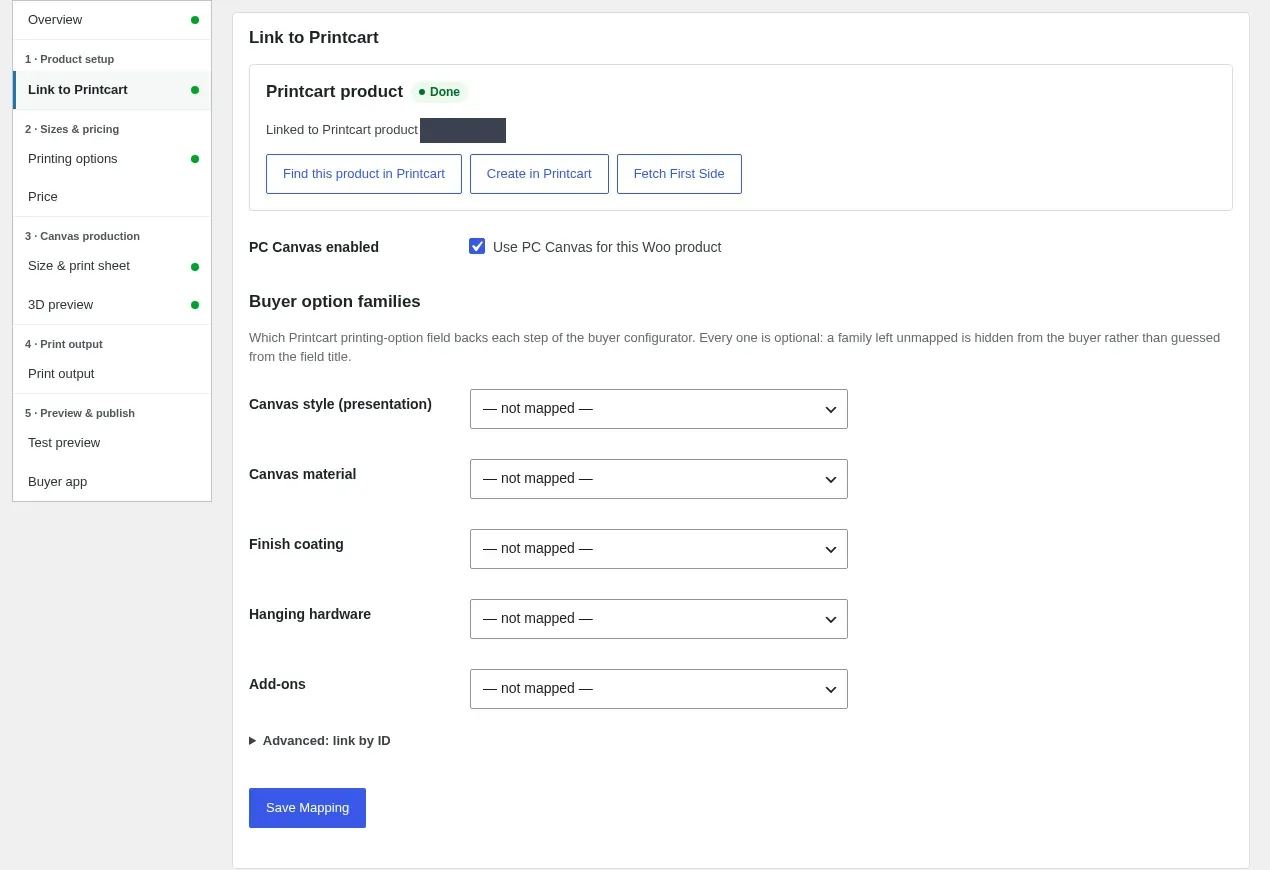
Step 1Map the option families
In Product Setup > Link to Printcart, each buyer option family maps to a Printcart field. A family left not mapped is hidden from buyers, so you decide what each product offers. The UK Standard Canvas template maps the colour, hanging, back finish and add-on families for you. Press Save Mapping.
Expected result: The mapped families appear as steps in the designer.
Step 2Buyers choose the frame depth
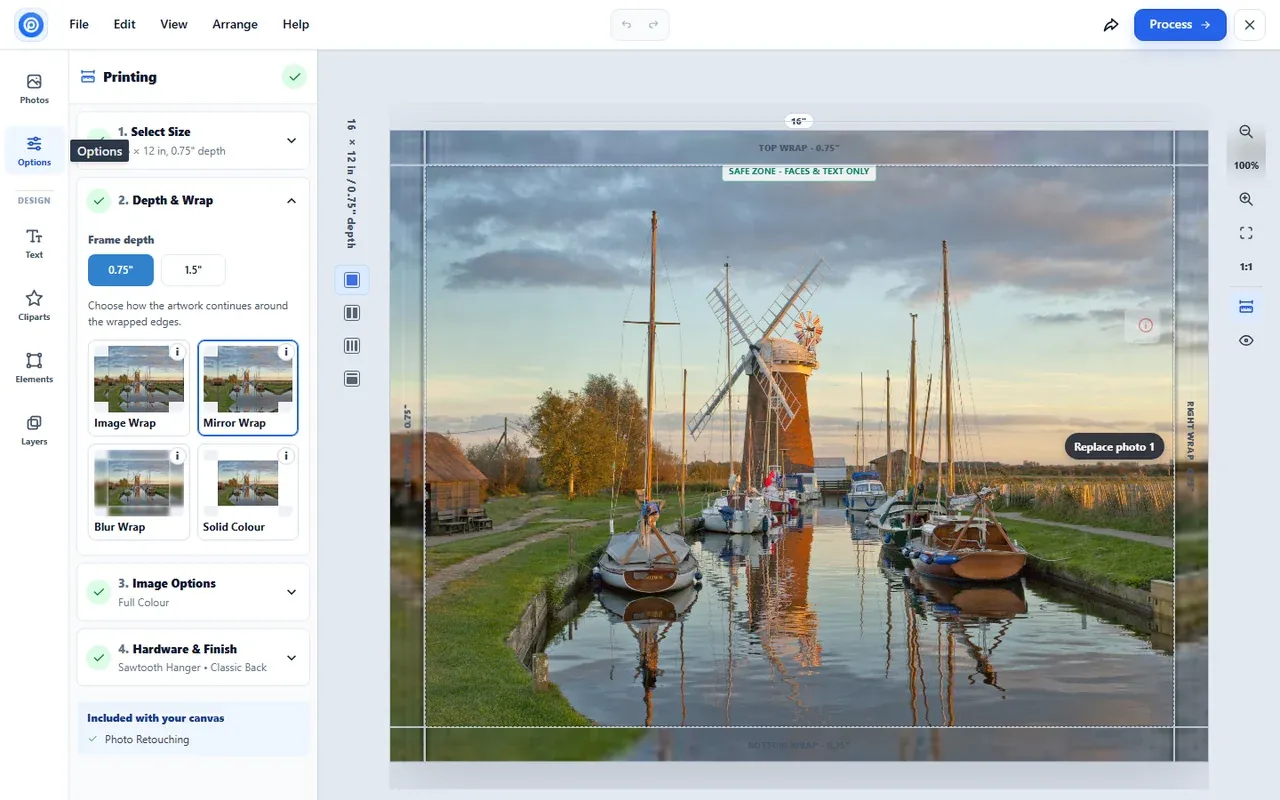
In the designer, Options > Printing > Depth & Wrap offers the two depths you named, for example 0.75 in (Classic) and 1.5 in (Deluxe). The names are used in the designer, on the product page, in the cart and on the order, and you can rename them without losing a product's saved depth.
Expected result: The canvas redraws its wrap bands at the chosen depth.
Step 3Buyers choose an edge style
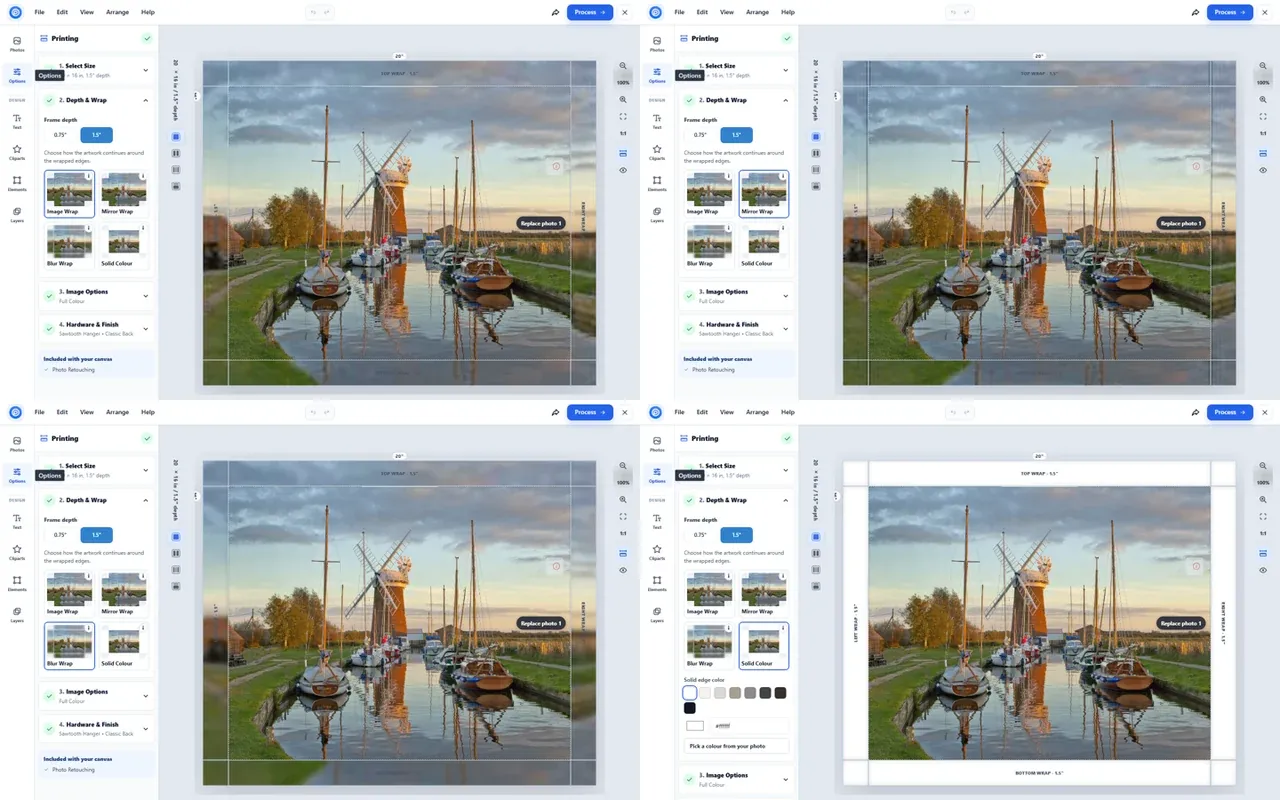
Image Wrap continues the photo round the sides. Mirror Wrap mirrors the edge of the photo onto the sides, so nothing important is lost round the frame. Blur Wrap carries a soft blur of the photo. Solid Colour makes the sides one flat colour, chosen from swatches, typed as a hex value or picked from the photo; it prints through the whole back wrap.
Expected result: The designer preview, the rendered 3D preview and the print file all show the chosen style.
Step 4Buyers choose the image colour
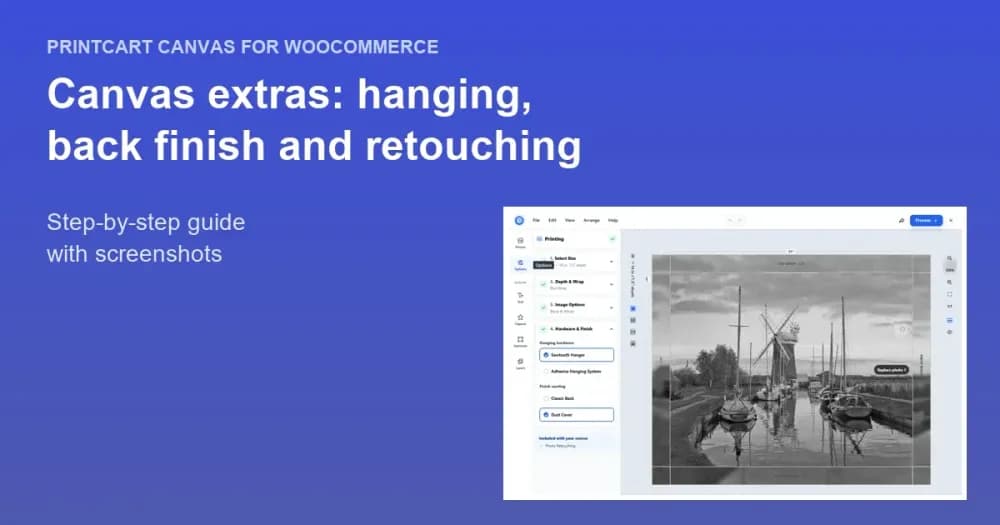
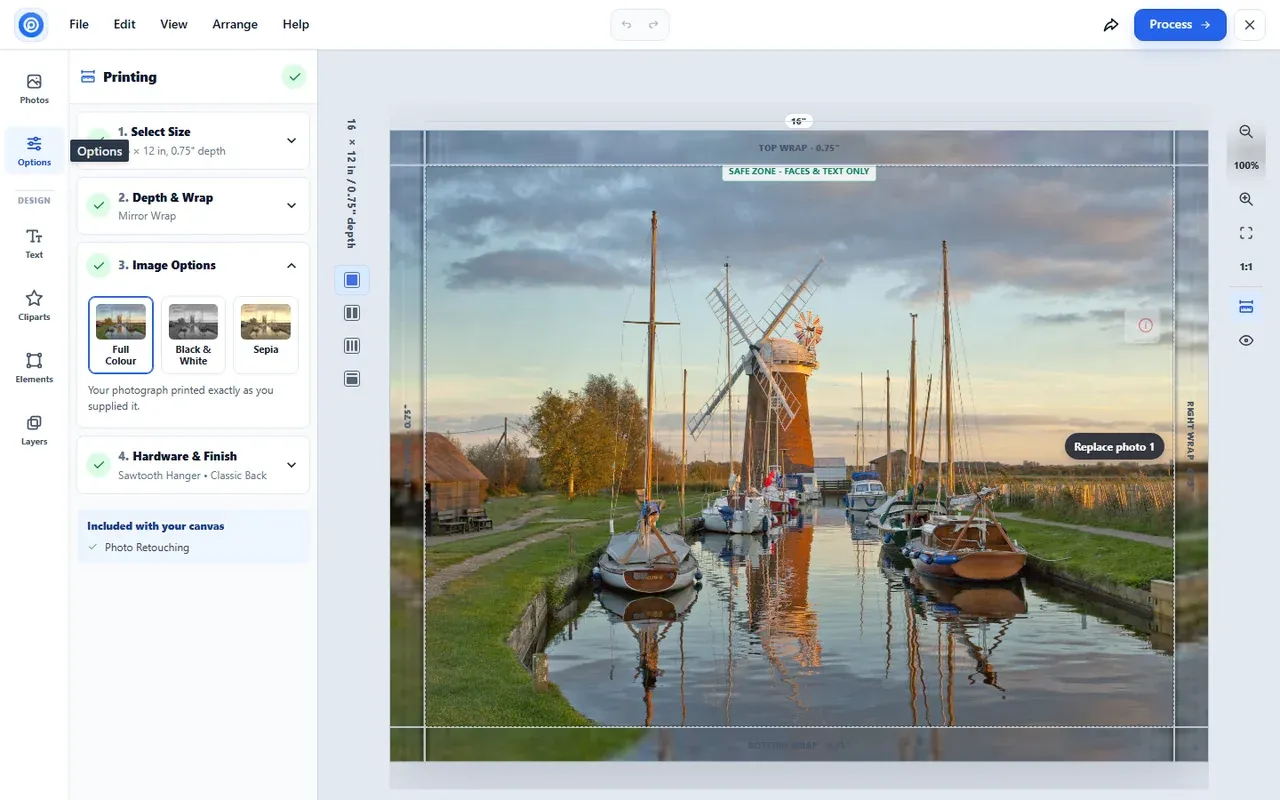
Image Options sets Colour, Black & White or Sepia. The photo changes live in the designer, the same colour is applied to the print file, and the order records it, for example "Image colour: Black & White".
Expected result: The photo on the canvas switches colour instantly.
Step 5Check the rendered edge preview
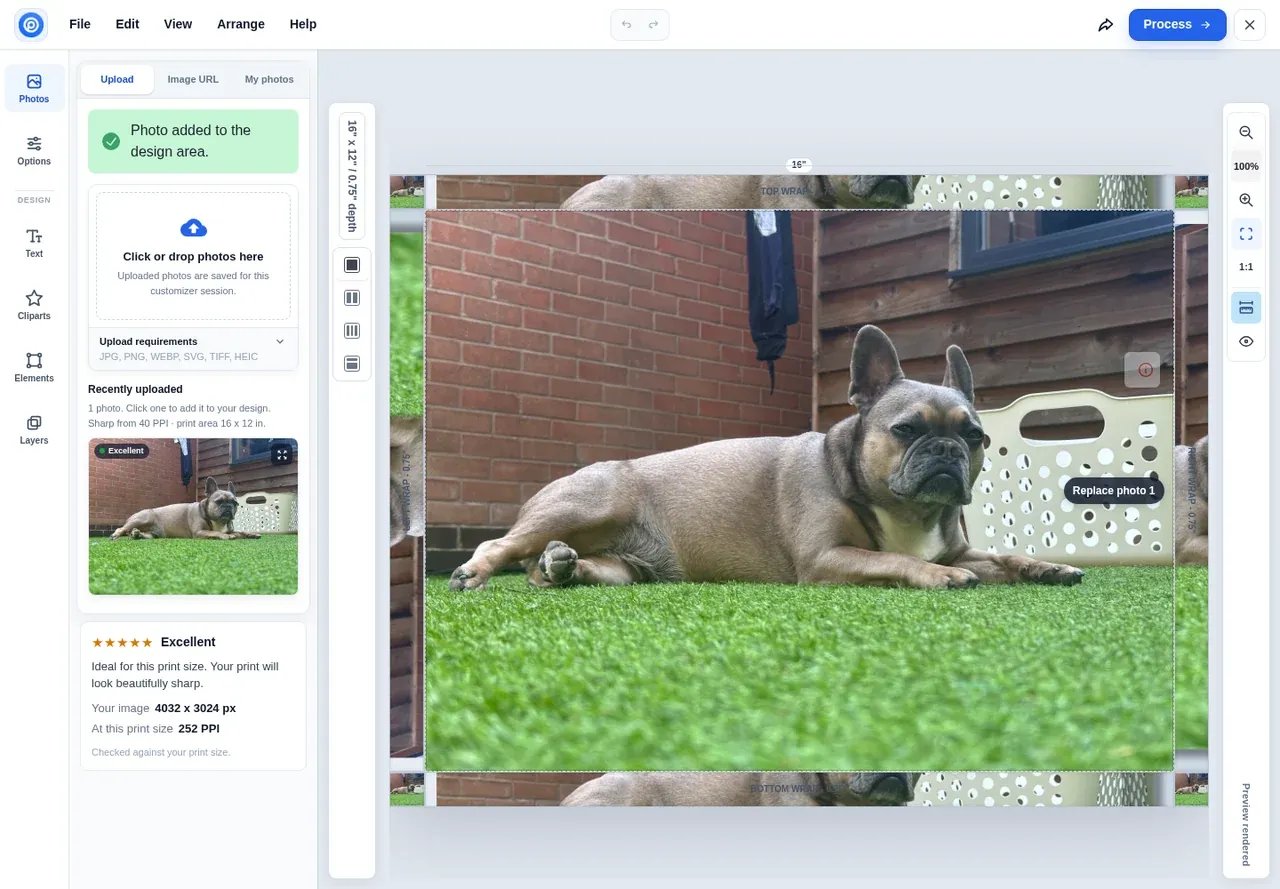
A moment after each change the designer reads "Updating edge preview…", then "Preview rendered": the wrap bands show the image Printcart rendered for the real frame.
Expected result: The buyer sees how the sides of the finished canvas will look before ordering.
Which edge style should I recommend?
Mirror Wrap is the safe default because the whole photo stays on the face. Image Wrap suits landscapes with nothing important near the edge. Blur Wrap gives a soft, modern side. Solid Colour suits portraits and graphic designs, and white or black sides look clean on any wall.
Is the black and white conversion only a preview?
No. The colour mode is baked into the print file, so the canvas is printed exactly as the buyer saw it.
Can I offer only some edge styles on a product?
Yes. Edge styles come from the product's Printcart printing option, so you choose which ones each product offers.
Try Printcart Canvas
Printcart Canvas is free on WordPress.org, from Printcart, the web-to-print platform used by 2000+ stores. Download Printcart Canvas from WordPress.org, or try the live demo as a buyer.
What should you do next?
- Add optional extras: retouching, hanging hardware and back finish
- The buyer journey: from design to checkout
- Browse all Printcart tutorials
Stuck on a step? Email [email protected] with a screenshot of the screen you are on, or a support bundle from PC Canvas > Diagnostics; it contains no credentials.
Printcart field note
What to verify before you roll out Offer Canvas Edge Styles, Frame Depths and Black & White or Sepia
This tutorial is written from Printcart implementation patterns across web-to-print launch planning, buyer experience, and repeatable production. Before treating it as complete, test the workflow with one real product, one real design file, and one real order path.
Offer Canvas Edge Styles, Frame Depths and Black & White or Sepia — common questions
What do you need before you start?
The screenshots come from a demonstration WooCommerce store running Printcart Canvas 4.5.9 with the UK Standard Canvas template. Store credentials and internal identifiers are masked. Want to see it first? Open the live demo store and press Design your canvas .
Which edge style should I recommend?
Mirror Wrap is the safe default because the whole photo stays on the face. Image Wrap suits landscapes with nothing important near the edge. Blur Wrap gives a soft, modern side. Solid Colour suits portraits and graphic designs, and white or black sides look clean on any wall.
Is the black and white conversion only a preview?
No. The colour mode is baked into the print file, so the canvas is printed exactly as the buyer saw it.
Can I offer only some edge styles on a product?
Yes. Edge styles come from the product's Printcart printing option, so you choose which ones each product offers.
Next steps in Printcart
Connect offer canvas edge styles, frame depths and black & white or sepia with catalog setup, templates, production workflows, and implementation support.
Want to put offer canvas edge styles, frame depths and black & white or sepia into practice?
Use the related Printcart tool below, or create a free account to start building with the product designer.