A small logo can be upscaled for a T-shirt if it is simple and high-contrast. Upscale it, check the edges at 100%, and ask for a vector file when the logo has thin text. Upscaling cannot recover detail that the original file never had.
Key takeaways
Why logos blur
A logo saved at 300 x 300 px has very few pixels. A shirt print area is often several inches wide, so at 300 DPI a 4-inch-wide print needs 1200 pixels. At 300 px the logo is only 75 DPI at that size. Hard edges and thin strokes show the problem first, because every curve is a staircase of pixels.
Printful asks for print files of at least 150 DPI, sized to the actual print dimensions, and notes that changing the DPI label in an editor does not add detail.
Upscale vs redraw as vector
- Upscale when you only have a small raster file and the logo is simple: a bold shape, thick lines, large letters.
- Ask for a vector file (SVG, AI, EPS or a vector PDF) when the logo has thin text, fine lines or gradients. Vectors have no pixels, so they stay sharp at any size. This is the reliable fix.
- Redraw the logo when no vector exists and thin text matters. A designer can rebuild it in an hour or two.
Steps
- Open printcart.com/tools/image-upscale to see the new size at 2x and 4x. It needs no account.
- Run the upscale in the Dashboard: Upscale a Low-Resolution Photo for Printing in the Printcart Dashboard. A 2x upscale finished in seconds. The price is shown on the tool page and before each job (60 tokens when we measured it on 6 October 2026).
- Download the result and compare it to the original.
Check edges
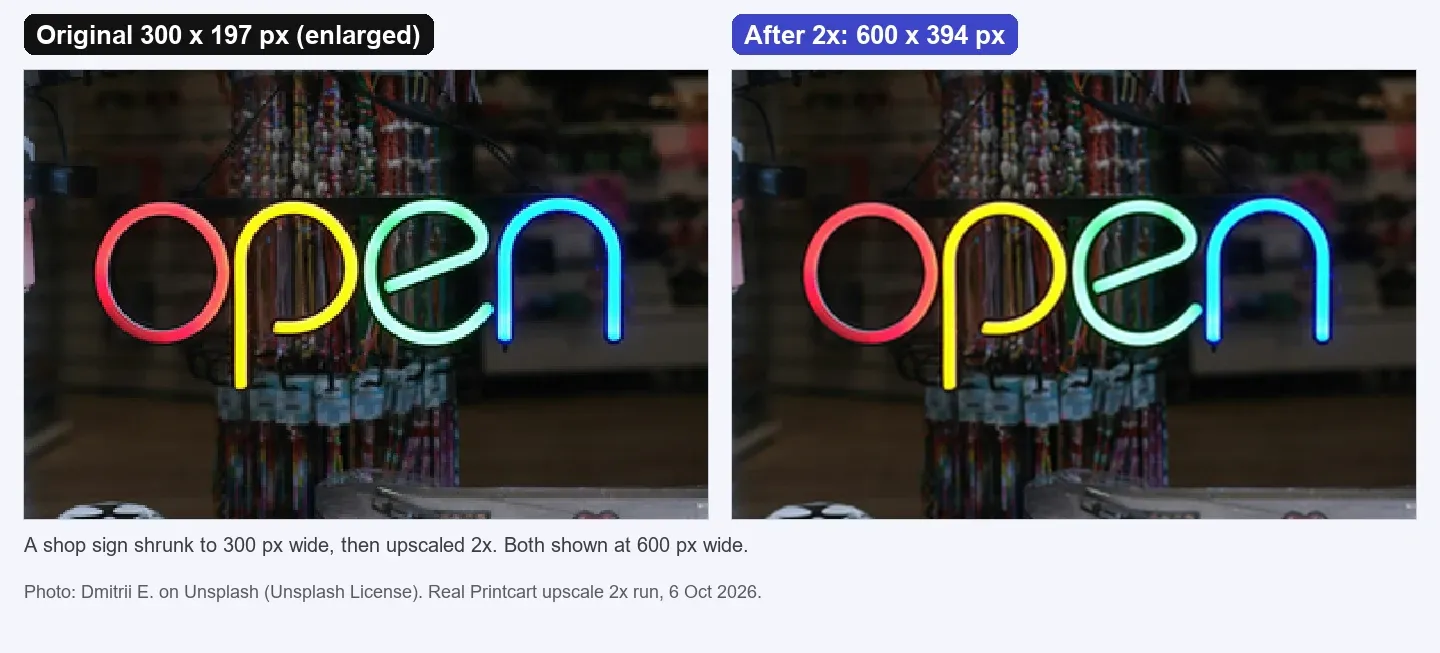
Zoom to 100% and look at thin lines, small text and curves. In our test, a photo of a bold neon shop sign shrunk to 300 x 197 px became 600 x 394 px with smoother curves and edges, but the busy background stayed soft. A photographed sign is not a vector logo, so use this as a guide for simple, bold marks only. If the file also has a white background, remove it first so the print has no white box: see Remove a Product Photo Background on printcart.com.
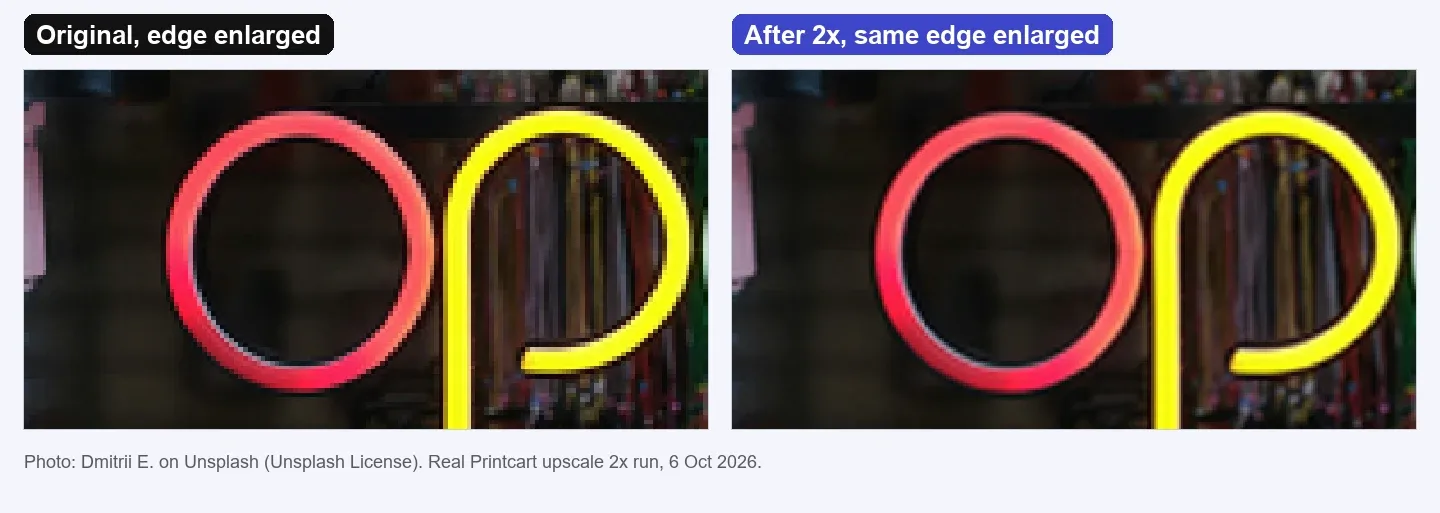
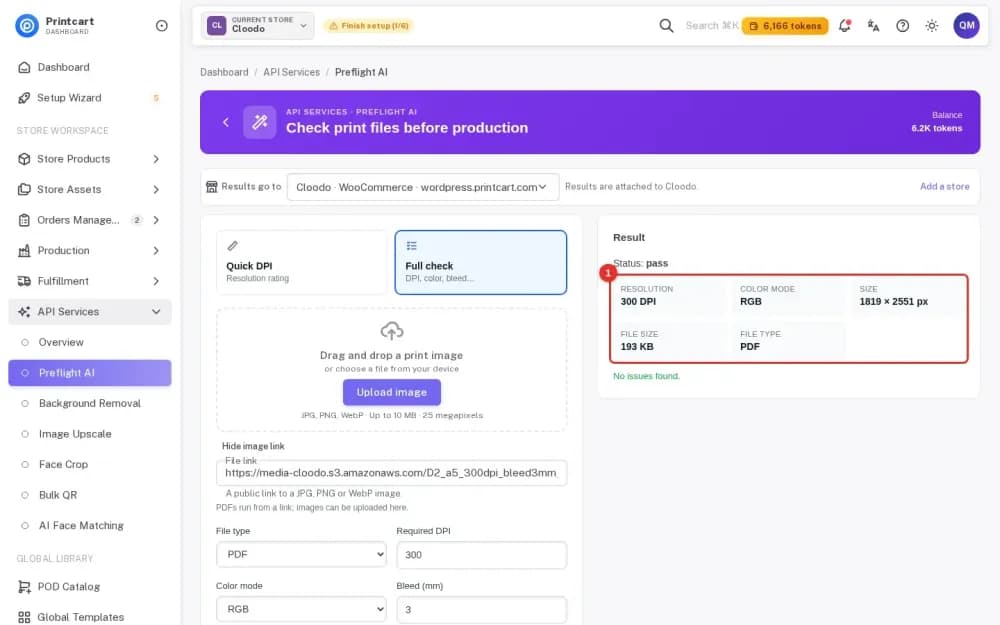
Finally, check the DPI at your print size in the print file checker. A 600 px logo printed 4 inches wide is 150 DPI.
Test notes. Real Printcart runs on 6 October 2026 from a test account. Inputs are real photos: free Unsplash photos (each one is credited in its image) and photos by Phil, used with permission. Prices change; the Dashboard shows the price before every job.
FAQ
Can I upscale a 300-pixel logo for a T-shirt?
Sometimes. A simple, bold logo can work. Thin lines and small text stay soft, so ask for a vector file when you can.
What is a vector logo?
A file made of shapes and lines (for example SVG, AI or EPS) instead of pixels. It stays sharp at any size.
Does upscaling add detail to a logo?
No. It adds pixels and smooths edges. It cannot recover detail the file never had.
Should I remove the white background first?
If the logo is on a white background and the shirt is coloured, yes. Otherwise the white prints as a box. Export a PNG with a transparent background.
Keep reading
- Image upscale tool
- Background removal tool
- Upscale a Low-Resolution Photo for Printing in the Printcart Dashboard
- How to Make a Transparent PNG for Print-on-Demand T-Shirts
- A Customer Uploaded an 800-Pixel Phone Photo for a Mug: How to Rescue It
- Printcart apps for WooCommerce, Shopify and Wix
Ready for whole folders? Process whole folders and save results to your store — choose a long-term plan, or create an account to start.
Sources
Outside facts in this article come from these pages. Rules change, so check the current version before you rely on them.
- Printful Help Center: What is DPI, resolution and actual print file size? (accessed 6 October 2026; no date shown).
Printcart field note
What to verify before you roll out How to Upscale a Small Logo for T-Shirt Printing
This tutorial is written from Printcart implementation patterns across file quality, proofing, and production risk. Before treating it as complete, test the workflow with one real product, one real design file, and one real order path.
How to Upscale a Small Logo for T-Shirt Printing — common questions
Can I upscale a 300-pixel logo for a T-shirt?
Sometimes. A simple, bold logo can work. Thin lines and small text stay soft, so ask for a vector file when you can.
What is a vector logo?
A file made of shapes and lines (for example SVG, AI or EPS) instead of pixels. It stays sharp at any size.
Does upscaling add detail to a logo?
No. It adds pixels and smooths edges. It cannot recover detail the file never had.
Should I remove the white background first?
If the logo is on a white background and the shirt is coloured, yes. Otherwise the white prints as a box. Export a PNG with a transparent background.
Next steps in Printcart
Connect how to upscale a small logo for t-shirt printing with catalog setup, templates, production workflows, and implementation support.
Want to put how to upscale a small logo for t-shirt printing into practice?
Use the related Printcart tool below, or create a free account to start building with the product designer.