Printcart has two separate billing systems. Tokens belong to your account and pay for AI and API tools; every account starts on the Free token plan with 50 tokens a month. App plans (Premium, Advanced, Enterprise) belong to one store and unlock unlimited products, premium cliparts and templates, and branding removal. Manage both under Wallet & Billing ....
Key takeaways
What do you need before you start?
- A Printcart account with a store (see the sign-up guide).
- For an app plan: admin access to the store you want to upgrade.
The screenshots come from a demo account with a demo store called Demo Print Shop and made-up buyer names. Your store name, products and numbers will differ, but the screens and buttons are the same. Secret values are always hidden in the pictures.
Prices below are what the dashboard showed when this guide was written. Always confirm the current price on the plan card before you pay.
How do you read your plan and upgrade in the Printcart Dashboard?
Step 1Open Billing Overview
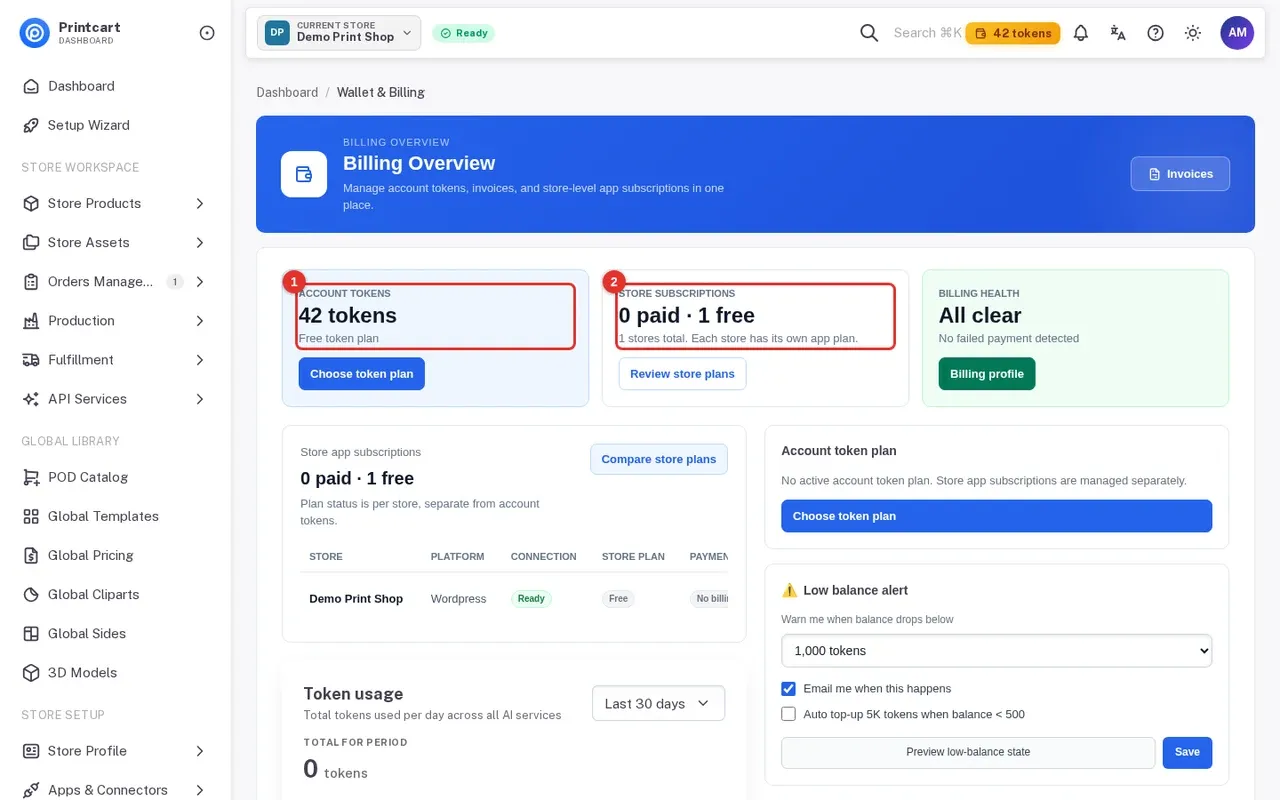
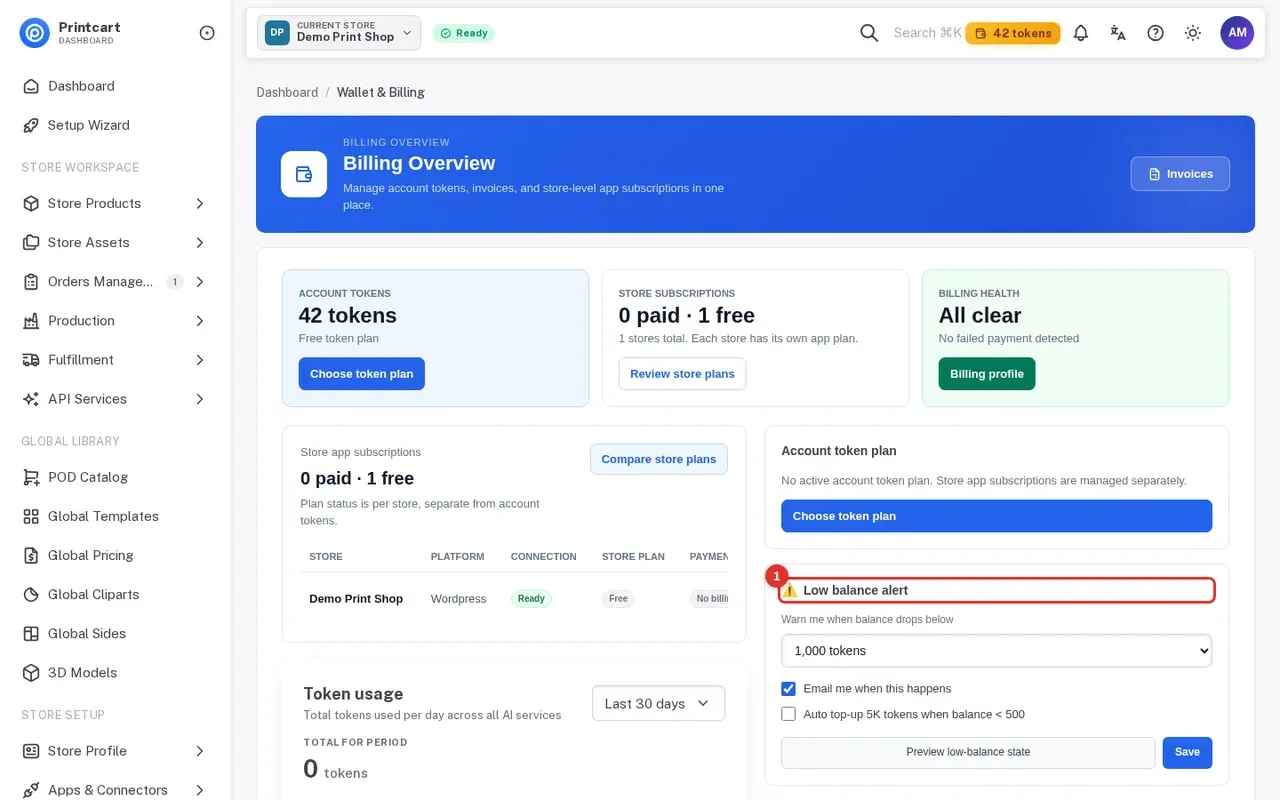
Click Wallet & Billing in the menu (www.printcart.com/en/payment). Three cards summarize your position: Account tokens (your balance and token plan), Store subscriptions (for example 0 paid, 1 free) and Billing health.
Expected result: You see your token balance and whether each store is on a paid plan.
Step 2Set a low balance alert
Further down, Low balance alert lets you pick a balance level that triggers a warning, tick Email me when this happens, and optionally turn on auto top-up. Click Save. The page notes that low-balance alerts help prevent workflow interruptions.
Expected result: Your alert settings are saved.
Step 3Compare the token plans
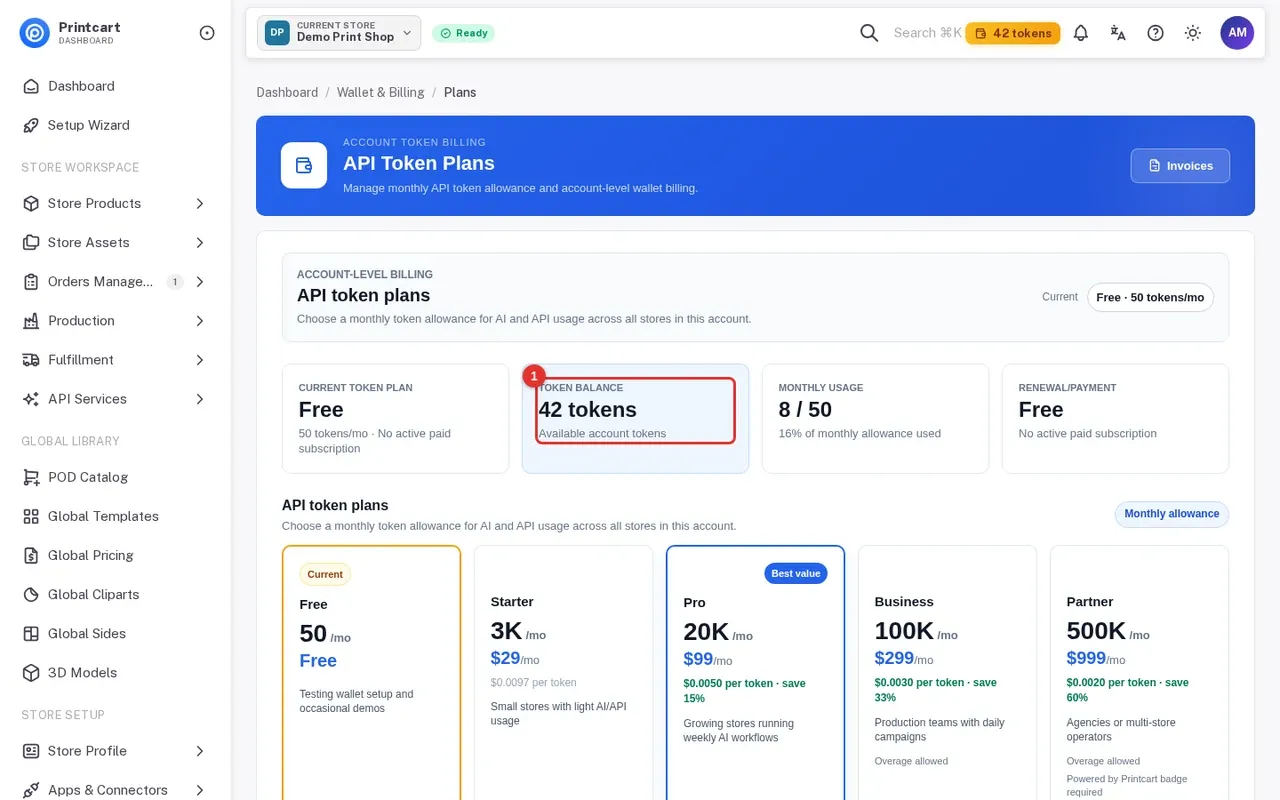
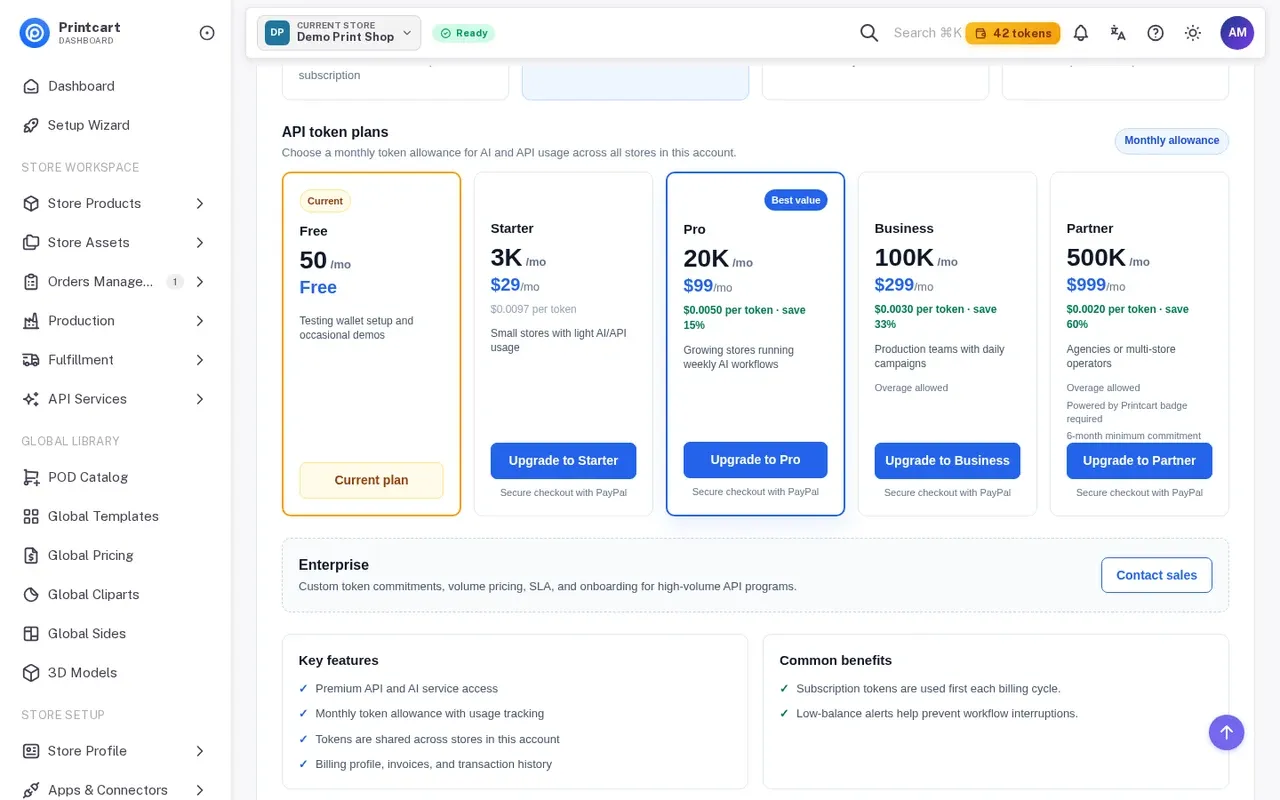
Open Payment > Plans. The top cards show the current token plan, token balance, monthly usage and renewal. The plan cards list the monthly token allowance and price: Free (50 tokens), Starter (3K, $29/mo), Pro (20K, $99/mo, marked best value), Business (100K, $299/mo) and Partner (500K, $999/mo with a minimum commitment). Enterprise is custom, through Contact sales.
Expected result: You know which token plan fits your AI and API usage.
Step 4Check your token usage
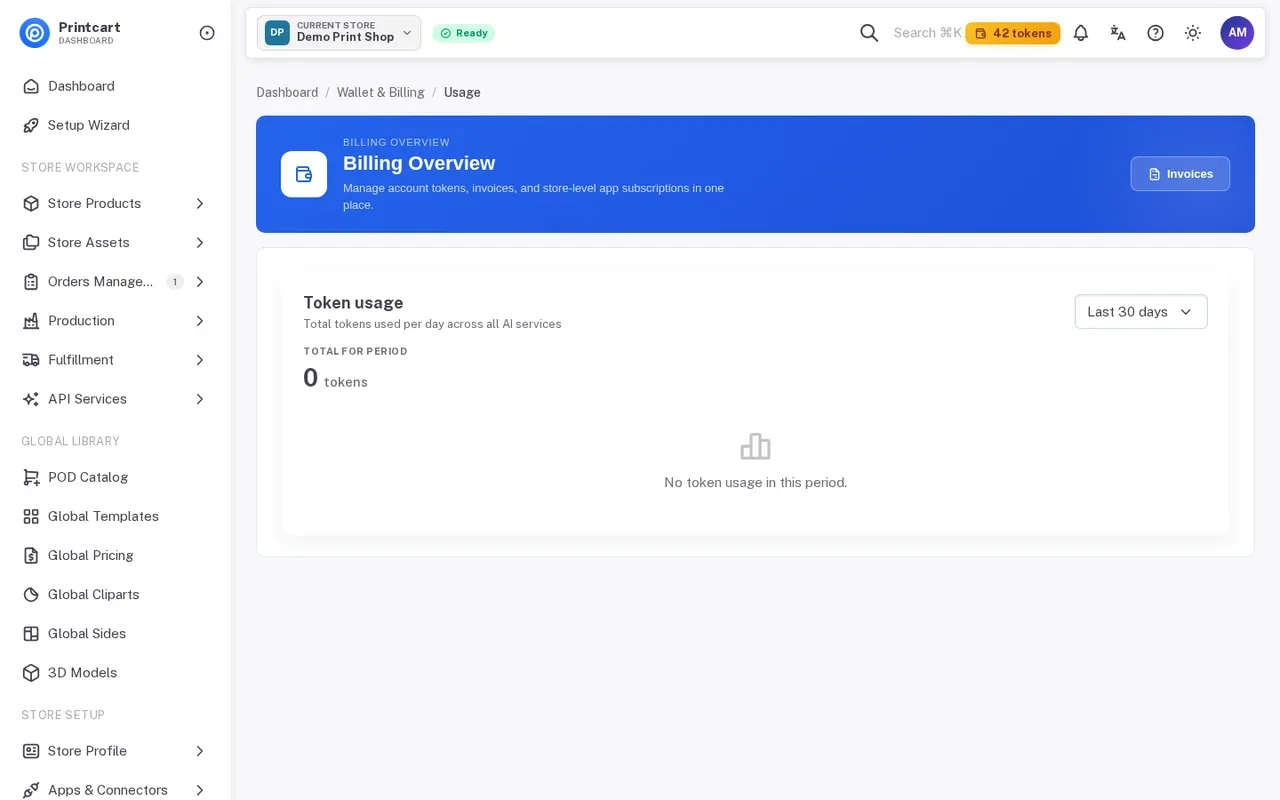
Open Payment > Usage to see tokens used per day across the AI services for the period you choose (Last 30 days by default). Subscription tokens are used first each billing cycle, so compare usage with your monthly allowance before you change plans.
Expected result: You can see how many tokens the period used.
Step 5See your store's app plan
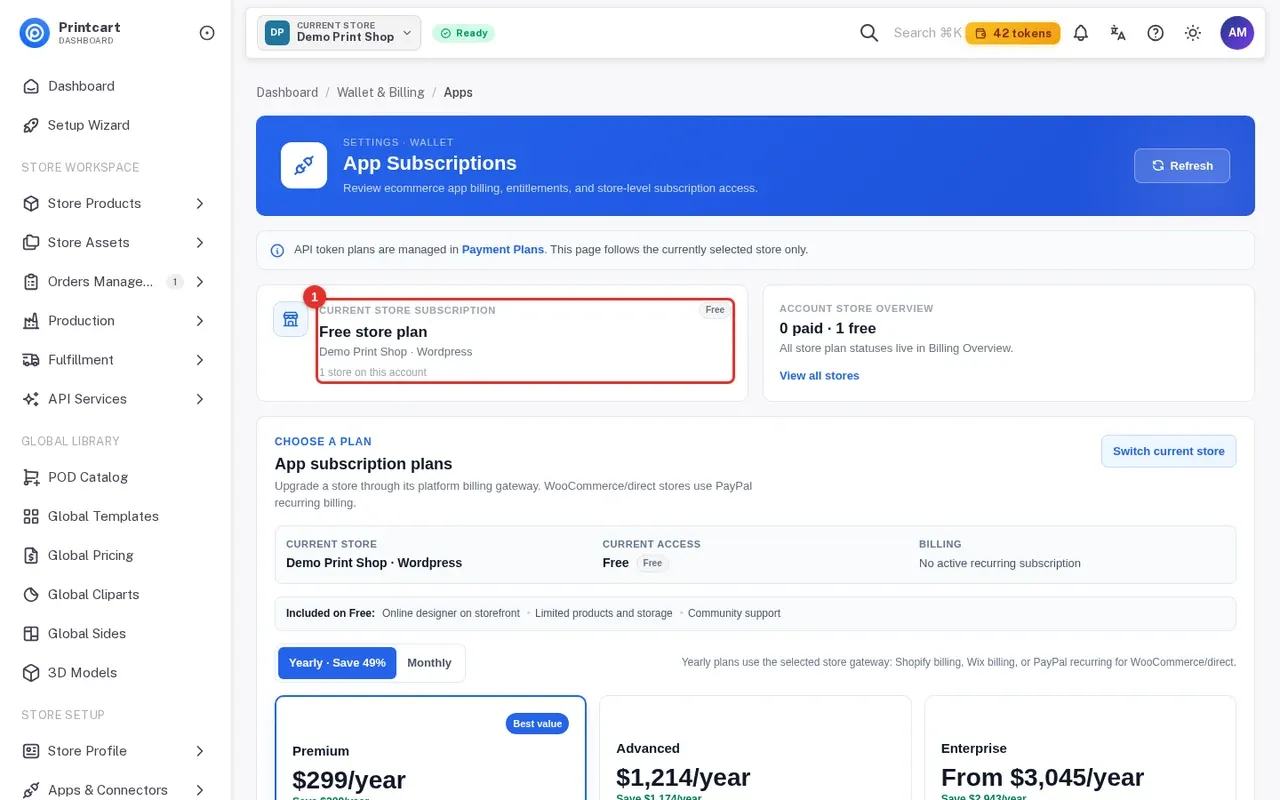
Open Payment > Apps. The first card shows the current store subscription, for example Free store plan. Plans are per store: the page follows the store currently selected in the top bar, and Switch current store changes it. Free includes the online designer on the storefront, limited products and storage, and community support.
Expected result: You know which plan the selected store is on.
Step 6Choose monthly or yearly and compare plans
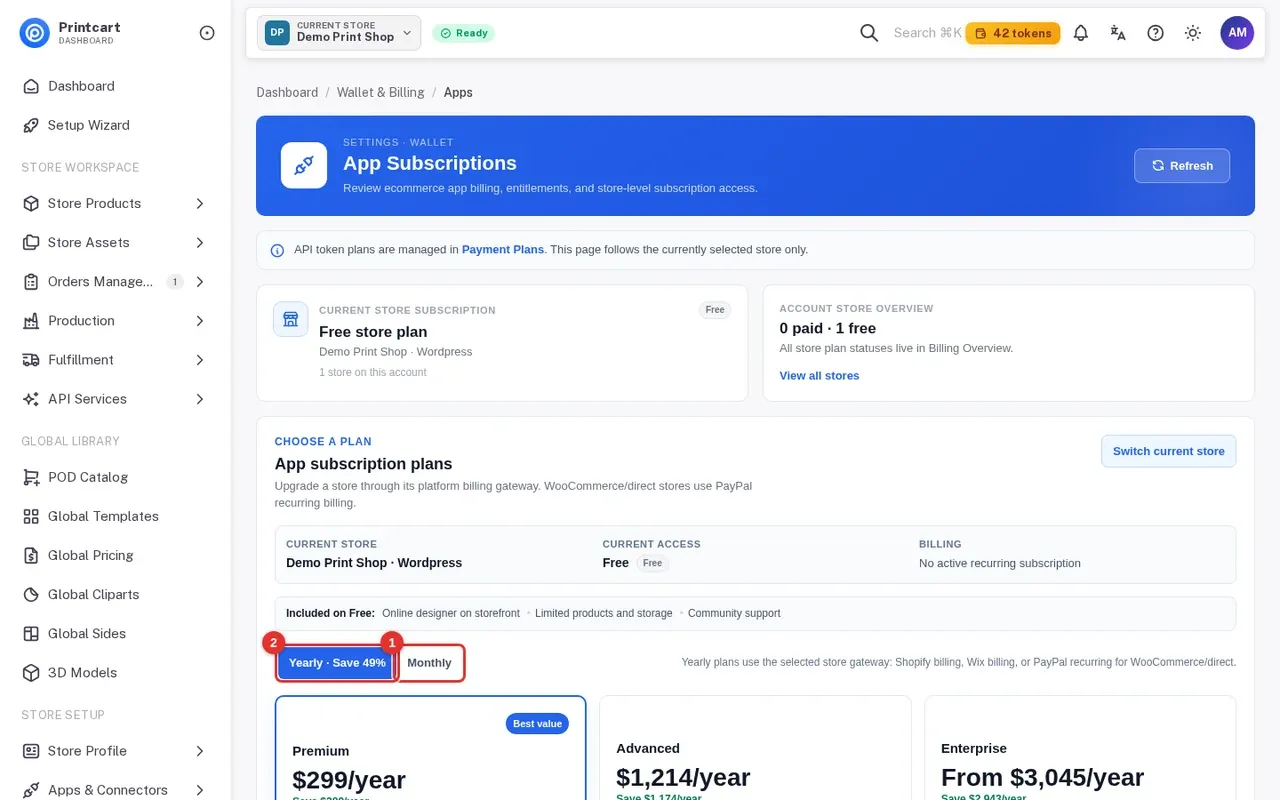
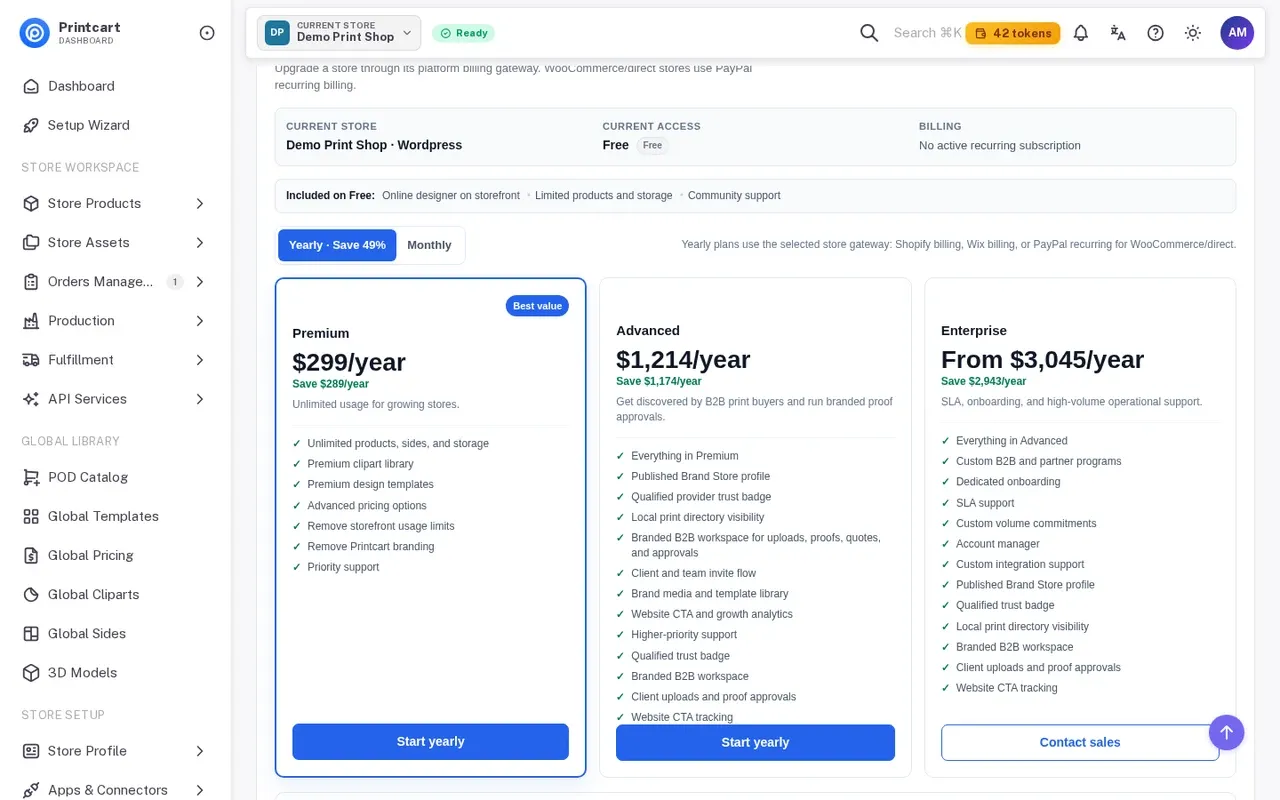
Use the Yearly / Monthly switch. Premium is $49 a month or $299 a year (save $289), Advanced is $199 a month or $1,214 a year, and Enterprise starts from $499 a month with custom terms through [email protected]. Premium adds unlimited products, sides and storage, premium cliparts and templates, advanced pricing options, no storefront usage limits, no Printcart branding and priority support. Advanced adds a published Brand Store profile, a trust badge, directory visibility and a branded B2B workspace.
Expected result: You have picked the plan and billing cycle.
Step 7Upgrade the store
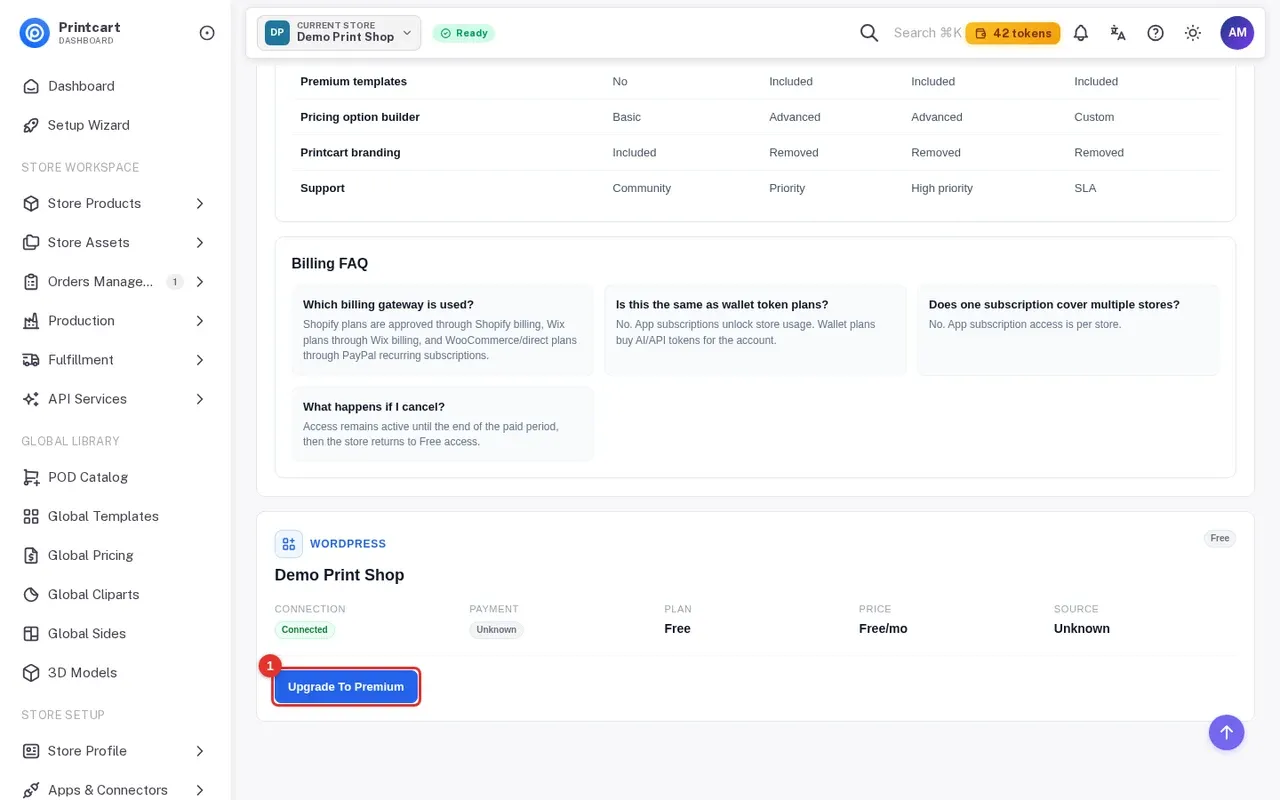
Click Upgrade To Premium (or Start yearly on a plan card). You are sent to your platform's approval page: Shopify billing for Shopify stores, Wix billing for Wix sites, or a PayPal recurring subscription for WooCommerce and direct stores. Approve it there.
Expected result: You return to the dashboard. If it shows activation pending, wait a minute and refresh; PayPal confirms the subscription in the background.
Step 8Find invoices and complete your billing profile
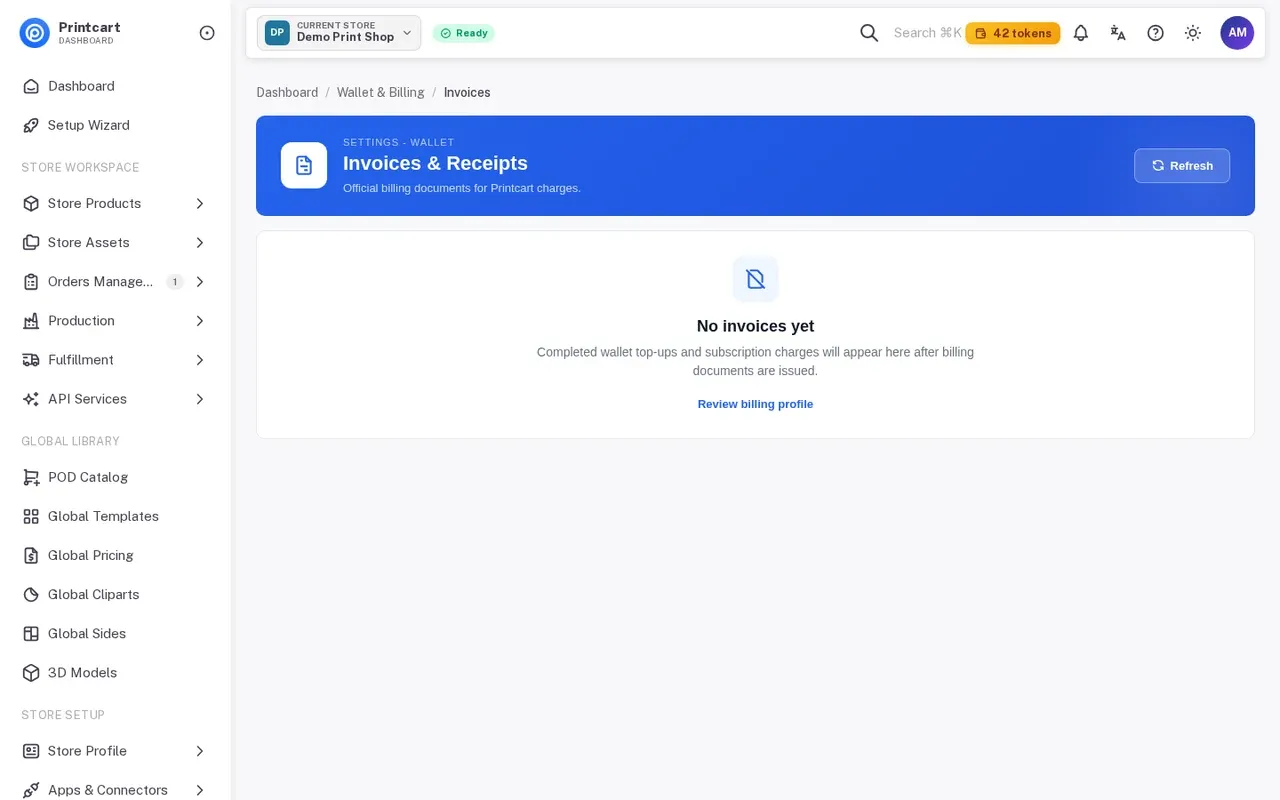
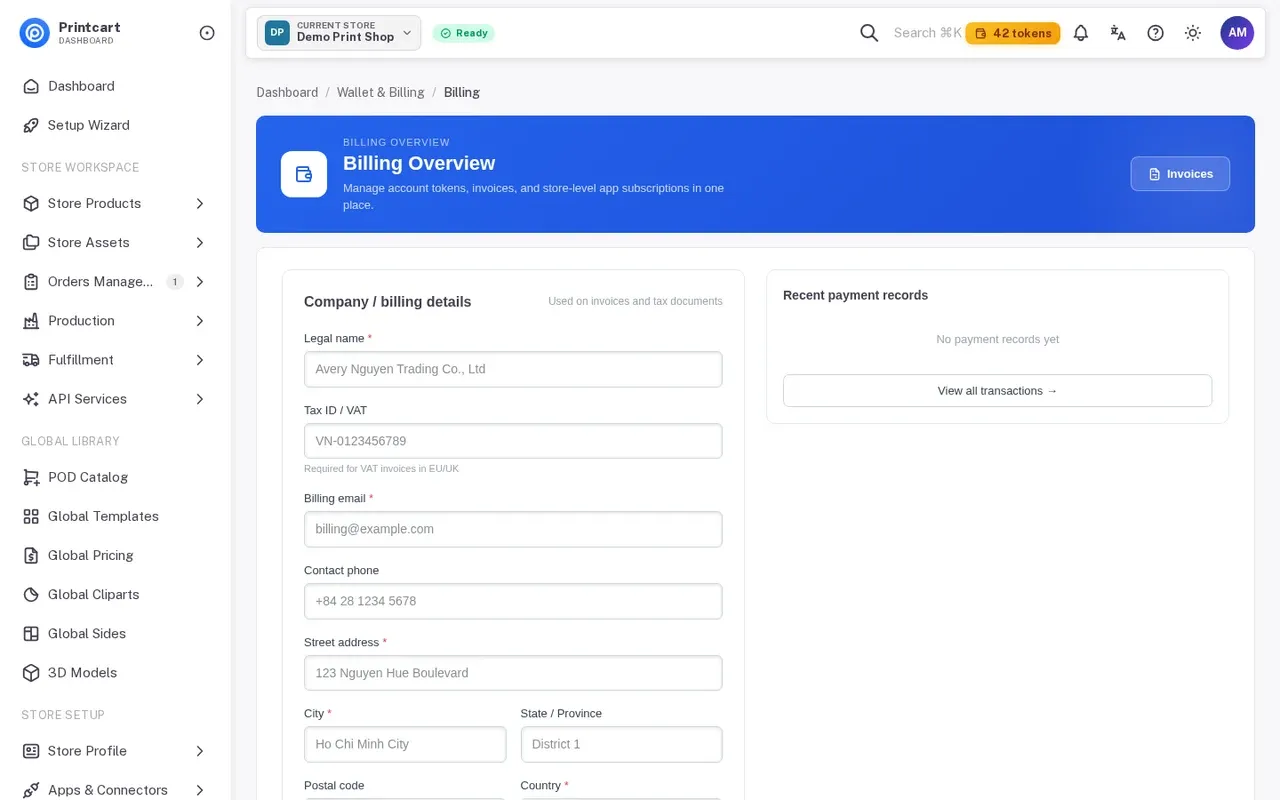
Open Payment > Invoices for your receipts. To download an invoice you may first need to complete the billing profile (Review billing profile): the dashboard tells you which fields are missing.
Expected result: Your invoices download with the correct billing details.
Is the token wallet the same as an app plan?
No. Wallet token plans are per account and pay for AI and API usage. App subscriptions are per store and unlock storefront features. The dashboard keeps them on separate pages, Plans and Apps.
Does one subscription cover several stores?
No. App subscription access is per store, so upgrade each store that needs it.
What happens if I cancel a plan?
Access stays active until the end of the paid period, then the store returns to Free access.
Why does my payment show activation pending?
The platform approved the checkout but the confirmation has not finished arriving. Refresh the page after a minute. If it stays pending, send us a message on WhatsApp with your store name.
What should you do next?
- Sign up for Printcart and create your store with the Setup Wizard
- Connect your store to Printcart: WooCommerce, Wix, Shopify or a custom site
- Enable the online designer and set up products and printing options
- Install Printcart on Wix and connect your store
- Browse all Printcart tutorials
Stuck on a step? Message the Printcart team on WhatsApp and include a screenshot of the screen you are on.
Printcart field note
What to verify before you roll out Printcart Plans, Tokens and Upgrading: Wallet and App Subscriptions Explained
This tutorial is written from Printcart implementation patterns across web-to-print launch planning, buyer experience, and repeatable production. Before treating it as complete, test the workflow with one real product, one real design file, and one real order path.
Printcart Plans, Tokens and Upgrading: Wallet and App Subscriptions Explained — common questions
What do you need before you start?
The screenshots come from a demo account with a demo store called Demo Print Shop and made-up buyer names. Your store name, products and numbers will differ, but the screens and buttons are the same. Secret values are always hidden in the pictures.
Is the token wallet the same as an app plan?
No. Wallet token plans are per account and pay for AI and API usage. App subscriptions are per store and unlock storefront features. The dashboard keeps them on separate pages, Plans and Apps .
Does one subscription cover several stores?
No. App subscription access is per store, so upgrade each store that needs it.
What happens if I cancel a plan?
Access stays active until the end of the paid period, then the store returns to Free access.
Next steps in Printcart
Connect printcart plans, tokens and upgrading: wallet and app subscriptions explained with catalog setup, templates, production workflows, and implementation support.
Want to put printcart plans, tokens and upgrading: wallet and app subscriptions explained into practice?
Use the related Printcart tool below, or create a free account to start building with the product designer.