

 Shopify app
Printcart Product Personalizer
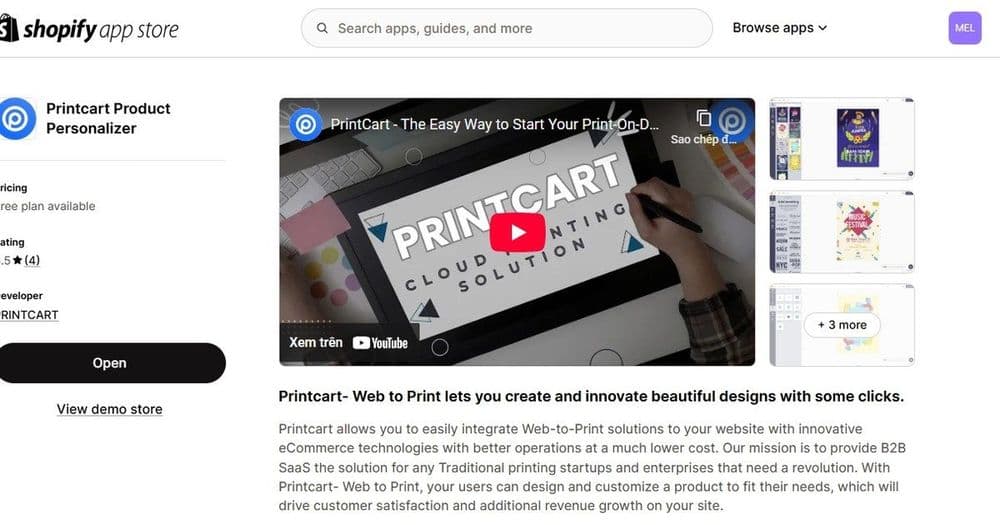
Printcart Product Personalizer is a Shopify app that adds an online design tool to your products. Buyers personalize items with templates, text and image uploads on any device, and you receive print-ready files in SVG, PDF, PNG and JPG. It is built for print shops, print-on-demand sellers and B2B suppliers who sell custom products on Shopify. A Free plan is available.
Step-by-step tutorial →
- Platform
- Shopify
- Plan
- Free plan available
- Requirements
- Shopify store (works with Shopify Admin and API)
- Last updated
- Oct 3, 2026
Features
Online Design Tool for Shopify Products
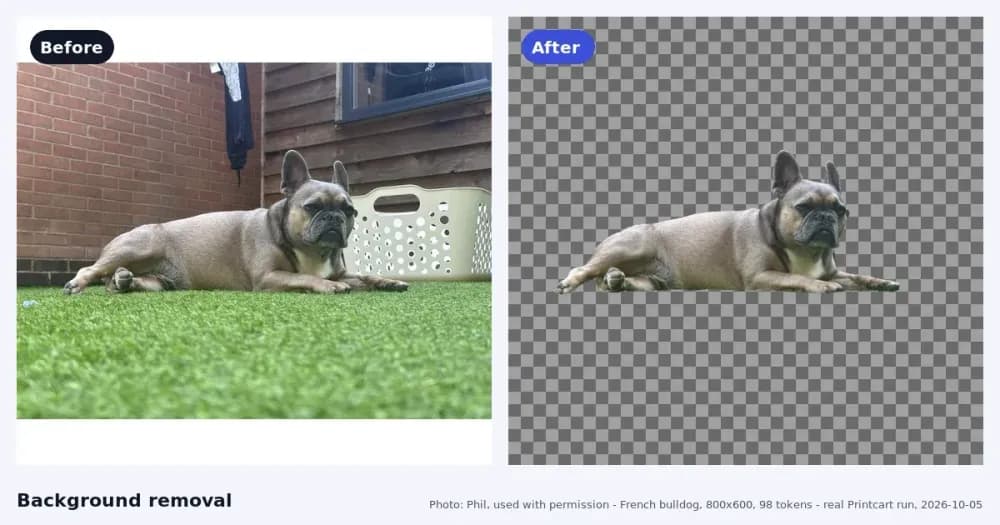
Buyers personalize products with templates, text customization and image uploads in a responsive designer that works on any screen size.
Print-Ready Files
Generate print-ready files in SVG, PDF, PNG and JPG for every personalized order.
Side Templates and Design Areas
Add sides to a product and set the design area on each one, then reuse side templates across products so every item stays consistent.
Product Import and Setup
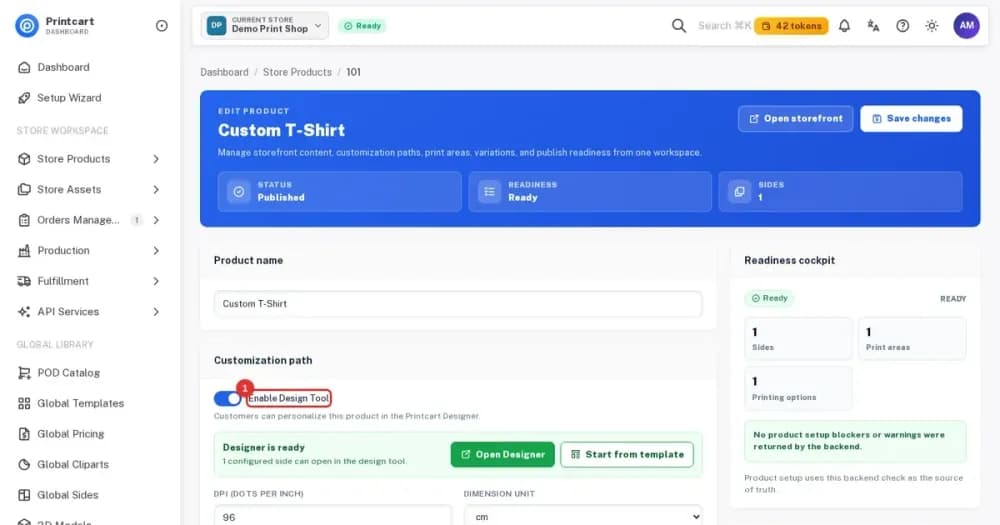
Import products and their variations from your Shopify store, then turn on the design tool or customer upload for each product.
Swatches, Fonts and Dimensions
Offer customization options such as swatches, fonts, dimensions and file uploads, and manage the fonts and images available in the designer.
Template Library
Create and manage design templates that buyers can start from instead of a blank canvas.
Printcart Dashboard
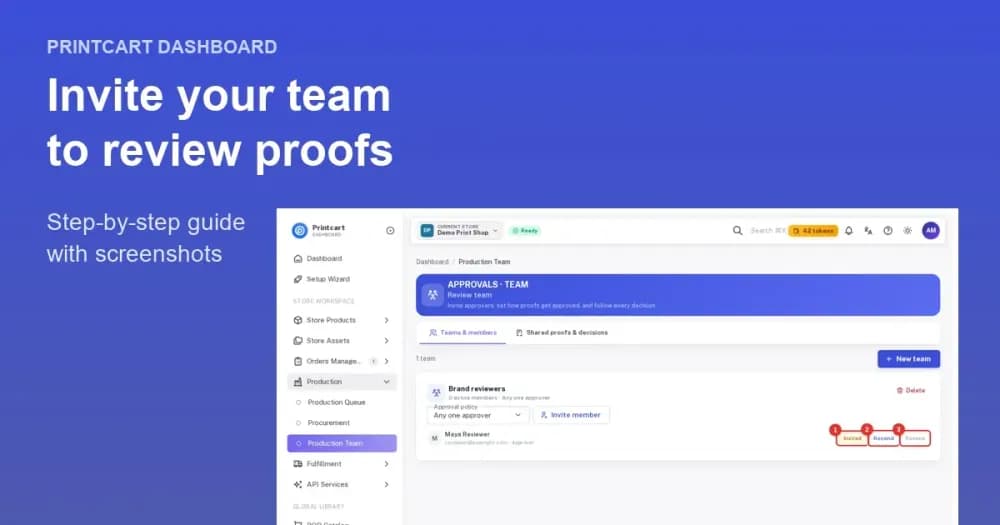
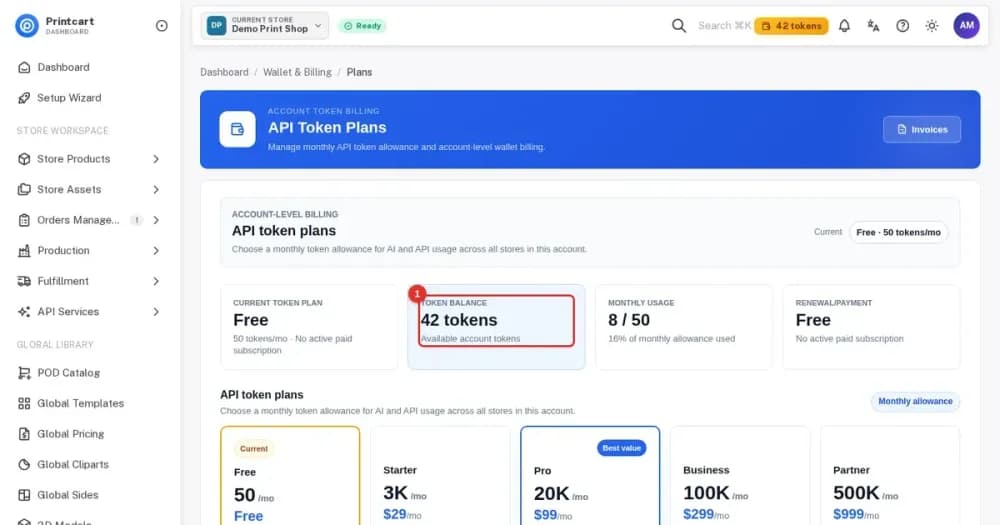
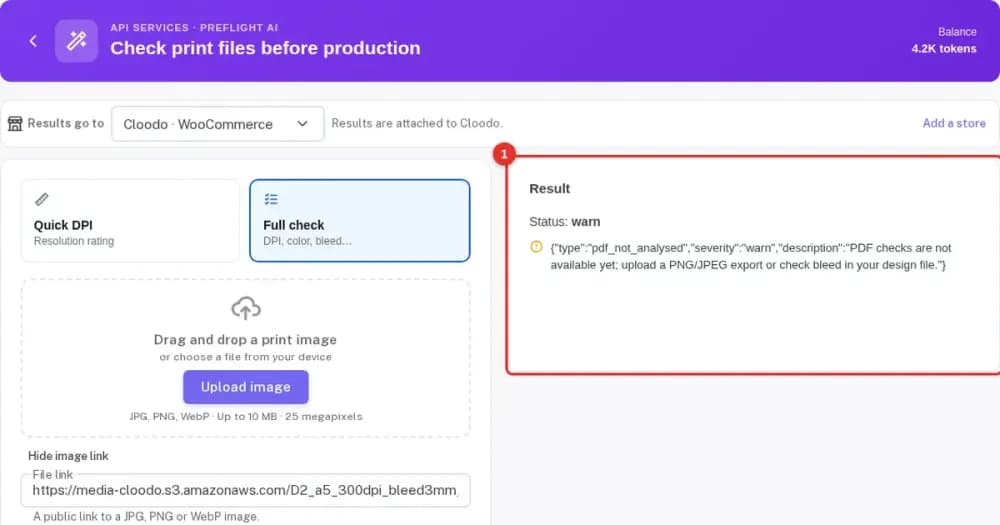
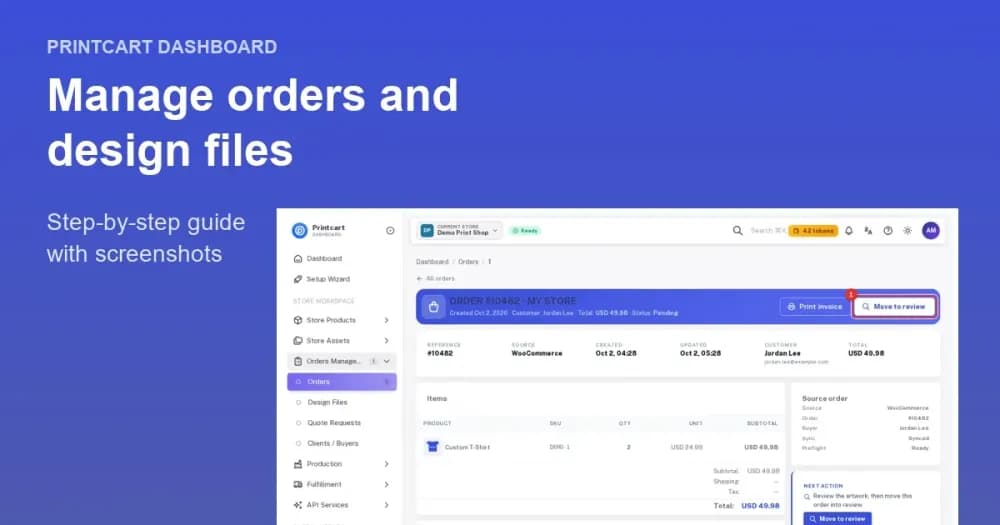
Manage the printing workflow, orders, projects and designs from one dashboard and download the files for production.
API Access to Orders and Designs
Use the Printcart API to read order and design data and connect it to your own tools such as CRM and ERP systems.
Screenshots
Watch the demo
Choose how to get started
Start free, upgrade when you need to
Install the app and use the Free plan. Upgrade the store's plan when you need to.
Add to ShopifyView store plansNeed something built for your shop?
Services for the part that is really custom: a custom theme, data migration, or ERP/MIS work.
Browse servicesWhat merchants say
Selected 5-star reviews, quoted from the Shopify App Store. Read every review there.
I have been using this app for several months. Although I'm not using all the features that the app offers, I must say that it works perfectly. The design and usability are fantastic and it has the best responsive mode. The developers have put a lot of work and effort into this product and have taken into account many details that are really practical when configuring the products. They also helped me with some problems that came up while I was testing. That's why I can't more than strongly recommend this plugin and I hope it will receive many good updates in the future.
Great products, fast loading, clean interface, user friendly and excellent customer support that is always there to address and resolve any customer's concern or problems. They are committed to constantly updating the app and making it better.
Amazing customer service and really versatile app that is helping our customers customize our products - and it's super easy to set-up!
Overview
Printcart Product Personalizer is a Shopify product personalizer that adds an online design tool to your products so shoppers can customize them before they buy. Each order returns a print-ready file, while your Shopify theme, checkout and payments stay exactly as they are.
Who it is for
Printcart Product Personalizer suits Shopify merchants who sell made-to-order or personalized products.
- Shopify print shops: add a digital design flow to a local or online printing business.
- Entrepreneurs: launch print-on-demand stores for apparel, mugs, posters and corporate gifts.
- Agencies and B2B suppliers: manage corporate branding and bulk merchandise orders.
- Marketplace founders: build a designer-to-printer store on Shopify with multi-vendor options.
How it works
You set the app up from the Shopify admin and keep selling through your Online Store.
- Install the app. Open the Printcart Product Personalizer listing on the Shopify App Store, add the app to your store and connect it.
- Import your products. Bring in products and their variations from your store so the designer matches your catalog.
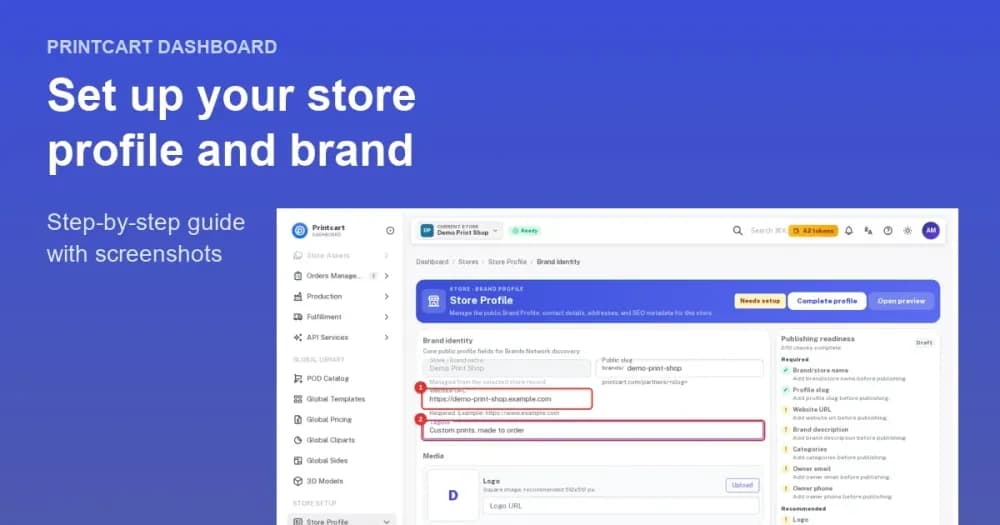
- Set the design areas. Add sides to each product and set the design area, or apply a side template to define it for you.
- Turn on personalization. Enable the design tool or customer upload for each product and set your printing options.
- Add the block to your theme. In the Theme editor, add the Printcart personalizer block to your product page.
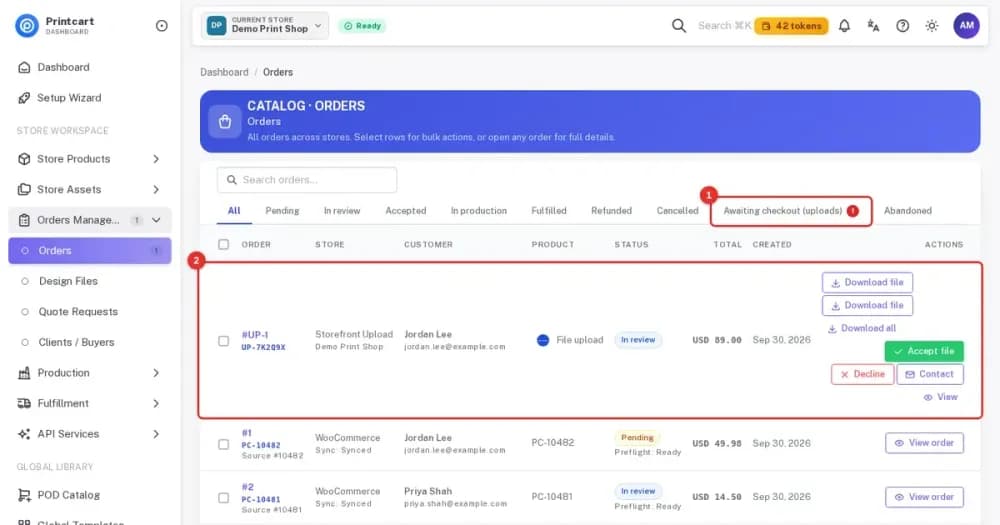
- Receive orders. Review orders and uploaded files in the Printcart Dashboard and download the print files for production.
What the buyer sees
Shoppers personalize the product on its page inside the safe print areas you define. They use templates, text customization and image uploads in an interface that is responsive across devices and screen sizes, preview the result, and then check out through your normal Shopify checkout.
What you get for production
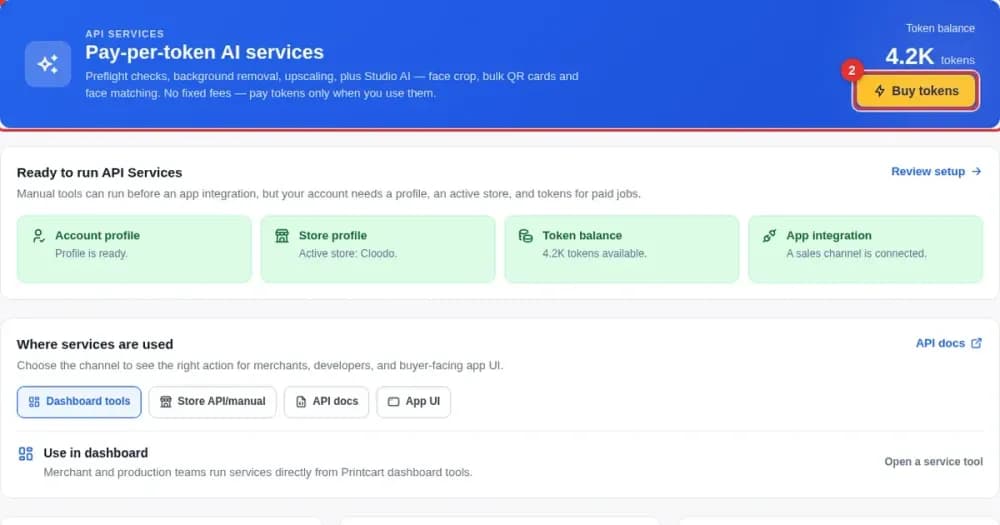
Every personalized order returns print-ready files in SVG, PDF, PNG and JPG. The Printcart Dashboard lets you manage the printing workflow, projects, orders and designs, and the Printcart API gives access to order and design data for your own tools such as a CRM or ERP system. Printcart is used by 2000+ stores across apparel, signage and promotional products.
Products you can sell
Printcart Product Personalizer works for products such as T-shirts, mugs, stationery, signage and packaging. Each product keeps its Shopify variants, while the print areas you define control where a buyer can place text and images.
What stays the same in your store
Shopify remains your storefront. Your theme, checkout, payments and other apps keep working, and Printcart adds only the personalization and web-to-print layer on top, so shoppers still buy the way they already do.
Why design areas matter
Safe print areas keep the on-screen preview close to what gets produced. When a buyer stays inside the area you set, the print-ready file matches the design they approved, which means fewer corrections before production. It also helps your customers, because they see the printable zone while they design instead of discovering a problem after the order.
Requirements
- A Shopify store
- Works with Shopify Admin and API
Plans
A Free plan is available, and paid plans are listed on the Shopify App Store listing and in the Printcart Dashboard.
Help and support
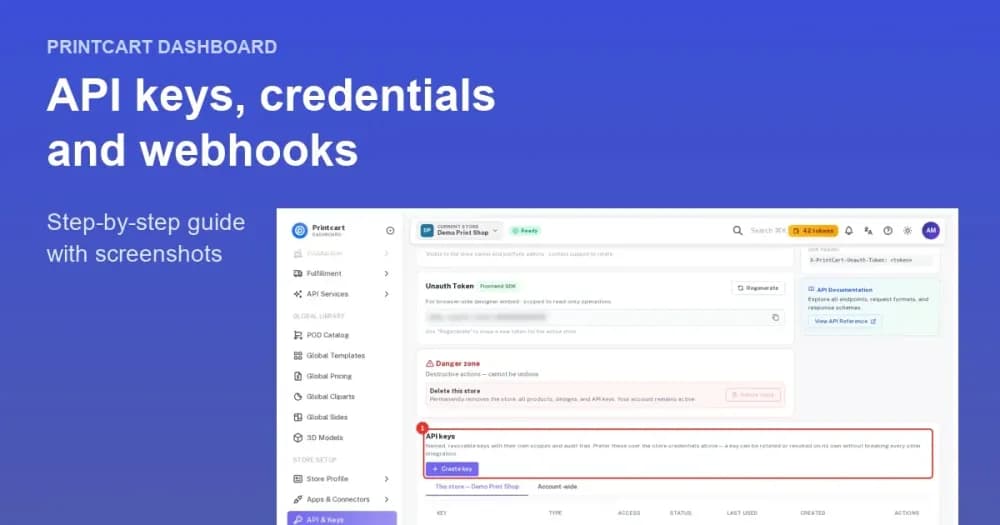
Questions about installing or connecting your store can go to support@printcart.com or a ticket from the Printcart Dashboard. The store connection guide below shows how a Shopify store links to Printcart.
Get started
These guides show how to connect your store and sell custom print products on Shopify.
Developers and agencies can go deeper with the Printcart web-to-print for Shopify (developer guide).
Tutorials for Shopify
More print on demand tutorials →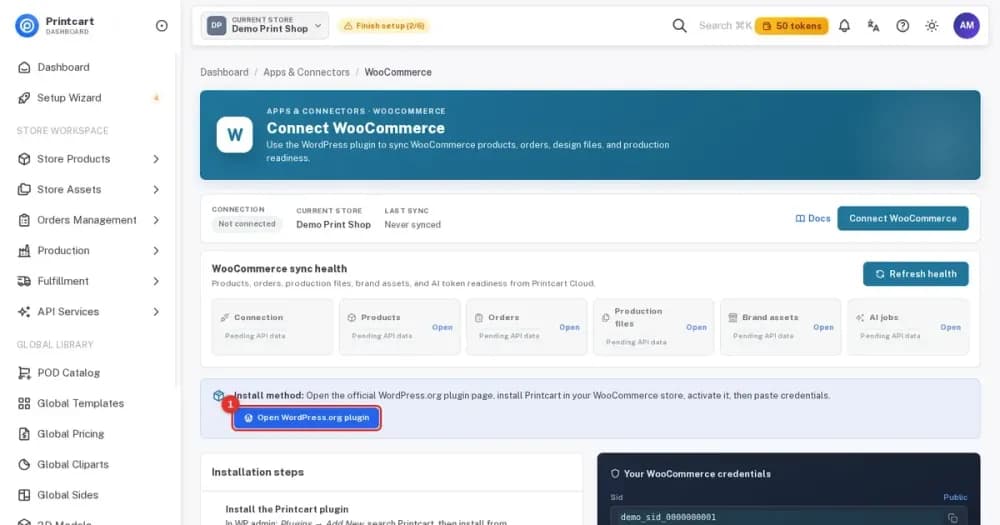
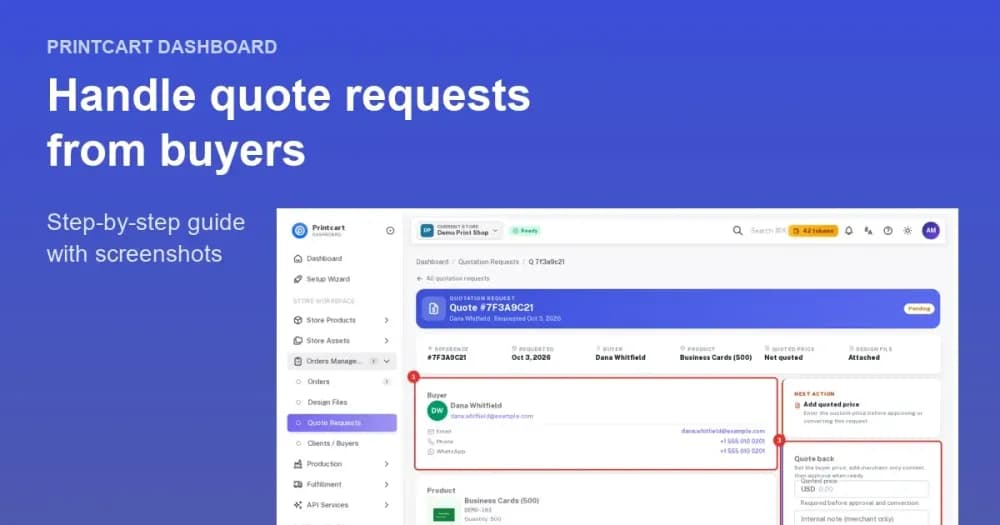
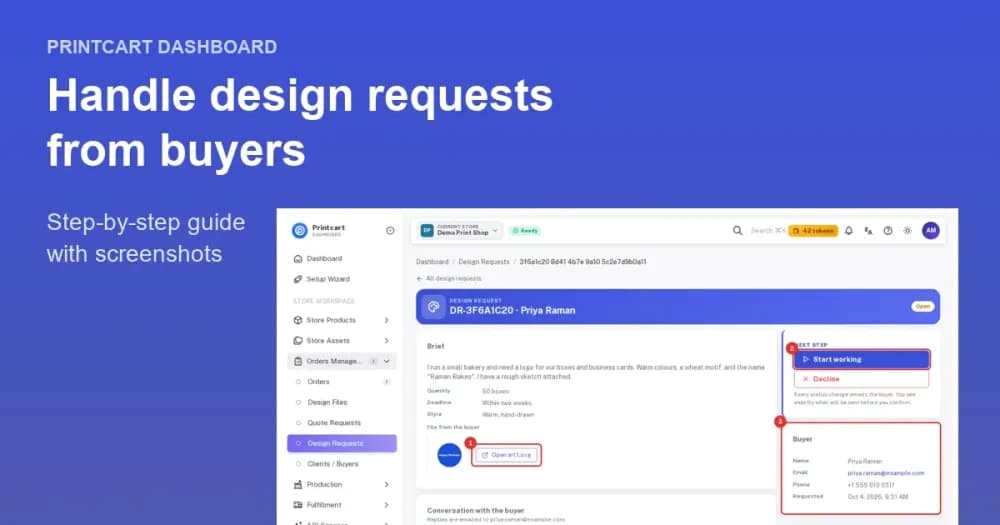
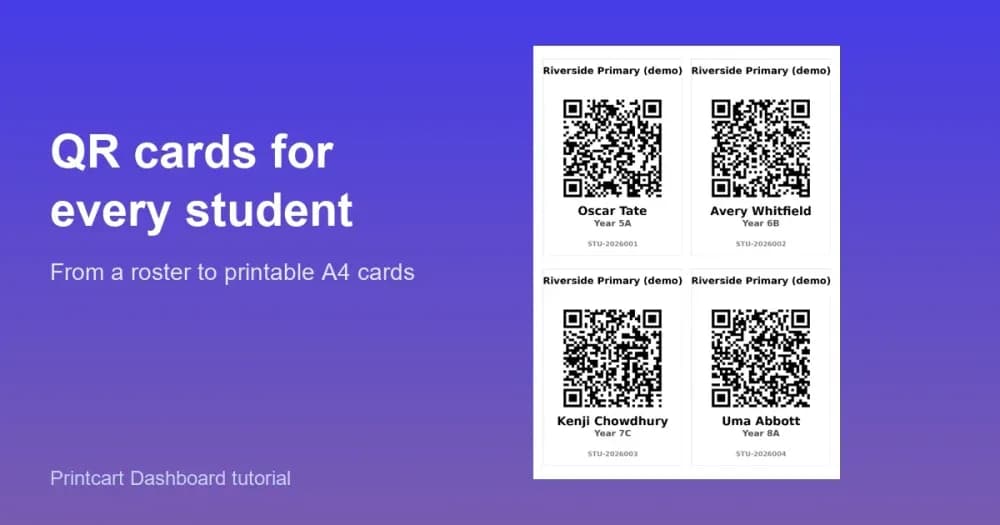
Manage it in the Printcart Dashboard

Store plans
One plan per store. See what each plan includes and pick the one that fits.
- Up to 100 products with the public designer
- Premium clipart library
- Premium design templates
- Advanced pricing options
- 500 order-upload file downloads per month
Frequently asked questions
What is Printcart Product Personalizer?
Printcart Product Personalizer is a Shopify app that adds an online design tool to your products so buyers can personalize them, while you receive print-ready files for production.
How do I install it on Shopify?
Open the Printcart Product Personalizer listing on the Shopify App Store, add the app to your store and follow the connection steps. The store connection tutorial walks through it.
Is there a free plan?
Yes. A Free plan is available, and it has usage limits. See the current plans and limits on the Shopify App Store listing.
Which print files do I receive?
Print-ready files in SVG, PDF, PNG and JPG.
Can buyers upload their own artwork?
Yes. Customization options include file uploads, so buyers can bring their own images as well as use templates and text.
Does the designer work on mobile?
Yes. The design interface is responsive and works across devices and screen sizes.
Where do I manage orders and designs?
In the Printcart Dashboard, where you can review orders and uploaded files and download the print files. The Shopify tutorial shows the full flow.
Can I connect Printcart to my own systems?
Yes. The Printcart API gives access to order and design data so you can connect it to tools such as a CRM or ERP system.
Can you work with a merchant in my country?
Yes. Printcart services are delivered remotely, so we work with merchants in any country. Netbase JSC, the company behind Printcart, has worked with clients in 80+ countries.
Do you support my industry?
Printcart services are not tied to one industry. Full stores, custom development, integration and support are delivered remotely; tell us what you sell and we will say plainly whether Printcart fits.
How do I pay securely?
You sign the contract with and pay the company, Netbase JSC. App plans are billed through Shopify or Wix for stores on those platforms, and through PayPal for WooCommerce and direct stores. Full-store orders on solution.printcart.com check out through PayPal. Service work is quoted in writing in your Helpdesk ticket before any payment.
Who do I talk to?
Talk to our CEO, Huy Nguyen (David), on WhatsApp at https://wa.me/84937869689 or by email at support@printcart.com.
Support
Changelog
- 2026-10-03
- Added the Printcart personalizer theme app extension so you can add a Printcart block to your Online Store theme in the theme editor.
- All existing app features and permissions stay unchanged.
- 2026-08-25
- Added support for paid-order events from Shopify so paid orders reach the Printcart Dashboard.
- 2026-08-05
- Released the native Printcart Product Personalizer app that runs inside the Shopify admin.
- Added order access and order event handling so new and updated orders sync with Printcart. You may be asked to approve the new order permission.
Let Shopify buyers design their own products
Trusted by 2000+ stores. Install the free plugin and let buyers personalize or upload artwork on Shopify.
Use more Printcart apps on your store
Works with the same Printcart account.

Working with Printcart
Printcart is a brand of Netbase JSC. Every Printcart service, from full web-to-print stores and custom development to integration and ongoing support, is delivered remotely, so a merchant in any country and any industry can work with us. Netbase has worked with clients in 80+ countries. Contracts and payments are made with the company, Netbase JSC. To discuss a project, contact our CEO, Huy Nguyen (David), on WhatsApp at https://wa.me/84937869689 or by email at support@printcart.com.